AgentsCursor
Publish from Cursor to a link you can share
Add the host0 skill and ask Cursor to publish. The Agent panel or the agent terminal runs one command, and you get a live URL that only you can open until you share it. An MCP server is optional: it manages what's live from Cursor, but it never deploys.
Free plan, no card. Pro is $9 a month.
Who can open what you publish
A deploy from Cursor starts private whichever way you ran it, the Agent panel or the terminal. To change that, tell the agent in the same chat: "make it a link anyone can open" or "invite sam@acme.com".
- Private: the default. You and people you invite by email, each signing in as themselves.
- Anyone with the link: no sign-in, unlisted and never indexed.
- Public on the web: no sign-in, and search engines may index it.
Access
- No one yet. Add an address and watch the visitor's window.
Sign in to view Team todos
This app is private — sign in to check your access.
Continue with Googleyou@company.comContinueNothing is served until they sign in, and only people you've invited get past that.
x-robots-tag: noindex, nofollow, noarchiveWays to connect Cursor
| Route | What it can do | Set it up |
|---|---|---|
Skill: Put the host0 skill in a folder Cursor reads. The Agent picks it up when you ask to publish, or you call it with /host0 in the chat. We haven't run this in Cursor ourselves; it uses the same commands as every other agent here. Best for: Almost everyone, since it deploys and manages | What it can do: Deploys, Manages | |
| host0 CLI: The same deploy with nothing to install. Cursor runs it in its terminal, or you do. It needs Node 18.18 or newer. Best for: One-off deploys and scripts | What it can do: Deploys, Manages | |
MCP server: Add the server to your global config, or to .cursor/mcp.json for one project. Cursor signs you in with OAuth. It lists apps, changes who can open them, restores versions and edits records. Best for: Managing what's already live | What it can do: Can't deploy, Manages | ~/.cursor/mcp.json |
| Browser drop: Drag a file, a folder or a zip from your project onto host0, and sign in with an email code or Google. No Cursor setup at all. Best for: Trying it before you install anything | What it can do: Deploys, Dashboard to manage |
Does Cursor have hosting of its own?
Not for running apps. Origin, the product Cursor calls code hosting, is a git forge: it stores and shares code, and its docs cover repositories, pull requests and code browsing rather than serving a site.
The two sit side by side. Keep your code on Origin or GitHub, and publish the built output to host0 when someone needs to open it. Origin is in early beta, and Cursor's docs say it isn't available on the Free or Plus plans.
What if my Cursor project has a backend or a build step?
host0 serves static files, so publish the build output rather than the source. Tell Cursor to run the build first and point the deploy at the output folder.
- A site or single-page app with a build step: build it, then deploy the output folder, such as
distorout. - A project that needs a database for lists, boards or forms: ask Cursor to move that data to shared records, which need no server code.
- Real server code, like an Express API or Next.js server routes: host0 can't run it yet. Host that part somewhere else, or ask Cursor whether the page can do without it.
What does the host0 MCP server do in Cursor, and what doesn't it do?
It manages apps that already exist, and it can't deploy. Publishing goes through the skill or the CLI, because uploading files is a job for a command rather than a tool call.
- Look: list apps, inspect one, read its analytics.
- Share: set who can open it, invite and remove people.
- Fix: rename the URL, list versions and restore one, edit or delete records, delete an app.
Cursor asks for approval before it uses an MCP tool by default, so a visibility change shows you its arguments first. The terminal agent reads the same mcp.json as the editor.
~/.cursor/mcp.json
{
  "mcpServers": {
    "host0": {
      "url": "https://mcp.host0.ai/mcp"
    }
  }
}How do I redeploy after Cursor changes something?
Ask again. The first deploy saves .host0/state.json in that folder, so the next one updates the same app at the same URL and skips the files that didn't change.
The catch is a checkout without that file, like a fresh clone or a new worktree. There the deploy doesn't know your app and creates a new one, so tell the Agent the app's current slug, the part of its URL before .host0.app: "redeploy to k3x9q2m7ta". A display name won't match.
Why does Cursor ask to run the deploy outside its sandbox?
Because a deploy needs the network. Cursor's sandbox blocks network access apart from what your network mode and sandbox.json open, and its built-in defaults are for package managers and language tools.
Approve it when Cursor asks, or allow host0's two hosts once. Uploads go to host0.app and everything else to host0.ai, so add both to allow under networkPolicy in ~/.cursor/sandbox.json for every project, or in the project's own .cursor/sandbox.json. Signing in also saves a key to ~/.host0, outside the workspace, so list that under additionalReadwritePaths or approve that run. We haven't run this combination.
The first publish with no key also prints a link and a short code. Cursor shows them to you, you approve in your own browser, and nothing personal goes into the chat.
How does a teammate get access?
Ask Cursor to invite them by email, or add them in the dashboard. They sign in with that address, and removing them cuts access right away.
They don't need Cursor. They do need a host0 account for that email if the app is private; the invitation lets them make one. If you've opened the app to anyone with the link, nobody signs in to read it, and an invite is what lets someone change its shared data.
Can a Cursor cloud agent publish too?
It should work, but we haven't run it ourselves. A cloud agent runs in its own VM, so it doesn't have the skill or the key from your machine, and you have to give it both.
- The skill: put it in the repo's
.cursor/skills/, or turn on Sync Skills for Cloud Agents. Only~/.cursor/skills/syncs, so a copy in~/.agents/skills/won't reach the VM. - The key: add
HOST0_API_KEYin Cursor's Secrets tab. Cloud agents see secrets as environment variables, and the skill reads that one. - The app: name the slug in your prompt, since the VM has no
.host0/state.jsonunless it's committed.
Real apps, live on host0
Each one came from a single prompt. Open it, or paste the prompt into Cursor to get your own copy.
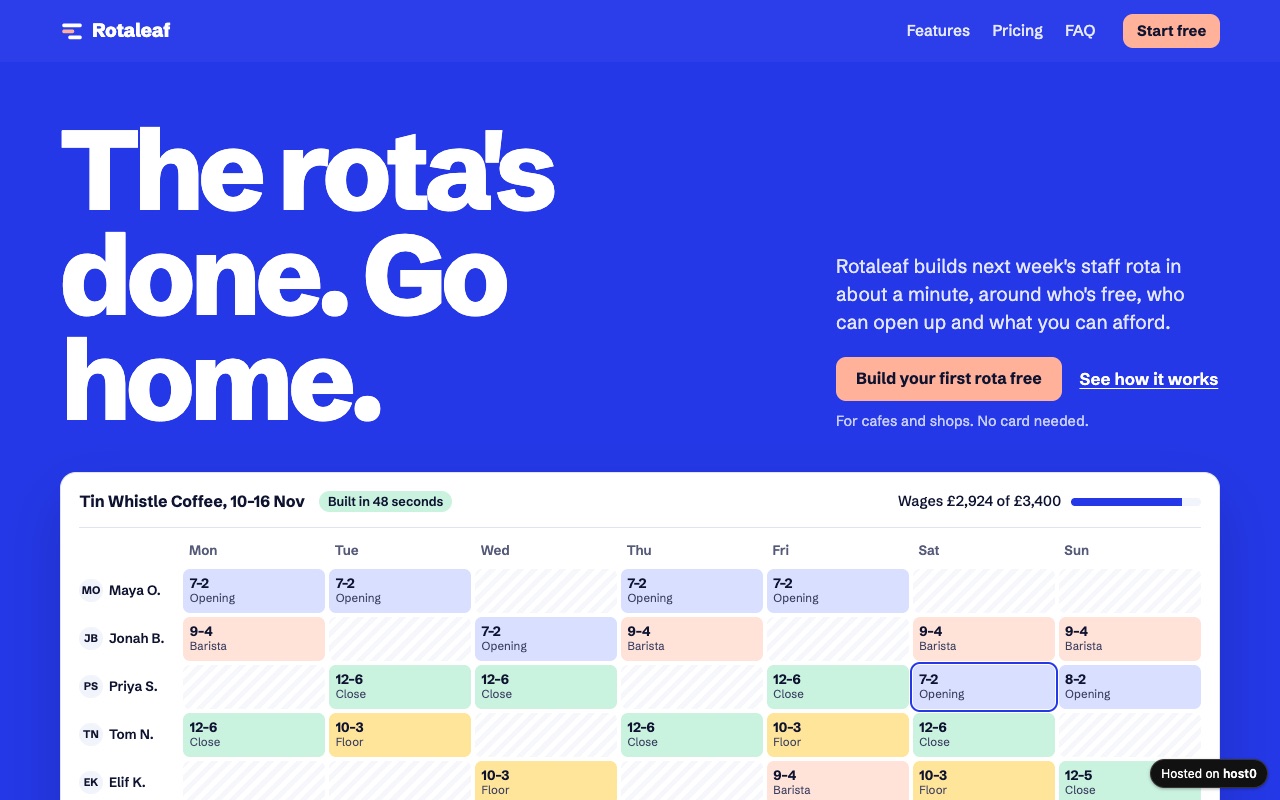
SaaS landing page
Hero, features, pricing and an FAQ for a small product, all in one file.
Built with Claude Code
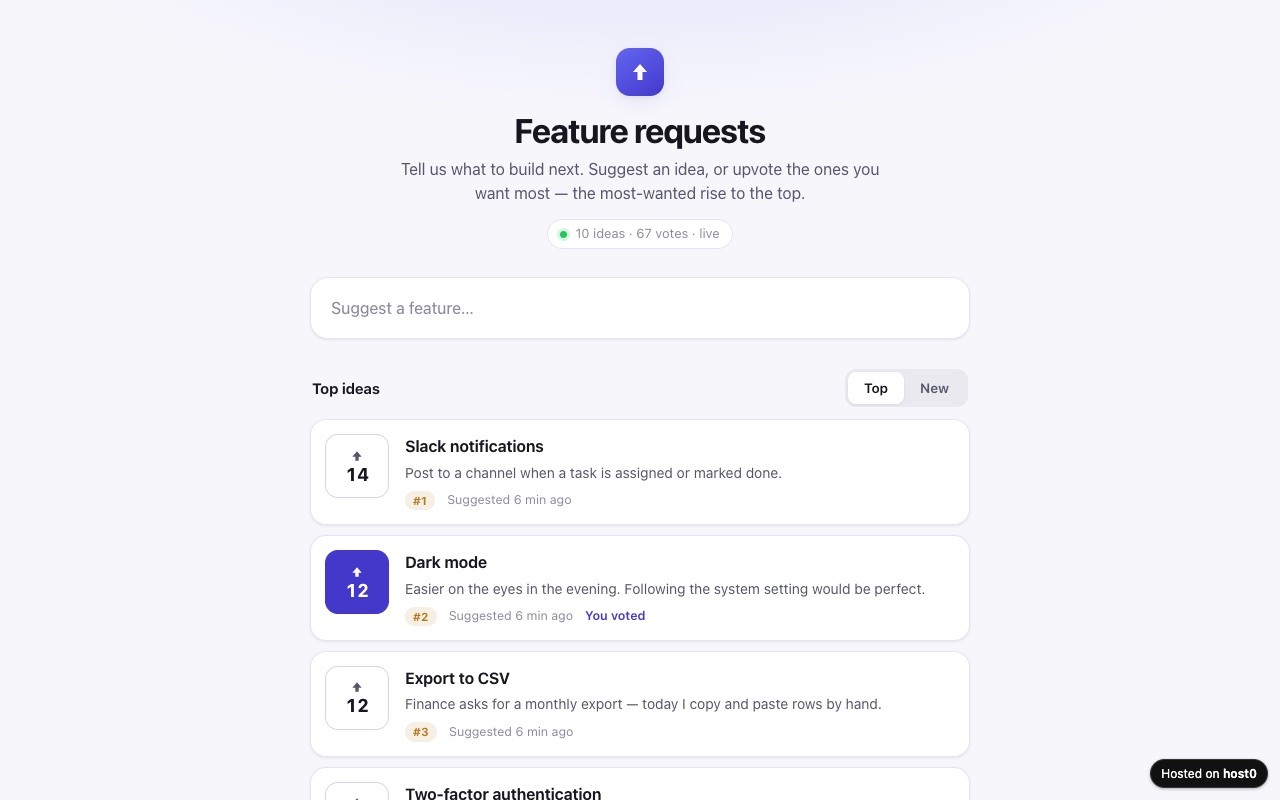
Feature request voting board
People suggest features and upvote the ones they want most.
Built with Claude Code
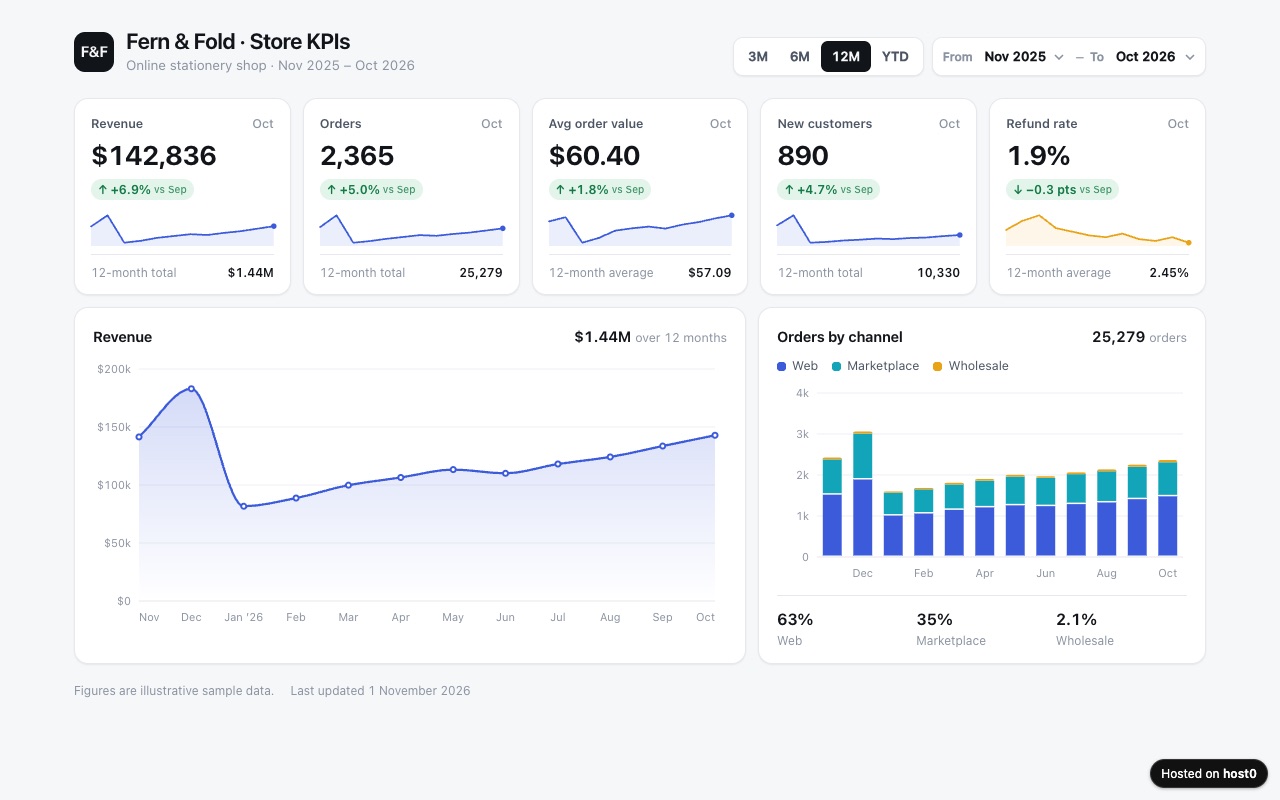
KPI dashboard
A clean metrics page from a spreadsheet, with charts and a month filter.
Built with Claude Code
Undo a bad deploy, and see who opened it
Versions
Each time the Agent republishes the same folder, that's a new numbered version at the same URL. If the last change broke something, ask Cursor to roll back, or restore a version in the dashboard. On Free: live version only. On Pro: 30 days of version history.
Analytics
Page views, countries and referrers on every app, with no cookies and nothing for you to install. On Free: total visits only. On Pro: full, 90 days.
Cursor and host0: questions
Can Cursor publish to host0 by itself?
Yes, once the skill is installed. You ask in the Agent panel, it runs the deploy in its terminal, and it answers with the URL. Depending on your run mode, Cursor may ask you to approve the command first.
Does the agent terminal command work the same way?
Yes. The Cursor CLI asks you to approve commands with y or n, lists skills in its / menu and respects your mcp.json, so the same setup covers the editor and the terminal.
Cursor doesn't see the skill. What do I check?
Open Customize in the sidebar and go to Skills. Cursor finds skills when it starts, from .cursor/skills and .agents/skills in the project and the same folders in your home directory, and for compatibility .claude/skills too. Restart Cursor after installing.
Do the people I share with need Cursor?
No. A host0 link opens in any browser, on a phone too. They sign in only if the app is private or they're changing shared data.
What does it cost?
Free plan, no card. Pro is $9 a month. Limits are per plan: on Free, a file can be up to 3 MB and an account holds 5 apps. Cursor's own plan doesn't change any of this.
What can't I publish from Cursor?
Anything that needs a server process. An archive is refused too: extract a zip and publish the folder. Dropped in a browser, a zip is unpacked for you.
Sources
Facts about Cursor checked on Nov 6, 2026. Products change: if something here is out of date, tell us at support@host0.ai.
- Cursor docs: Agent Skills
- Cursor docs: Model Context Protocol
- Cursor docs: Cursor CLI
- Cursor docs: Using Agent in CLI
- Cursor docs: Run Modes
- Cursor docs: sandbox.json reference
- Cursor docs: Canvases
- Cursor docs: Origin
- Cursor docs: Cloud Agent capabilities
- Cursor docs: Cloud environment setup
- Cursor docs: Deeplinks
Publishing from something else?
Share what Cursor made
A link in one sentence, private until you say otherwise.
Get startedhost0 isn't affiliated with Cursor or its maker. Product names and marks are used only to identify the product.