AgentsGemini
Share what Gemini made, with a say in who opens it
Canvas has its own public link, and for a quiz or a demo that's often enough. When you need to choose who gets in, save what Canvas made as a file and drop it on host0. In a terminal, Gemini CLI or its successor Antigravity CLI runs the host0 skill and hands back a URL.
The Gemini chat can't run a command or upload a file, so it can't publish by itself, and connecting host0 over MCP doesn't change that. The setup prompt below is for the two CLIs, not the chat.
Free plan, no card. Pro is $9 a month.
Who can open what you publish
A Canvas link has one setting: anyone who holds it gets in. What you drop from a Gemini chat or publish from Gemini CLI starts the other way round, open only to you, and you widen it from there.
- Private: the default. You and people you invite by email, each signing in as themselves.
- Anyone with the link: no sign-in, unlisted and never indexed.
- Public on the web: no sign-in, and search engines may index it.
Access
- No one yet. Add an address and watch the visitor's window.
Sign in to view Team todos
This app is private — sign in to check your access.
Continue with Googleyou@company.comContinueNothing is served until they sign in, and only people you've invited get past that.
x-robots-tag: noindex, nofollow, noarchiveWays to connect Gemini
| Route | What it can do | Set it up |
|---|---|---|
| Browser drop: The only way in from the chat. Save what Canvas made as a file, drop it on host0, and sign in with an email code or Google. Best for: Anything made in the Gemini chat | What it can do: Deploys, Dashboard to manage | |
| Skill, for Gemini CLI or Antigravity CLI: A folder the CLI scans when a session starts. It matches the skill to your request and asks your consent before using it. Pick one install: Gemini CLI's own, the one with no Node, or the skills CLI. Best for: Terminal users, since it deploys and manages | What it can do: Deploys, Manages | Gemini CLI Either CLI, no Node needed Through the skills CLI |
| host0 CLI: Gemini CLI can run this through its shell tool with no skill installed. It needs Node 18.18 or newer, which an npm install of Gemini CLI already implies. Best for: A single deploy with nothing to set up | What it can do: Deploys, Manages | |
MCP server, in a CLI: One command in Gemini CLI, then /mcp auth host0 to sign in. In Antigravity CLI, add the entry to its own config file. Either way it manages live apps and can't deploy. Best for: Sharing, versions and records from the terminal | What it can do: Can't deploy, Manages | Gemini CLI ~/.gemini/config/mcp_config.json (Antigravity CLI) |
| Custom app, in the Gemini web app: Connect host0 by its MCP server URL, and the Gemini web and mobile apps can then manage what's live. It can't publish. Best for: People in the US on a personal Google Account | What it can do: Can't deploy, Manages | MCP server URL On a computer, go to Settings, then Connected Apps, then Add a custom app under Custom apps, and paste the URL. If Connected Apps isn't there, look under Personal Intelligence. |
When isn't a Canvas link enough?
When you need to pick who gets in, when the people holding the link shouldn't be able to change the data, or when the address should be yours.
| Canvas link | host0 link | |
|---|---|---|
| Who can open it | Anyone with the link. Google's help describes no invite-only setting | Only you at first, then people you invite by email, anyone with the link, or the whole web |
| Where it opens | gemini.google.com, not the Gemini mobile app | Any browser, on a phone too |
| The address | g.co/gemini/share/… | A host0.app address you can rename. Pro includes 3 custom domains per account; Free has none. |
| Data in an app | Anyone with the link can view and edit it | Per-collection rules in h0.json: who reads, who creates, who changes |
| AI inside the app | Add Gemini features puts text and image generation in the app | Not built in. Visitors can bring their own key, and a key of yours needs a backend elsewhere |
| Seeing who came | Nothing about visits in the help pages we read | Cookieless visit counts in your dashboard |
Stay on Canvas when you want Gemini-powered features in the app, or when everyone holding the link is welcome to change what's in it. Canvas is available to all Gemini users, so it costs you nothing extra to try that first.
How do I move something from Canvas to host0?
By hand, on a computer. Google lists Canvas's copy and export options for the computer version, so get the file out there, then drop it on host0.
| What you made | How it leaves Canvas | Where to drop it |
|---|---|---|
| An app or web page | Click Code at the top right of the panel, copy all of it, and save it as index.html | /tools/share-html-file |
| Slides | Open Share & export. Besides Export to Slides, Google offers an export as a PDF | /tools/pdf-to-link |
| A doc with LaTeX | Export it as a PDF, which shows you a preview before the download | /tools/pdf-to-link |
Google's help describes no file download for apps, which is why the first row is copy and paste. Ask for one self-contained HTML file before you copy. If the code needs a build step, like React in separate files, ask Gemini to rewrite it as a single plain page, because a drop serves your files as they are.
The risk is whatever leans on Canvas itself. Google's help doesn't describe Gemini-powered features or saved data working anywhere else, so assume they stop, and open the page before you send it to anyone. A plain page should work this way, but we haven't run it across what Canvas produces.
Can I still use Gemini CLI, or do I need Antigravity CLI?
That depends on how you pay Google. On June 18, 2026, Gemini CLI stopped serving Google AI Pro, Ultra and free individual users, and Google moved them to Antigravity CLI. Gemini Code Assist Standard and Enterprise licenses and paid API keys keep Gemini CLI.
| Gemini CLI | Antigravity CLI | |
|---|---|---|
| Command | gemini | agy |
| Skills for all projects | ~/.gemini/skills/ or ~/.agents/skills/ | ~/.gemini/skills/ or ~/.gemini/antigravity-cli/skills/ |
| Skills for one project | .gemini/skills/ or .agents/skills/ | .agents/skills/ |
| MCP config | ~/.gemini/settings.json, with url or httpUrl | ~/.gemini/config/mcp_config.json, with serverUrl |
So a copy in ~/.gemini/skills/host0 is read by both, and this install puts it there:
curl -fsSL https://host0.ai/install.sh | bash -s -- --dir ~/.gemini/skills/host0Antigravity CLI is built in Go, so it doesn't bring Node along. On a machine without Node the skill falls back to its script, which needs curl and jq. Both CLIs document this skill format, so it should work in either, but we haven't run host0 in them.
What happens the first time Gemini CLI publishes?
You approve a few things, then you get a URL. Gemini CLI asks your consent to activate the skill, showing its name, purpose and folder. The deploy then runs through its shell tool, and with no key yet it prints a link and a short code for you to approve in your browser.
- Skill not found: run
/skills list, then/skills reloadto scan the folders again. - Working over SSH: the sign-in still works, because you can open that link on any device.
- With its sandbox on: Gemini CLI's default macOS profile allows the network but confines writes to the project, and the container sandbox only sees the project. Neither can save the key to
~/.host0/credentials, so approve the expansion request if one appears, or setHOST0_API_KEY. A proxied profile also has to lethost0.aiandhost0.appthrough.
The sandbox is opt-in, through -s or your settings. Its effect on a deploy is our reading of Google's docs, not something we've tested.
Can Gemini manage my host0 apps over MCP?
Yes, from the CLI or from the Gemini web and mobile apps, but only apps that already exist. host0's MCP tools list apps, change who can open them, restore versions and edit records, and none of them deploys.
In Gemini CLI, a plain gemini mcp add writes to the project's .gemini/settings.json, so this one passes the user scope to cover every project:
gemini mcp add --scope user --transport http host0 https://mcp.host0.ai/mcp- Sign in with
/mcp auth host0. It opens a browser, so Google says it won't work in headless setups, over SSH without X11 forwarding, or in containers. - If you've turned on Trusted Folders, MCP servers don't connect from a folder you haven't trusted.
In the Gemini apps, a custom app takes the URL below, and Google's conditions are strict: you must be 18 or over and in the US, signed in with a personal Google Account rather than a work or school one, with Keep Activity on, and using Gemini in English. You connect on the web, and it then works on mobile too.
MCP server URL
https://mcp.host0.ai/mcpType @ and pick host0 to make sure Gemini uses it. Gemini currently asks you to confirm write actions. Google also warns that it may send a custom app information from your chat and connected sources, so know what you're connecting. host0 offers the dynamic client registration these clients look for, so it should work, but we haven't run it in any of them.
How do I update the page after Gemini changes it?
From Gemini CLI, ask it to publish again. From the chat, upload the new file on the app's Versions tab in your dashboard. Either way the URL stays the same.
Don't drop the new file on the tool page: that creates a second app with a new URL. The Versions tab shows what changes against the live version and waits for your click, and a drop without an h0.json keeps your collections and their data.
In the CLI, the first publish writes .host0/state.json into the folder, and that's how the next one finds the app. In another folder or a new session without that file, name the slug in your prompt, as in "publish this to team-todos".
Real apps, live on host0
Each one came from a single prompt. Open it, or paste the prompt into Gemini to get your own copy.
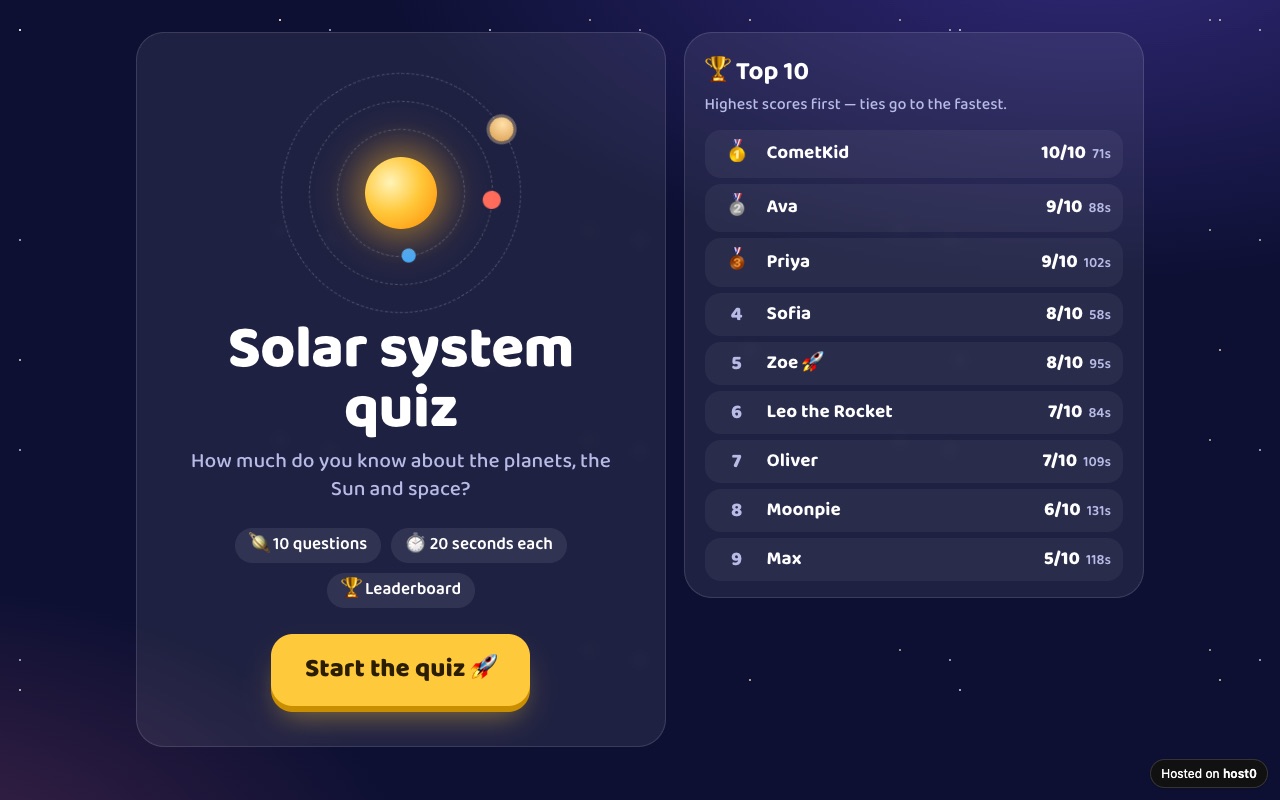
Classroom quiz with a leaderboard
A ten-question quiz students play from a link, with a shared high-score table.
Built with Claude Code
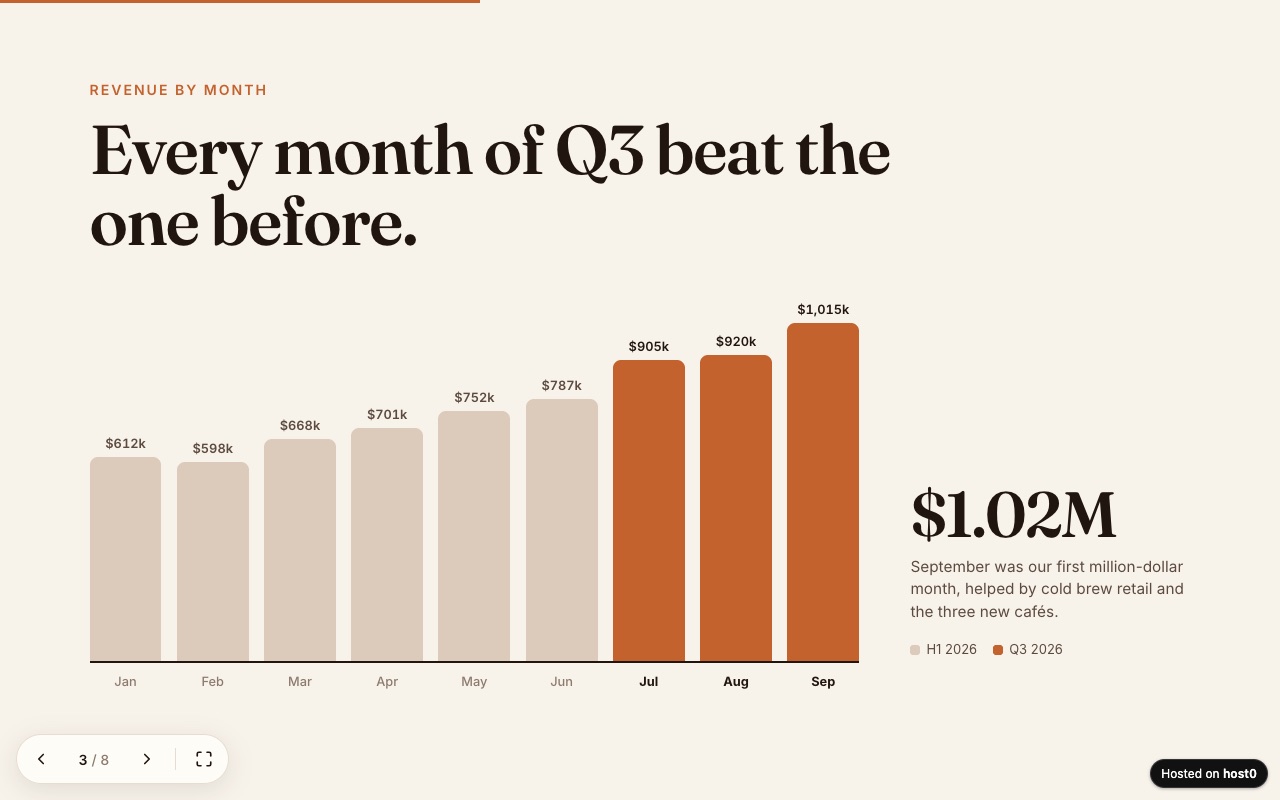
Web slide deck
A presentation as one web page — arrow keys, swipe and a link to send.
Built with Claude Code
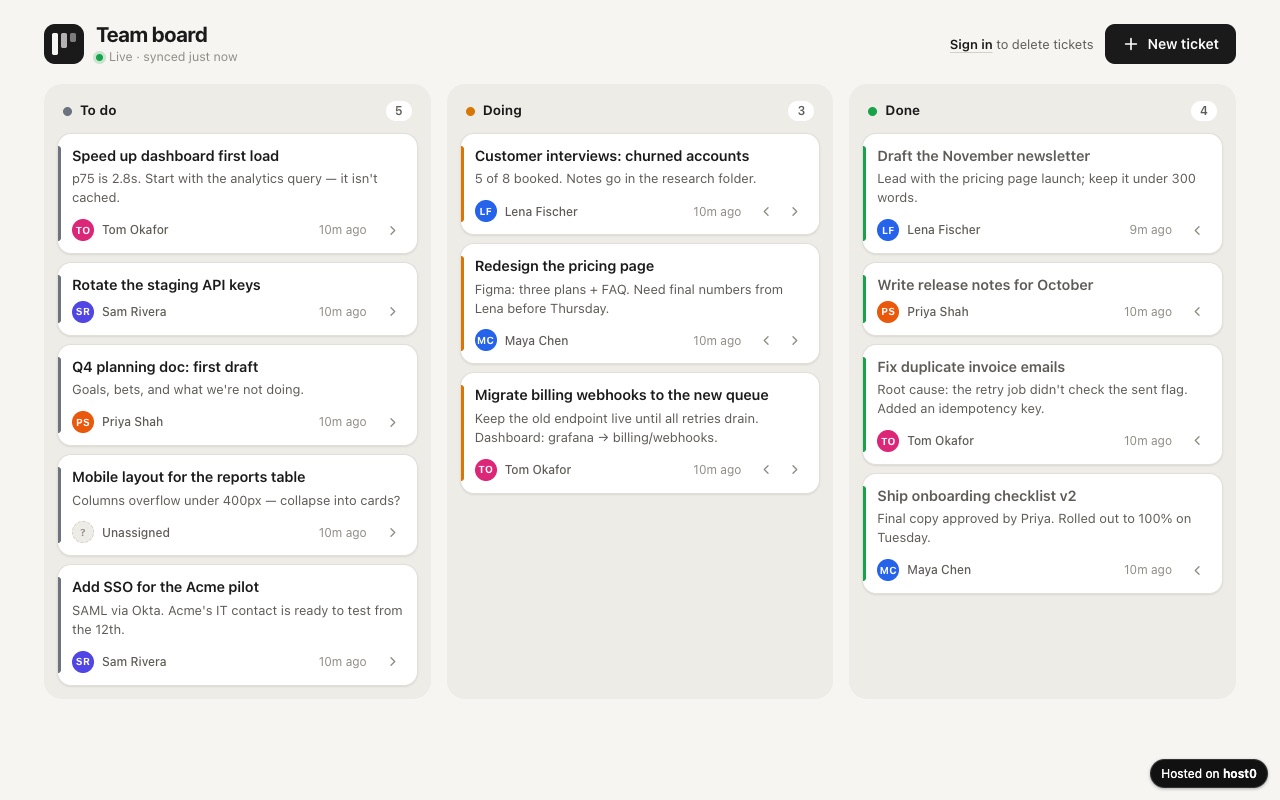
Team ticket board
A shared to-do board with three columns your whole team works on.
Built with Claude Code
Undo a bad deploy, and see who opened it
Versions
Canvas saves as you work, and a doc gets previous and next version arrows in the panel. Those stay in Gemini. Each publish from Gemini CLI, and each file you upload on the app's Versions tab, becomes a numbered version people see at the same URL. On Free: live version only. On Pro: 30 days of version history.
Analytics
Page views, countries and referrers on every app, with no cookies and nothing for you to install. On Free: total visits only. On Pro: full, 90 days.
Gemini and host0: questions
Can the Gemini chat publish to host0 by itself?
No. It can't run a command or send a file, and host0's MCP server has no deploy tool, so connecting it as a custom app doesn't change that. Save what Gemini made as a file and drop it on host0, or use Gemini CLI, which runs the skill.
Why did my shared Gemini link stop working?
Google's help on shared chats says a public link lasts as long as the chat stays in your Gemini Apps Activity, so deleting the chat, or auto-delete removing it, deletes the link. Your links are under Settings, Your public links. Canvas links use the same g.co/gemini/share address, though that page is written about chats.
Is there a host0 extension for Gemini CLI?
No, and you don't need one. The skill is a folder that Gemini CLI finds by itself, and the MCP server is one command. Google is also replacing extensions with plugins in Antigravity CLI.
Do the people I share with need Gemini or a Google account?
Not for a host0 link. It opens in any browser. They sign in only if the app is private or a rule on its shared data asks for it, and an email code works as well as Google.
Can I do all this from my phone?
Start on a computer. Google puts Canvas's copy and export options under the computer version, and a custom app can only be connected on the web. Once it's on host0, the link opens on any phone.
My Gemini CLI project has a server. Can host0 run it?
Not yet, because host0 serves static files. Ask Gemini CLI to build the project and publish the output folder, and to move lists and forms into shared records. Any real API has to live on another host.
What does it cost?
Free plan, no card. Pro is $9 a month. Your Gemini or Google AI plan has no bearing on it. On Free, one file can be up to 3 MB and an account can hold 5 apps.
Sources
Facts about Gemini checked on Nov 6, 2026. Products change: if something here is out of date, tell us at support@host0.ai.
- Gemini Apps Help: Create docs, apps & more with Canvas
- Gemini: Canvas overview
- Gemini Apps Help: Share your chats
- Gemini Apps Help: Connect & manage custom apps
- Google Developers Blog: Transitioning Gemini CLI to Antigravity CLI
- Gemini CLI team on GitHub: Gemini CLI has stopped serving these accounts
- Gemini CLI docs: Agent Skills
- Gemini CLI docs: MCP servers
- Gemini CLI docs: Shell tool
- Gemini CLI docs: Sandboxing
- Gemini CLI docs: Trusted Folders
- Antigravity docs: Migrating from Gemini CLI
- Antigravity docs: Model Context Protocol
- skills CLI: Supported agents
Publishing from something else?
Share what Gemini made
Drop the file and get a link, private until you say otherwise.
Get startedhost0 isn't affiliated with Gemini or its maker. Product names and marks are used only to identify the product.