AgentsCodex
Get a shareable link for what Codex built
Install the host0 skill and ask Codex to publish. It runs one command, asks you to approve the network access, and hands back a live URL that stays private until you share it. If you came here for Codex Sites, that's OpenAI's own hosting, managed from ChatGPT rather than the CLI, and this page says when it's the better choice.
Free plan, no card. Pro is $9 a month.
Who can open what you publish
Approving the command in Codex only lets the deploy run. It says nothing about who can open the result: the app starts private, and you widen it afterwards by telling Codex "make it a link anyone can open" or "invite sam@acme.com".
- Private: the default. You and people you invite by email, each signing in as themselves.
- Anyone with the link: no sign-in, unlisted and never indexed.
- Public on the web: no sign-in, and search engines may index it.
Access
- No one yet. Add an address and watch the visitor's window.
Sign in to view Team todos
This app is private — sign in to check your access.
Continue with Googleyou@company.comContinueNothing is served until they sign in, and only people you've invited get past that.
x-robots-tag: noindex, nofollow, noarchiveWays to connect Codex
| Route | What it can do | Set it up |
|---|---|---|
Skill: Codex reads skills from ~/.agents/skills and from .agents/skills in the repo. It loads this one when your request matches, or when you name it with $host0. The skills CLI installs for the current project, and -g installs for all of them. We haven't run a deploy in Codex ourselves; it uses the same commands as every other agent here. Best for: Most people, since it deploys and manages | What it can do: Deploys, Manages | |
| host0 CLI: The same deploy with nothing to install, run by Codex or by you. It needs Node 18.18 or newer. Inside Codex it triggers the same approval prompt as the skill. Best for: A one-off deploy or a CI step | What it can do: Deploys, Manages | |
Plugin: The skill and the MCP server as one package. Add the marketplace, type /plugins in the Codex CLI, install host0 from its tab, then start a new session. The IDE extension doesn't support plugins. Best for: Codex CLI users who want both in one step | What it can do: Deploys, Manages | |
MCP server: One command adds it to ~/.codex/config.toml, which the ChatGPT desktop app, the CLI and the IDE extension share. Sign-in is OAuth; run the second command if it didn't finish. It manages apps that exist and can't deploy. Best for: Changing what's live without a deploy | What it can do: Can't deploy, Manages | |
| Browser drop: Drag the built file, folder or zip onto host0 in a browser and sign in with an email code or Google. Codex isn't involved, so its sandbox doesn't matter. Best for: Skipping Codex's permissions entirely | What it can do: Deploys, Dashboard to manage |
What is Codex Sites, and is it the same as host0?
Codex Sites is OpenAI's hosting, which its docs call Sites or ChatGPT Sites, and it's a separate product from host0. You describe a site in ChatGPT or Codex, and OpenAI builds and hosts it.
| Sites (OpenAI) | host0 | |
|---|---|---|
| Who can use it | ChatGPT Plus, Pro, Business and Enterprise; not Free or Go | Anyone with an account, from any agent. Free plan, no card. Pro is $9 a month. |
| Where you publish | ChatGPT on the web or in the desktop app | Anywhere a command runs, or a browser drop |
| Server code | Runs in OpenAI's runtime; some frameworks, databases and background services aren't supported | None yet: static files only |
| Saved data | A D1 database of up to 10 GB per site, plus R2 file storage | Shared records declared in h0.json, exportable as JSON; no file uploads yet |
| Private sharing | Invited viewers sign in with the ChatGPT account that got access; invites outside your workspace are still rolling out | Invited emails sign in with a code or Google, with no ChatGPT account |
| Hosting cost | Free through December 31, 2026, then metered above your plan's allowance | Free plan, no card. Pro is $9 a month. |
Sites is the better pick if you already pay for ChatGPT and want to build and host in one place, or if the app needs server code, file uploads or a real database. On a shared workspace, it also brings workspace sign-in with it.
host0 makes more sense if you stay in the terminal or the IDE, if the people opening it aren't on ChatGPT, or if you only need to hand over one file. One thing to weigh on the Sites side: OpenAI says it has no built-in way to back up a site's records and uploaded files together and restore them into a new site.
Can I deploy to Sites from the Codex CLI?
Not directly. OpenAI's docs say Sites has no management view in the CLI or the IDE extension, and they send you to ChatGPT on the web or in the desktop app to create, save, deploy and manage a site.
You can still edit and test a local project in the CLI first. Then ask ChatGPT, in the desktop app, to check that the project is compatible and prepare it. Sites records the link in .openai/hosting.json. Every Sites deployment URL is production, so ask it to save a version without deploying if you want to review the build before it goes live.
Why does Codex ask for approval before a deploy?
Because local Codex commands run with network access off by default, and a deploy has to reach host0. In the default Auto preset, Codex stops and asks; once you approve, the deploy runs.
| How Codex is running | What a deploy does |
|---|---|
Auto (workspace-write and on-request), recommended for a git repo | Codex asks, you approve, it runs |
read-only, recommended for a folder without git | Also asks: a deploy writes .host0/state.json in the folder, on top of using the network |
--ask-for-approval never | No prompt, so nobody can let it out of the sandbox and it fails on the network |
Full access (--yolo) | Runs with no sandbox and no prompts, which OpenAI marks as not recommended |
To stop being asked for host0 alone, add a rule. It lets this one command prefix run outside the sandbox without a prompt, and leaves everything else as it was. OpenAI marks rules as experimental. Restart Codex after adding it.
~/.codex/rules/default.rules
prefix_rule(
    pattern = ["npx", "-y", "@host0/cli@latest"],
    decision = "allow",
    justification = "host0 deploys need the network and write to ~/.host0",
)
The rule covers the CLI route, so a fallback to publish.sh still asks. Setting network_access = true under [sandbox_workspace_write] looks simpler, but it opens the network for every command and still isn't enough: npx keeps its cache in your home folder and sign-in saves to ~/.host0, and the sandbox only lets commands write inside the workspace and temp folders.
How does Codex sign in to host0 the first time?
The first deploy with no key prints a link and a short code, and Codex shows them to you. You approve in your own browser, so no email or password goes through the chat.
The key is saved to ~/.host0/credentials, outside the workspace, so that step is one more reason the run needs your approval. If you already have a key, set HOST0_API_KEY in the shell you start Codex from. Codex doesn't strip variables with KEY in the name by default, so commands see it unless your shell_environment_policy filters it out.
Codex doesn't see the skill. Where does it look?
In ~/.agents/skills for your own skills, and in .agents/skills from the current folder up to the repo root. A copy under .claude/skills or .cursor/skills isn't on its list.
curl -fsSL https://host0.ai/install.sh | bash -s -- --agent codex- Check: run
/skillsor type$in the CLI or IDE extension. Codex normally notices a new skill by itself; if not, restart it. - Too many skills: the first list Codex loads is capped at a small share of the context window, so with a long list it shortens descriptions and can drop some with a warning. Name
$host0if it isn't being picked. - Installing from inside a session:
.agentsin the workspace is read-only to sandboxed commands and~/.agentsis outside it, so either one needs approval. Running the installer in your own terminal avoids that.
Should I use the plugin, or the skill and MCP separately?
Take the plugin if you work in the Codex CLI and want both in one step. Add them separately if you use the IDE extension, since it doesn't support plugins.
codex plugin marketplace add host0-ai/skillsThat only adds the marketplace. Type /plugins, switch to the host0 tab and install it, then start a new session, because a plugin's skills appear only in sessions started after the install. Pick one setup: the plugin bundles the same skill and the same MCP server, so there's no reason to add them again on top.
Does the host0 MCP server go through Codex's sandbox?
No. The sandbox applies to commands Codex spawns, and MCP connections are controlled separately, so a visibility change or a record fix works with command network access off. A deploy isn't one of its tools, so publishing still goes through the sandbox.
- Reading, like listing apps or fetching analytics, is marked read-only.
- Changing something, like sharing, restoring a version or editing a record, is marked destructive, and OpenAI's docs say Codex requires approval for those calls.
- On a terminal with no local browser, add
--no-browserto the login command, open the printed link, sign in, and paste the redirect URL back.
codex mcp add host0 --url https://mcp.host0.ai/mcpHow do I redeploy from another Codex thread or worktree?
From the same folder, just ask again: .host0/state.json remembers the app, so the URL stays and unchanged files are skipped. A new worktree doesn't have that file, and a deploy from there creates a second app unless you name the first one.
Say "publish to team-todos", using the slug from your URL, and Codex passes it. The skill tells it not to commit the state file, and a desktop-app worktree starts from a commit, so the file doesn't come along by itself. If you use those worktrees a lot, add .host0/ to .gitignore and to a .worktreeinclude file in the repo root: the desktop app copies ignored files matching that list into each new worktree. It doesn't do this for worktrees you make yourself with git.
Can I publish from codex exec or CI?
Run the deploy as its own step instead of through Codex. codex exec is read-only by default, --sandbox workspace-write adds edits but not the network, and a non-interactive run has nobody to approve a request.
npx -y @host0/cli@latest deploy ./my-siteLet Codex build, then run that command as the next CI step with HOST0_API_KEY set as a secret and --slug set to your app, since a fresh checkout has no state file. This should work, but we haven't run it next to Codex in a pipeline.
Can a Codex Cloud task publish?
It should work, but we haven't run it ourselves. A cloud task gets its own VM and its own network settings, so it has neither your skill nor your key until you add them to the environment.
- The skill: commit it to
.agents/skillsin the repo. Repository skills reach cloud tasks; personal skills on your computer don't sync. - The key: add
HOST0_API_KEYunder Environment variables, or in Personal vault if the environment is shared. A network secret gives programs a placeholder instead, and we haven't tried that with host0. - The network: allow
host0.aiandhost0.appunder Additional allowed domains, and keep the Package managers preset on sonpxcan fetch the CLI. - The app: name the slug in your prompt, since the checkout has no
.host0/state.json.
Save and republish the environment, then start a new task, because settings reach new tasks only. Stay on the current Codex Cloud: OpenAI's legacy version removes secrets before the agent starts. With no key at all, a task prints the same sign-in link, but the key stays in that task's VM and the next task asks again.
Real apps, live on host0
Each one came from a single prompt. Open it, or paste the prompt into Codex to get your own copy.
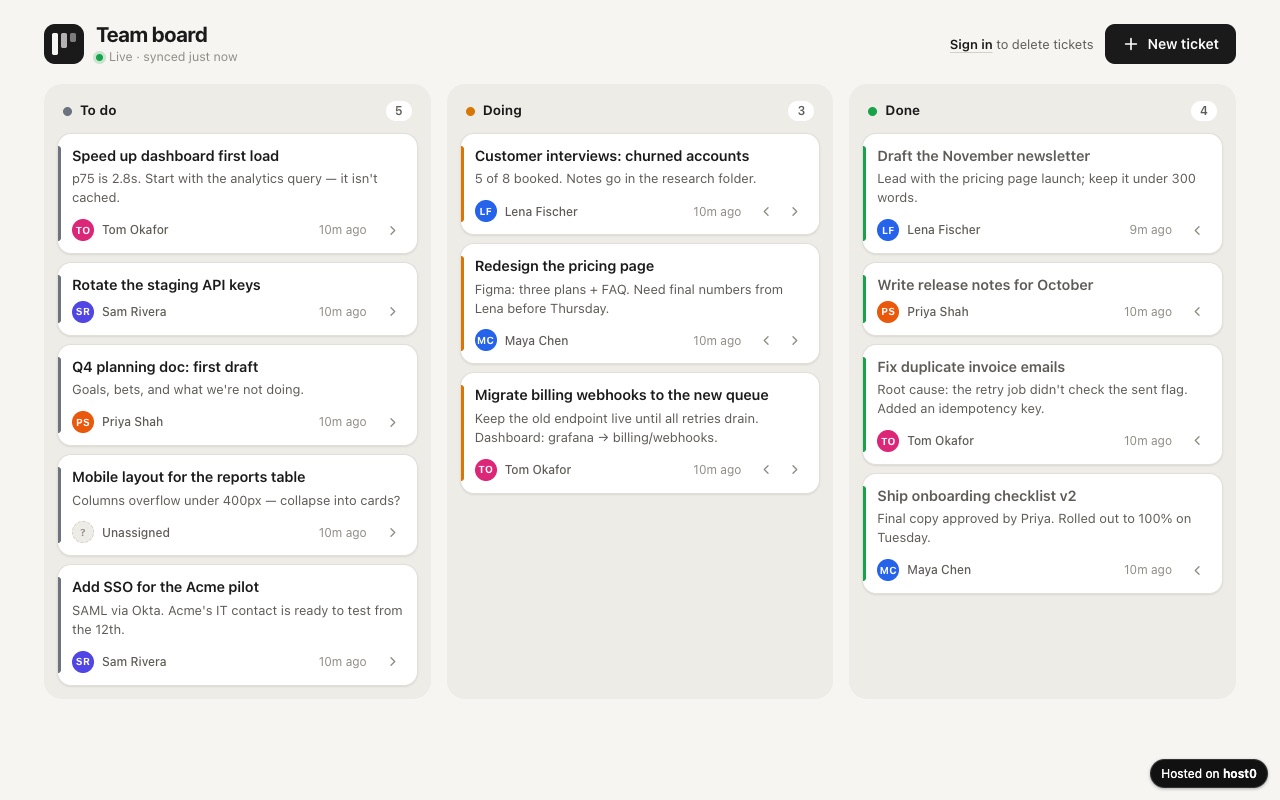
Team ticket board
A shared to-do board with three columns your whole team works on.
Built with Claude Code
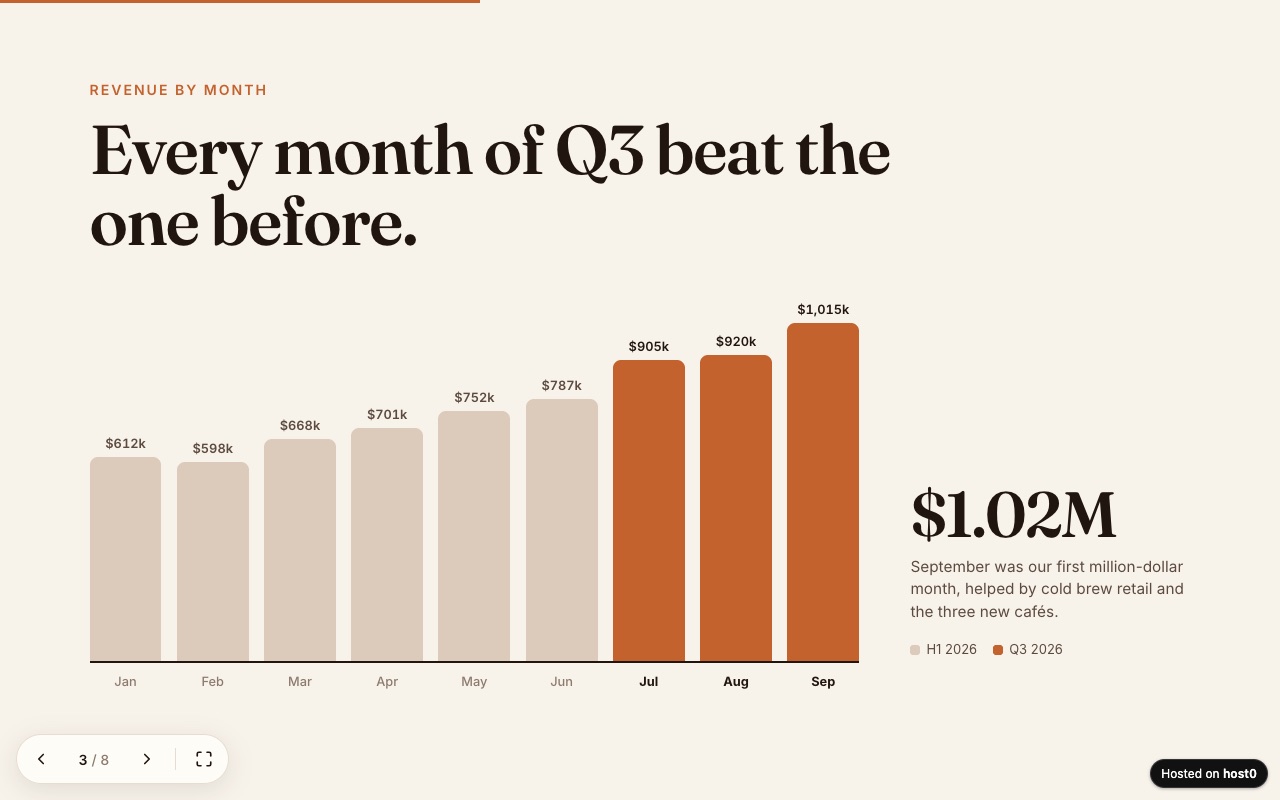
Web slide deck
A presentation as one web page — arrow keys, swipe and a link to send.
Built with Claude Code
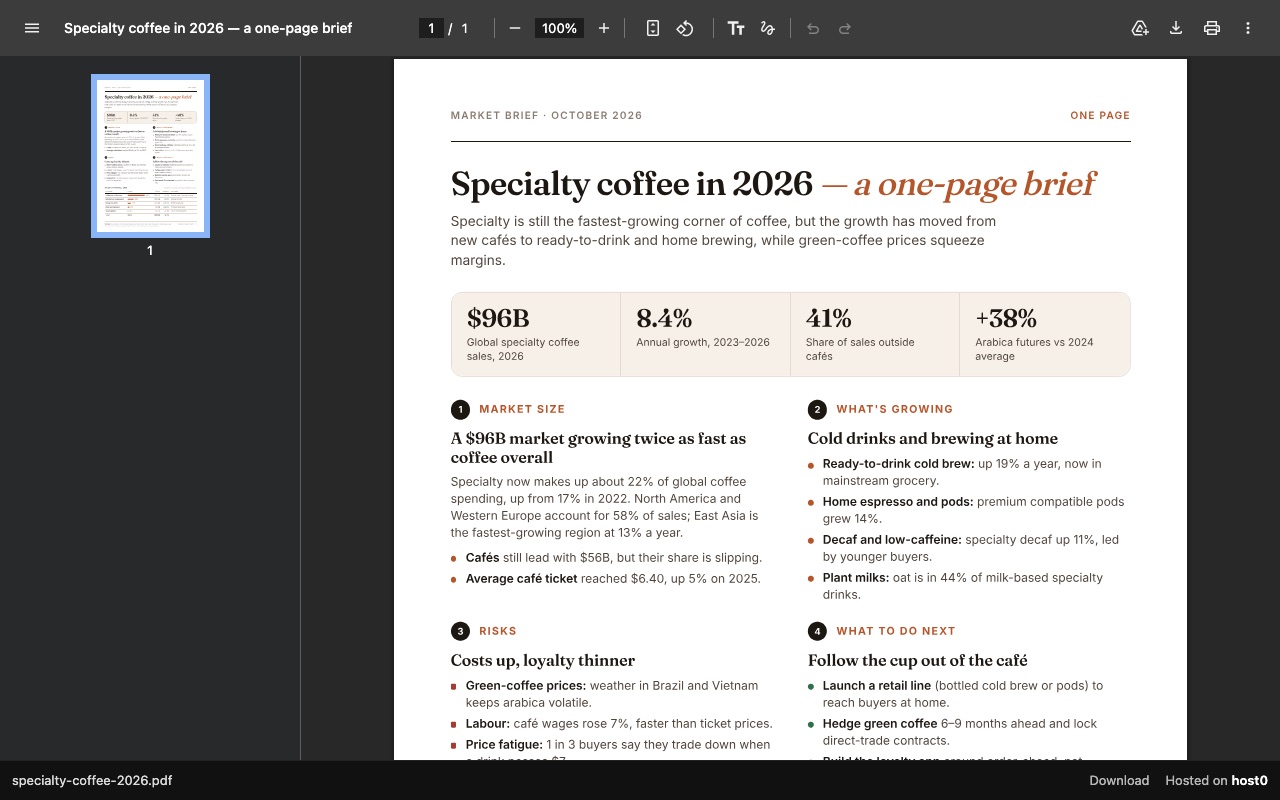
One-page report as a PDF link
A PDF report that opens in any browser, with a download button.
Built with Claude Code
Undo a bad deploy, and see who opened it
Versions
A redeploy from the same folder becomes the next numbered version at the same URL. Where your plan keeps older versions, Codex can list them over MCP and restore one. A restore brings back the files and leaves the records people saved alone. On Free: live version only. On Pro: 30 days of version history.
Analytics
Page views, countries and referrers on every app, with no cookies and nothing for you to install. On Free: total visits only. On Pro: full, 90 days.
Codex and host0: questions
Do I have to type $host0 every time?
No. Codex can choose a skill by itself when your request matches its description, so "publish this with host0" is usually enough. Typing $host0 in the CLI or IDE extension makes it explicit.
Does this work in Codex in the ChatGPT desktop app?
It should. OpenAI's docs say the desktop app, CLI and IDE extension share MCP configuration and that standalone skills are available in all three, but we haven't run a deploy from the desktop app. Approvals there come from the permissions control under the composer.
What if npx fails inside Codex?
The skill tells Codex to switch to its bundled publish.sh, which needs bash, curl and jq rather than Node. It writes the same files and prints the same output, and it still needs your approval for the network.
Does it work with Codex on Windows?
Use the CLI route, since publish.sh and the curl installer need bash. The host0 CLI and the skills CLI both run on Node. We haven't run this under Codex's Windows sandbox.
Can host0 run the Next.js or Express app Codex wrote?
Only its static output. host0 serves files and has no server process yet, so have Codex build a static export and publish that folder. Lists and forms can move to shared records. If the app really needs server code, Sites or another host that runs code is the better fit.
Do people need ChatGPT or Codex to open the link?
No. A host0 link opens in any browser. They sign in with host0 only if the app is private or if they're changing shared data.
What does it cost?
Free plan, no card. Pro is $9 a month. On Free, a file can be up to 3 MB and an account holds 5 apps. Building in Codex uses your OpenAI plan's Codex usage; host0's limits don't depend on that plan.
Sources
Facts about Codex checked on Nov 6, 2026. Products change: if something here is out of date, tell us at support@host0.ai.
- OpenAI docs: Sites
- OpenAI docs: Create a site
- OpenAI docs: Publish and share a site
- OpenAI docs: Manage a site
- OpenAI Help Center: Creating and using ChatGPT Sites
- OpenAI docs: Agent approvals and security
- OpenAI docs: Sandbox
- OpenAI docs: Permissions
- OpenAI docs: Rules
- OpenAI docs: Advanced configuration
- OpenAI docs: Build skills
- OpenAI docs: Plugins
- OpenAI docs: Package your plugin
- OpenAI docs: Model Context Protocol
- OpenAI docs: Git worktrees
- OpenAI docs: Non-interactive mode
- OpenAI docs: Cloud environments
Publishing from something else?
Share what Codex made
A link in one sentence, private until you say otherwise.
Get startedhost0 isn't affiliated with Codex or its maker. Product names and marks are used only to identify the product.