AgentsClaude
Publishing a Claude artifact, and when to put it on host0
Claude's Publish button puts an older artifact on a public link, and anything newer uses Share, which starts private. To put the same work on host0, download the file from Claude and drop it there, or have Claude run the host0 skill if its sandbox can reach host0. The connector only manages what's live, and an artifact link can't be imported.
A chat or Cowork session runs commands in Anthropic's sandbox, and host0 isn't on the list of sites that sandbox can reach out of the box. So the demo here is the path that works with no settings changed: download, drop, live URL.
Free plan, no card. Pro is $9 a month.
Who can open what you publish
Claude's Share and host0 agree on the starting point: only you. They part ways after that. An invitation here goes to any email address, and the person signs in to host0, with no Claude plan or Claude account involved.
- Private: the default. You and people you invite by email, each signing in as themselves.
- Anyone with the link: no sign-in, unlisted and never indexed.
- Public on the web: no sign-in, and search engines may index it.
Access
- No one yet. Add an address and watch the visitor's window.
Sign in to view Team todos
This app is private — sign in to check your access.
Continue with Googleyou@company.comContinueNothing is served until they sign in, and only people you've invited get past that.
x-robots-tag: noindex, nofollow, noarchiveWays to connect Claude
| Route | What it can do | Set it up |
|---|---|---|
| Browser drop: Download what Claude made, drop it on host0, and sign in with an email code or Google. Nothing changes in Claude's settings, so this works on every Claude plan. Best for: Most people, and every first try | What it can do: Deploys, Dashboard to manage | |
Skill: Claude runs the deploy itself inside its sandbox and answers with the URL. That sandbox has to be allowed to reach host0.ai and host0.app. Best for: Repeat publishing, if your network setting allows it | What it can do: Deploys, Manages | Turn on code execution and open network egress to both hosts in Settings > Capabilities, then paste the setup prompt from the top of this page into a chat. |
| Plugin: Adds the skill and the connector to your Claude account in one go, for chat and Cowork, on paid plans. The network rule above still applies to deploys. It should work, but we haven't run it in chat or Cowork. Best for: Paid plans that want both, kept across chats | What it can do: Deploys, Manages | Customize > Plugins > Add > Add marketplace > Add from a repository, then enter |
| Connector: A custom connector that signs in with OAuth. Claude can list your apps, change who can open them, restore versions and edit records from a conversation. Best for: Managing what's live, even with network egress off | What it can do: Can't deploy, Manages | Customize > Connectors > + Add > Add custom connector, then paste the link. On Team and Enterprise, an owner adds it first under Organization settings > Connectors. |
What does publishing an artifact mean in Claude?
It puts the artifact on a public link that anyone can open without a Claude account. The Publish button now appears only on legacy artifacts, meaning ones made in a chat before September 16, 2026, and only on Free, Pro, Max and Ultra. Anything newer has Share instead.
- Who gets in: anyone holding the link can view and use the artifact. They're asked to sign up only for features that use Claude.
- What else changes: the artifact joins Artifacts in your sidebar, and people signed in on a Free, Pro, Max or Ultra plan can copy and save it.
- Embedding: Get embed code gives you a snippet for another website, limited to the domains you list.
- Stored data: in a legacy artifact, storage only starts working after you publish.
- Going back: Unpublish revokes the link and permanently deletes the artifact's personal and shared storage. That artifact can't be published again, so sharing it later means making a new one.
On Team and Enterprise, a legacy artifact shows Share & copy link instead. Viewers need a Claude account, and they also get the attachments and files from that chat, so look through those first.
Are Claude artifacts public?
No. An artifact starts private to you, and nothing is shared until you share it. What the Share button offers after that depends on your plan.
| Plan | Who you can open a new artifact to |
|---|---|
| Free | Anthropic's plan table lists no sharing option for new artifacts. Legacy artifacts can still be published. |
| Pro, Max, Ultra | Only you or anyone with the link, plus email invitations in beta. |
| Team | People you invite or your whole organization. Anyone with the link needs an owner to turn on External sharing. Email invitations outside the organization are on by default. |
| Enterprise | The same, plus groups. Email invitations outside the organization are off by default. |
A link doesn't always skip the sign-in. Most link-shared artifacts open without a Claude account, but Docs need one, and others, like dashboards, can show part or all of their content only after signing in. People who only have the link can't see or add comments, and anything that uses connected apps or Claude stops working for them.
An artifact that connects to other websites can't go out by link or by email invitation at all. And none of these settings can be changed in Claude's iOS or Android app: use the web or Claude Desktop.
Is Claude's link enough, or do I need to host it somewhere else?
Often it's enough. If you're on Pro or above and people only need to look at the page, Share is already there with nothing to set up. Move it when outsiders need to save something, when you want visit counts or your own domain, or when your plan or your organization won't let the link out.
| Claude's Share | host0 | |
|---|---|---|
| It starts as | Private to you | Private to you |
| A link anyone can open | Pro and above. On Team and Enterprise, only if an owner allows it | Any account, no sign-in for visitors. Free plan, no card. Pro is $9 a month. |
| Naming specific people | Email invitation, in beta, up to 50 people outside your organization per artifact. Each needs a Claude account with that address | Email invitation. They sign in to host0 with that address, by email code or Google |
| Data people save | Text only, 20 MB per artifact. With just the link, outsiders can read it after signing in to Claude and can't change it | Collections from an h0.json. By default, anyone the app admits can read and add; editing and deleting take an invite |
| Calling Claude from the page | Built in. Each person signs in and uses their own plan's limits, at no cost to you | Not possible on your plan. A page can only call a model with a key the visitor brings |
| Your own domain | An Anthropic-hosted page. The help articles we read describe no custom domain | Pro includes 3 custom domains per account; Free has none. |
| Visit counts | Those articles don't describe any | Built in on every app, with no cookies |
Stay in Claude when the page asks Claude something for each visitor, pulls from their connected apps, or is a doc your team edits together. That all runs on Anthropic's side, and host0 has nothing like it.
How do I put something from Claude on host0?
Get the file out of Claude and drop it on host0. The drop asks nothing of your Claude plan or network setting, and the result lands in your dashboard as a private app until you open it up.
- A page or small tool in a chat: ask for it as an HTML file, which Claude hands over for download. For several files, ask for a zip.
- A legacy artifact: the controls at the top of the artifact panel let you copy the code or download it.
- A design: Export offers standalone HTML, a .zip or a PDF.
- A doc: Export offers PDF or Markdown, and both open in a browser.
- A deck: export a PDF. A PowerPoint file doesn't open in a browser, so host0 refuses one on its own.
- A Motion animation, on Team and Enterprise: Export gives you an MP4.
Claude's limit on files it creates is 30 MB each. Ours can be lower: read the limits under What does it cost, below, before you try a large PDF or video.
Can host0 import my Claude artifact link?
No. When we tested public artifact URLs on November 5, 2026, the page came back as an empty shell, and the request that loads its content was stopped by a Cloudflare challenge on a path robots.txt also disallows. We won't scrape around that, so a link can't stand in for the file.
We'd look again if Anthropic offered a sanctioned export. Until then, the file has to come from Claude itself, as above. For a legacy artifact somebody else published, Anthropic's route is the Copy button, which gives you its code to paste into a new chat. Treat that code the way you'd treat a file from an unknown sender.
Why can't Claude reach host0 from a chat?
Because commands in a chat run in a sandbox on Anthropic's side, which only reaches what your network setting allows. host0 isn't on Anthropic's approved list, which covers package registries, GitHub and Anthropic's own services.
The skill needs two hosts: host0.ai for the API and host0.app for uploads. When they're blocked, you'll see SSL_ERROR_SYSCALL, a proxy error or a reset connection on every try, and retrying won't help. It can look half-working, since npm and GitHub are on the list: Claude may fetch the skill or CLI fine, then fail at sign-in.
- Free, Pro, Max and Ultra: Settings > Capabilities, under code execution, has an Allow network egress toggle. Anthropic only spells out the per-domain options for organizations, so check what your screen offers.
- Team and Enterprise: an owner decides, in Organization settings > Capabilities. The option to pick is package managers and specific domains, with both hosts added. New Enterprise organizations start with egress off.
Anthropic warns that wider access makes it easier for a prompt injection to send your data out, and calls All domains the riskiest choice. Allow just these two hosts if you can. If you can't, or would rather not, stick with the drop.
We ran the skill end to end from a claude.ai chat on September 30, 2026, on an account whose sandbox could reach host0, but we haven't tried every setting above. In that test a share of connections to host0.ai dropped at random, so a line like network hiccup … retrying 2/4 is normal: let it run.
How do I give Claude the host0 skill?
Paste the setup prompt from the top of this page into a chat. Claude installs the skill in its sandbox, then shows you a link and a short code to approve in your own browser, so your email address never passes through the chat.
- Skills need code execution: on your own plan that's in Settings > Capabilities, and on Team and Enterprise both Code execution and Skills have to be allowed by the organization.
- To keep it between chats, upload it: Customize > Skills > + > Create skill > Upload a skill. The ZIP holds a folder named
host0withSKILL.mdandscripts/publish.sh, which you can save from/skill.mdand/publish.shon host0.ai. It should work, but we haven't run the upload.
Don't count on the sandbox staying around. Anthropic limits how long one container can be used, so in a later chat expect the saved key to be gone, and approve a new code when Claude asks.
Will saved data and Claude features survive the move?
Expect not. Stored data and calls to Claude belong to Claude's hosting rather than to the file you download, so a page that leans on them needs changes before it works anywhere else.
- Shared storage, like a leaderboard: ask Claude to rewrite the page for host0 shared data with an
h0.json. Existing entries won't come along by themselves. - Personal storage, like a journal: the same rewrite, using the
creatoraudience, so each signed-in person sees only their own records. - A page that calls Claude: on host0 the visitor would bring their own API key, since an owner's key can't be used from an app yet. If that's a dealbreaker, leave this one in Claude.
- Connected apps: there's no host0 version of this. Leave that page in Claude as well.
How do I update the page after Claude changes it?
Drop the new file on the app's Versions tab in your dashboard, and the link stays the same. Dropping it on the tool page again gives you a second app at a new URL instead.
With the skill, ask in the same chat and Claude republishes to the same app. A new chat doesn't know your app, so give it the slug from the URL: "Publish my changes to host0 app team-todos". If that chat has no files, the skill pulls the live ones first, then publishes the edited folder back. The Versions tab has a line ready to paste.
What does the host0 connector do in Claude?
It changes apps that are already live, from a chat or Cowork, and it never deploys. None of its tools accepts files, so you still need the drop or the skill to get something online.
- "Who can open team-todos?" or "Invite sam@acme.com to it"
- "Make it a link anyone can open" or "Put it back to private"
- "How many people opened it this week?"
- "Go back to version 3" or "Fix the typo in that record"
Connectors run from Anthropic's cloud rather than from the sandbox, so this works even with network egress off. We connected it on claude.ai on November 5, 2026. Free plans get one custom connector, and on any plan you can switch it on or off per conversation from + > Connectors.
https://mcp.host0.ai/mcpReal apps, live on host0
Each one came from a single prompt. Open it, or paste the prompt into Claude to get your own copy.
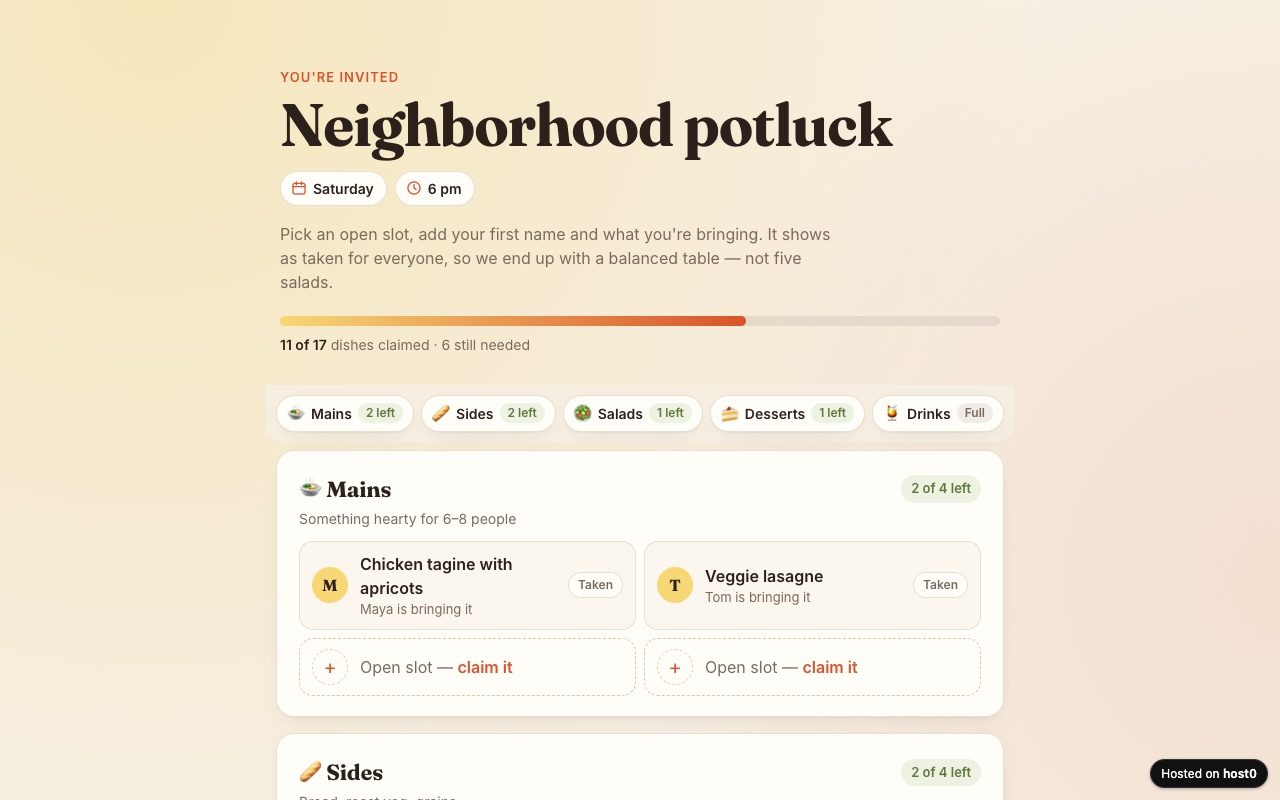
Potluck sign-up sheet
Guests claim a dish so you don't end up with five salads.
Built with Claude Code
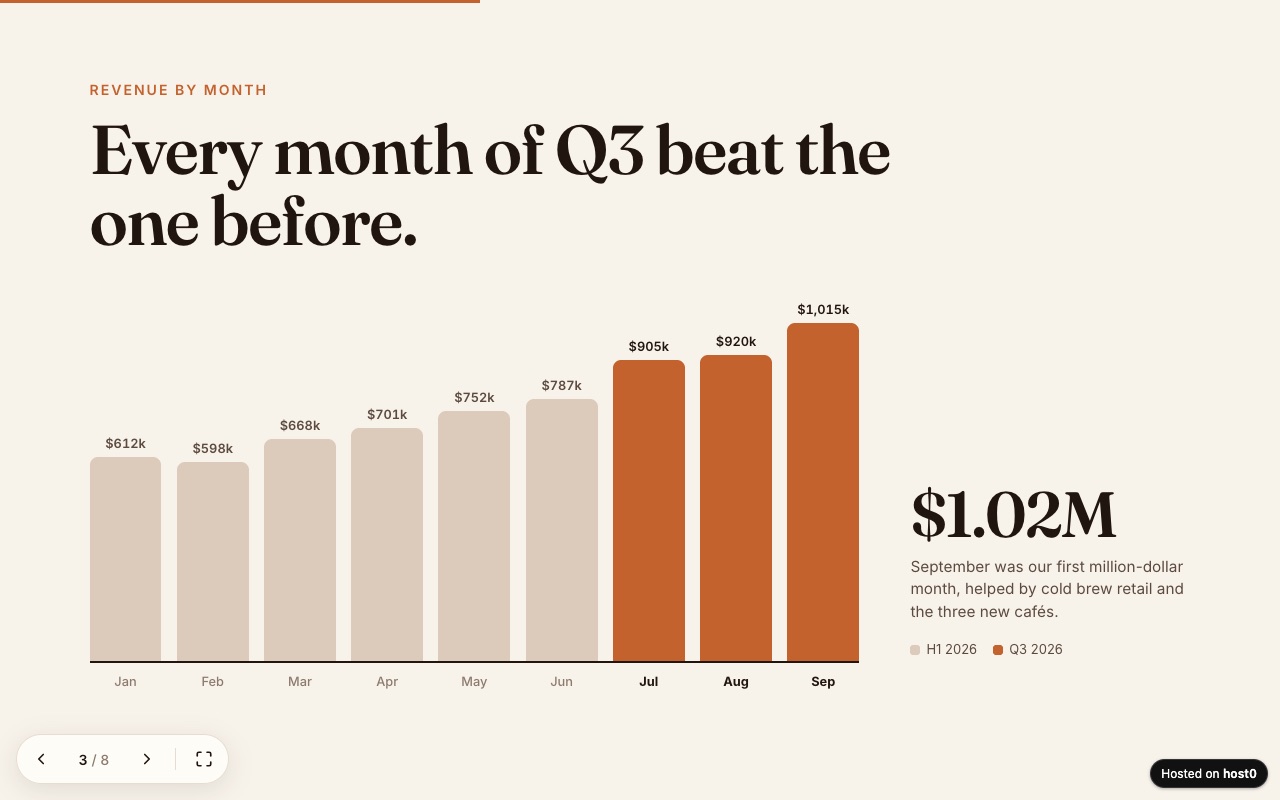
Web slide deck
A presentation as one web page — arrow keys, swipe and a link to send.
Built with Claude Code
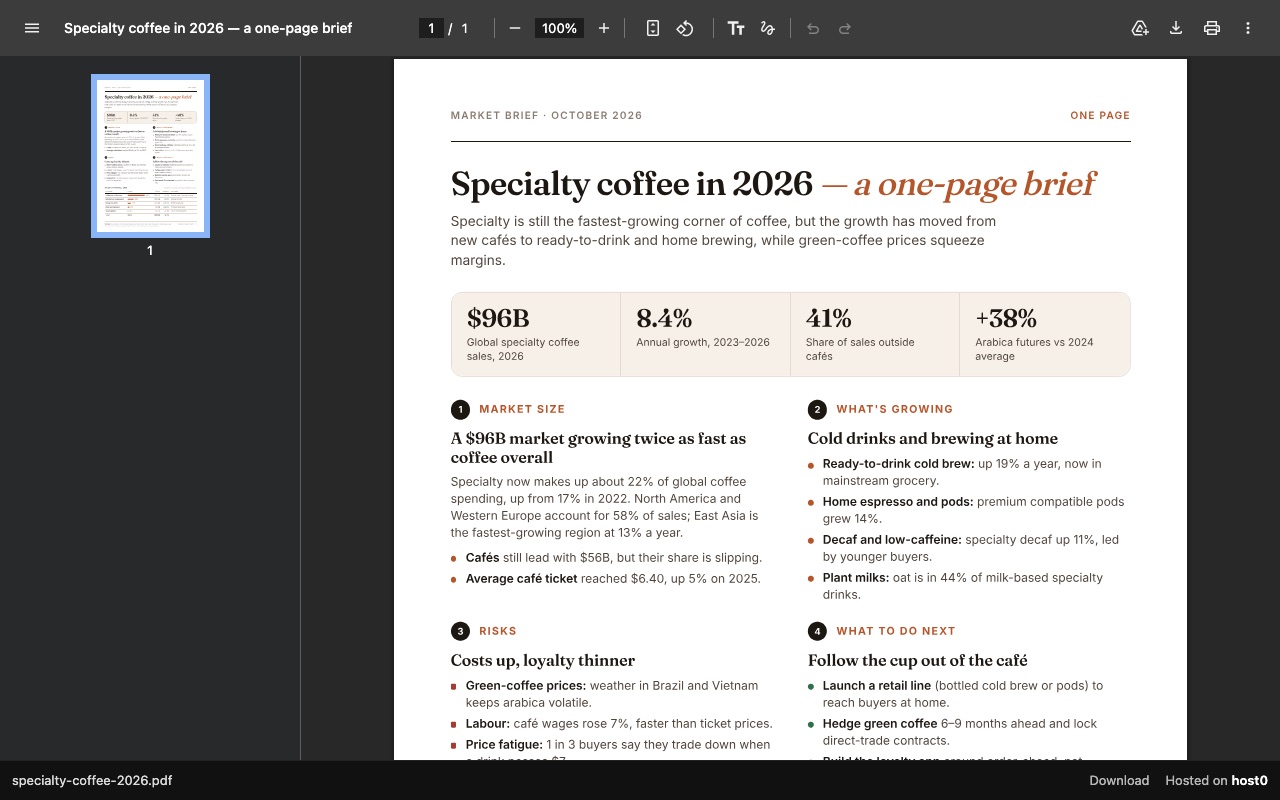
One-page report as a PDF link
A PDF report that opens in any browser, with a download button.
Built with Claude Code
Undo a bad deploy, and see who opened it
Versions
A new file dropped on the app's Versions tab, or a republish from the skill, keeps the URL. Compare that with Unpublish on a legacy artifact in Claude, which ends the link for good. On Free: live version only. On Pro: 30 days of version history.
Analytics
Page views, countries and referrers on every app, with no cookies and nothing for you to install. On Free: total visits only. On Pro: full, 90 days.
Claude and host0: questions
Does someone I send a host0 link to need a Claude account?
No. A host0 link opens in any browser and has nothing to do with Claude. If the app is private, they sign in to host0 with the address you invited, using an email code or Google.
Does host0 work on Claude's free plan?
Yes, through the drop: Free can create and download files, and dropping one needs nothing from Claude. Cowork and plugins need a paid Claude plan, and Free allows one custom connector.
Claude says the host0 connector has no tools available. What do I do?
Disconnect it and connect again under Customize > Connectors. When this happened to us on claude.ai, Claude's requests were being refused, most likely over a stale sign-in, and reconnecting cleared it.
Is this the same as Claude Code?
No. This page covers chat, Claude Desktop's chat and Cowork, where commands run in Anthropic's sandbox. Claude Code in a terminal runs on your own machine, so its route is shorter, and it has its own page here.
What does it cost?
Free plan, no card. Pro is $9 a month. On Free, one file can reach 3 MB and one account can hold 5 apps. What you pay Anthropic has no bearing on that.
What can't I publish from Claude to host0?
A page that needs a server process, and a lone Word, Excel or PowerPoint file, since a browser can't open those: export a PDF instead. Through the skill a zip is refused too, so extract it first. The browser drop unpacks one for you.
Sources
Facts about Claude checked on Nov 6, 2026. Products change: if something here is out of date, tell us at support@host0.ai.
- Claude help: Share artifacts
- Claude help: What are artifacts and how do I use them?
- Claude help: Artifacts admin guide for Team and Enterprise plans
- Claude help: Create and edit files with Claude
- Claude help: Use skills in Claude
- Claude help: Use plugins in Claude
- Claude help: Get started with custom connectors using remote MCP
- Claude help: Get started with Claude Cowork
- Claude help: Use live artifacts in Claude Cowork
- Claude help: Organize your tasks with projects in Claude Cowork
- Claude help: Claude Cowork architecture overview
Publishing from something else?
Share what Claude made
Drop the file and get a link, private until you say otherwise.
Get startedhost0 isn't affiliated with Claude or its maker. Product names and marks are used only to identify the product.