AgentsChatGPT
Share what you made in ChatGPT, with or without Sites
ChatGPT can't publish to host0 from a conversation. You download what it made and drop the file on host0, which gives you a link only you can open until you share it. If you're on Plus, Pro, Business or Enterprise and want ChatGPT to build and host the whole thing, its own Sites feature is the shorter path.
There's no one-sentence publish from ChatGPT: the download and the drop are yours to do. The host0 connector manages apps afterwards, on plans that allow it, but it never deploys.
Free plan, no card. Pro is $9 a month.
Who can open what you publish
What you drop starts private whichever ChatGPT plan you're on, much like a new Site does. Change it on the card that appears after the drop or in the dashboard, or ask ChatGPT if your plan lets the connector make changes.
- Private: the default. You and people you invite by email, each signing in as themselves.
- Anyone with the link: no sign-in, unlisted and never indexed.
- Public on the web: no sign-in, and search engines may index it.
Access
- No one yet. Add an address and watch the visitor's window.
Sign in to view Team todos
This app is private — sign in to check your access.
Continue with Googleyou@company.comContinueNothing is served until they sign in, and only people you've invited get past that.
x-robots-tag: noindex, nofollow, noarchiveWays to connect ChatGPT
| Route | What it can do | Set it up |
|---|---|---|
| Browser drop: Drop the HTML file, folder or zip you got from ChatGPT, then sign in with an email code or Google. Nothing gets installed in ChatGPT. Best for: Pages and apps from any ChatGPT plan | What it can do: Deploys, Dashboard to manage | |
| PDF drop: The same thing for a PDF that ChatGPT wrote. It opens in any browser, on a phone too, with a download button. Best for: Reports and documents | What it can do: Deploys, Dashboard to manage | |
| Connector: Adds host0 to ChatGPT as a custom MCP server. It lists your apps, changes who can open them, restores versions and edits records. It has no way to upload a file. Best for: Managing what's already live, once it's dropped | What it can do: Can't deploy, Manages | Connector URL On ChatGPT on the web (it can't be done on mobile), go to Plugins, select the plus button, then Add custom MCP server. Paste the link and choose OAuth. On Business, only workspace admins and owners can add it; on Enterprise and Edu, admins and owners, and members an admin has given permission. Those plans get full MCP support. Pro can connect it with read and fetch only, so the tools that change an app won't be available there. |
| Codex in the desktop app: Not the chat: Codex is a separate mode of the ChatGPT desktop app, and local chats there run commands on your computer. It should run the host0 skill as Codex does elsewhere, but we haven't run it in this app. Best for: Publishing by asking, if you have the desktop app | What it can do: Deploys, Manages | |
What is ChatGPT Sites, and how does it work?
ChatGPT Sites is OpenAI's own hosting: you describe a website or lightweight app, ChatGPT builds a private preview, and you deploy it to a URL from the same conversation. You can start the same product from Codex.
- Who gets it: Plus and Pro accounts, and Business and Enterprise workspaces. It isn't on Free or Go, or in the ChatGPT Classic app.
- Where it starts: Work on the web, or Work or Codex in the desktop app. Use the word "website" in your prompt, or mention
@Sites. - What it can run: web apps with server-side code, a D1 database of up to 10 GB per site, R2 file storage, secrets and Sign in with ChatGPT. OpenAI says some frameworks, databases and background services aren't supported.
- Who can open it: at first only the owner and workspace admins. Depending on your plan and settings you can widen that to selected people, the workspace, named outside viewers or anyone on the internet. Public publishing is off by default on Enterprise.
Should I use ChatGPT Sites or host0?
Use Sites if your plan has it and you want ChatGPT to build and host in one place. Use host0 when the file already exists, you're on Free or Go, or you want to share privately with people who don't have ChatGPT accounts.
| ChatGPT Sites | host0 | |
|---|---|---|
| What it does | Builds the site and hosts it | Hosts a file, folder or zip you bring. It builds nothing |
| ChatGPT plan needed | Plus, Pro, Business or Enterprise | None, you only need the file |
| Sharing privately | Invited viewers sign in with a ChatGPT account. Outside invitations are still rolling out | Invited people sign in with an email code or Google, with no ChatGPT account |
| Sharing openly | Anyone on the internet with no sign-in, where public publishing is enabled | Anyone with the link (unlisted, never indexed), or public on the web (indexable) |
| Server code | Yes, within its supported runtime | No, static files only |
| Saved data | A D1 database and R2 files | Shared records from an h0.json, with no server code and no file uploads |
| Restoring an old version | Restores the code, not the database or uploaded files | Restores the files and leaves shared data as it is, on plans that keep old versions |
| Cost | Hosting is free through December 31, 2026, then metered above your plan's allowance | Free plan, no card. Pro is $9 a month. |
Sites wins outright if you need server code, Sign in with ChatGPT, visitors' own connected apps, a tunnel to a private network, or scheduled updates. host0 has none of those. If you're already paying for ChatGPT and the site lives entirely in ChatGPT, you may never need us.
What does ChatGPT Sites cost, and can it use a custom domain?
Hosting is free through December 31, 2026, and building or editing a site counts toward your Codex usage. From January 1, 2027, OpenAI plans to meter hosting and charge only for use above your plan's monthly allowance.
OpenAI calls these rates proposed, and all the credit amounts approximate. It also says one page visit typically makes 30 to 50 requests. Enterprise follows its own agreement, and hosting charges are waived there for now.
| What you use | Per | Approx. credits |
|---|---|---|
| Site with no storage | Month | 0 |
| Site with storage, even an empty database | Month | 25 |
| Traffic | 100,000 requests | 16 |
| Saved records | 1 GiB for a month | 150 |
| Uploaded files | 1 GiB for a month | 3.75 |
| Custom domain | Domain, per month | 25 |
Custom domains work where they're available, not in Enterprise workspaces at launch. You bring a domain you already own and add the DNS records Sites gives you. On host0: Pro includes 3 custom domains per account; Free has none.
What should I watch out for with ChatGPT Sites?
Mainly three things: every deployment is live, restoring a version doesn't bring back data, and some kinds of data aren't allowed on a site at all. These come from OpenAI's docs and hold whether or not you ever use host0.
- To review a build before it goes live, ask ChatGPT to save a version without deploying it. Deploying an existing site updates what visitors see.
- Publishing can change the database before the new version is live. If publishing fails, some of those changes may already be saved, so look at the database before you retry.
- There's no built-in way to back up database records and uploaded files together and restore them into a new site. Codex can export the source code.
- A deleted site can't be restored. To take one down for now, restrict who can open it instead.
- Sites must not process protected health information or payment-card data, apart from cards handled entirely by a third-party payment processor.
- On Plus and Pro, conversations about your site can train OpenAI's models if "Improve the model for everyone" is on. Business and Enterprise conversations aren't used by default.
Is a ChatGPT canvas the same as a site?
No, and canvas is on its way out. OpenAI's release notes say it's no longer in GPT-5.5 Instant or GPT-5.5 Thinking, and that paid users can keep it for a limited time on legacy models until those are retired.
A canvas was an editing surface in the conversation, and sharing one worked much like sharing the conversation, including rendered HTML or React. If you still have a page in an old canvas, copy the code into a file named index.html. From there it can go to host0, or into a new prompt for Sites.
How do I get something from ChatGPT onto host0?
Download what ChatGPT made and drop it on host0 yourself. host0 has no way to deploy from inside a ChatGPT conversation, so asking in the chat won't publish anything.
- A page: ask for one self-contained HTML file with its CSS and JavaScript inline. OpenAI documents downloads in Work for documents, spreadsheets, presentations and PDFs but doesn't promise HTML on the web, so if you get a code block instead, paste it into a plain-text editor and save it as
index.html. - Several files: ask for a zip with
index.htmlat the top. Your browser unpacks it, and it's checked like a folder. - A PDF: Work can create one for you to download. Drop it on the PDF page.
- Images that never arrived: if the code points at pictures ChatGPT didn't give you, ask it to inline them or take them out, or they'll show as broken.
The first drop asks you to sign in. You get a random URL you can rename, and it's private until you change that. On Free, a file can be up to 3 MB.
Can ChatGPT Work or the desktop app publish by itself?
We don't offer that from Work, because nobody here has run it. Codex in the desktop app is the closest thing that should work today, and we haven't run that either.
- Work on the web runs shell commands in a managed cloud environment and can use skills, so the host0 skill might run there. It would have to reach
host0.aiandhost0.app, and cloud work is limited to approved websites, with network access under your workspace admin's control. - Codex in the desktop app runs commands on your computer inside a sandbox, and it asks when a command needs to go beyond that. That's the same flow as our Codex page, so expect an approval for the upload.
- Chat is for back-and-forth, so the setup prompt at the top of this page is no use there: it's written for agents that can run commands.
What can the host0 connector do in ChatGPT, and on which plans?
It manages apps already on host0, and it never deploys. OpenAI gives full MCP support to Business, Enterprise and Edu, and read and fetch only to Pro. Its article doesn't mention Plus, Free or Go, so check your own Plugins page.
| ChatGPT plan | Who can add host0 | What ChatGPT can do with it |
|---|---|---|
| Business | Workspace admins and owners | Read and change, such as sharing or restoring |
| Enterprise, Edu | Admins and owners, and members they give permission to | Read and change, within the actions admins allow |
| Pro | You | Read and fetch only. That should cover listing apps, analytics, versions and records, but nothing that changes them |
| Plus, Free, Go | Not stated | Not stated |
- Connect it on ChatGPT web. OpenAI says connecting a custom server isn't available on mobile.
- Select host0 with
@for each message that needs it. The selection covers that message, not the whole conversation. - Expect a confirmation before anything changes, depending on your app permissions and the action.
- In a workspace, ChatGPT keeps a frozen snapshot of the tools from when an admin approved them. When host0 adds or changes a tool, an admin has to refresh it, and calls can fail until then.
These are OpenAI's documented steps and they should work, but we haven't run a full ChatGPT session ourselves.
How do I update an app after ChatGPT changes it?
Drop the new file on the app's Versions tab in your dashboard, not on the tool page. The tool page makes a new app with a new link, while the Versions tab publishes the next version at the same URL with the same access and shared data.
It shows what will change against the live version and waits for your click. A drop with no h0.json keeps your collections and their data. The connector can't upload the new file, but on plans where it can make changes, it can put an older version back.
Real apps, live on host0
Each one came from a single prompt. Open it, or paste the prompt into ChatGPT to get your own copy.
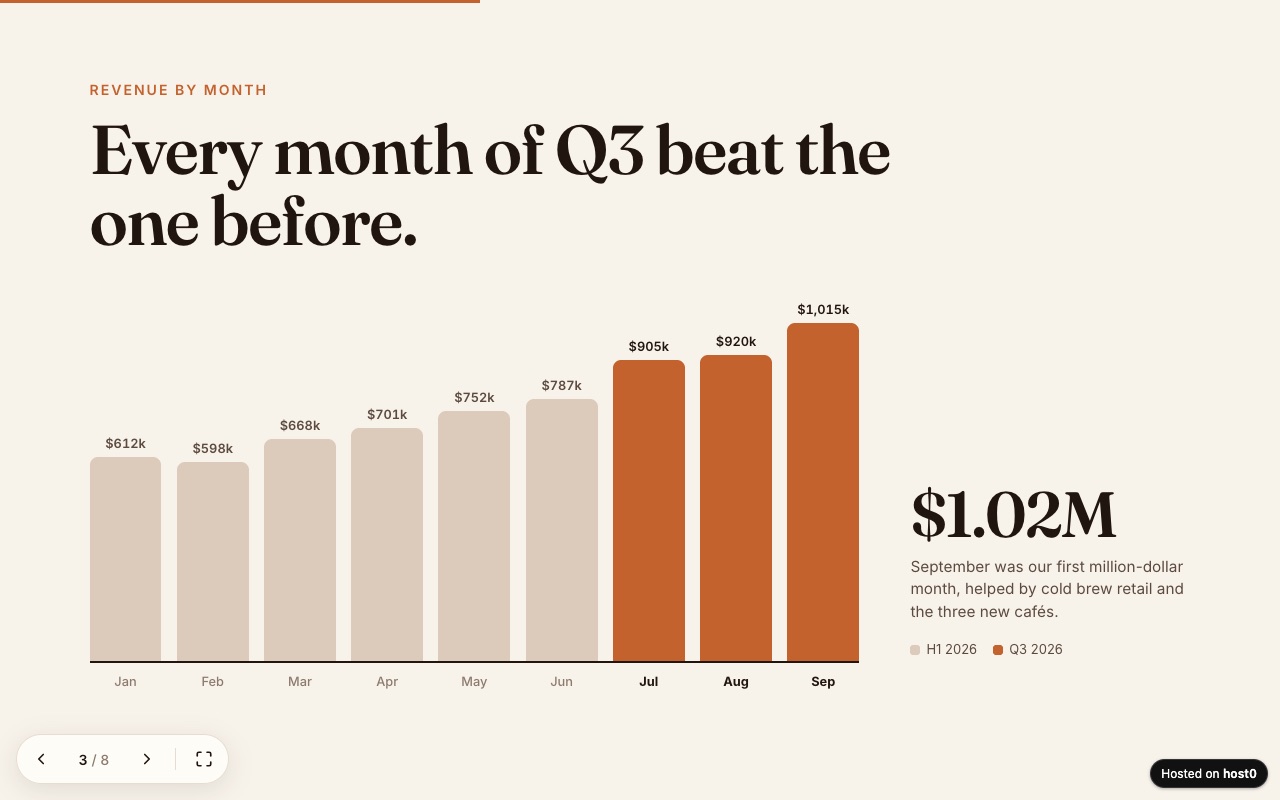
Web slide deck
A presentation as one web page — arrow keys, swipe and a link to send.
Built with Claude Code
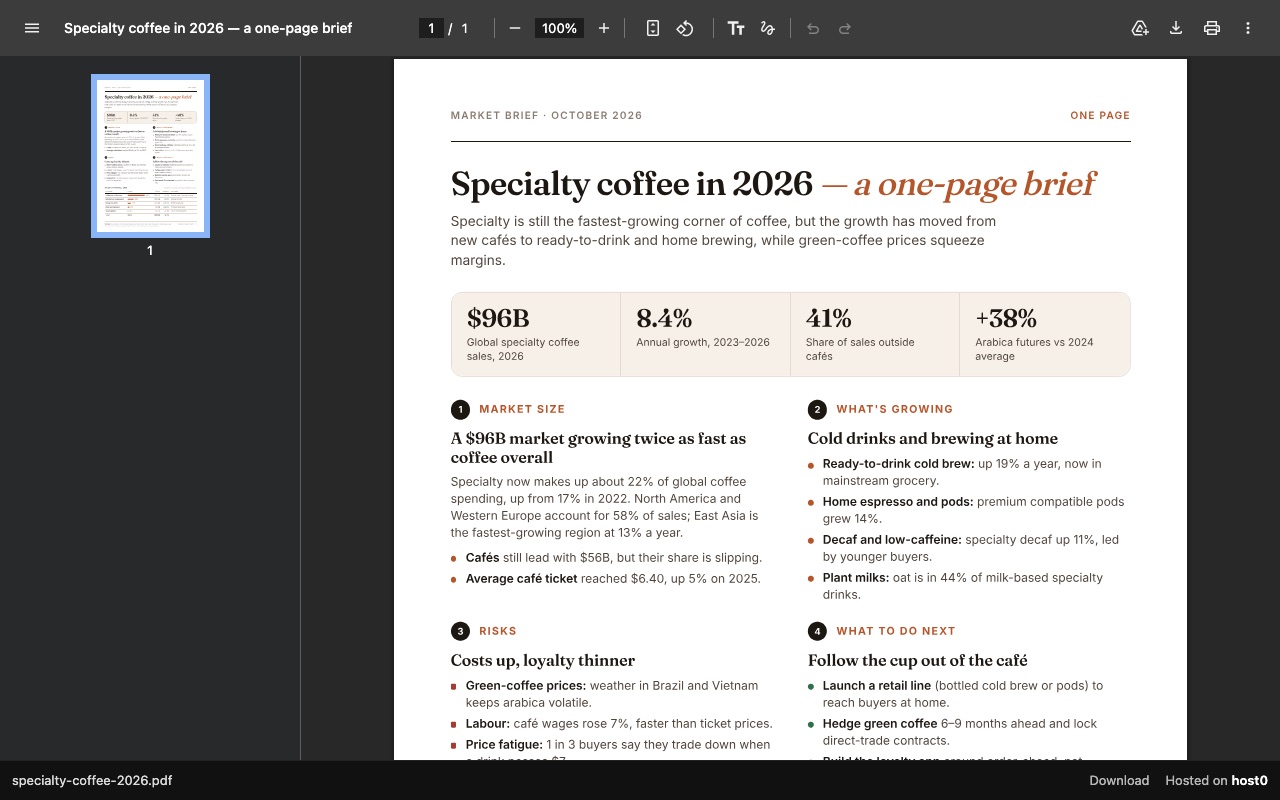
One-page report as a PDF link
A PDF report that opens in any browser, with a download button.
Built with Claude Code
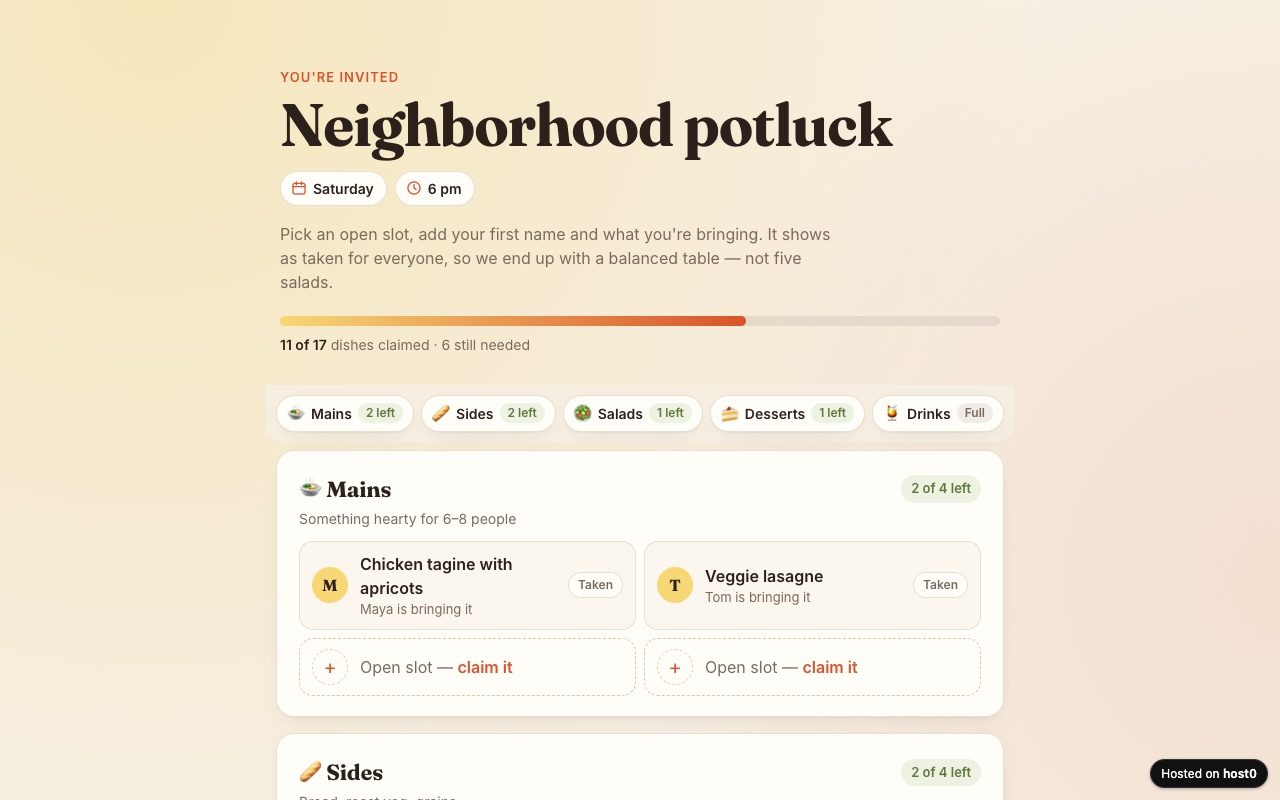
Potluck sign-up sheet
Guests claim a dish so you don't end up with five salads.
Built with Claude Code
Undo a bad deploy, and see who opened it
Versions
Each file you drop on an app's Versions tab becomes its next numbered version at the same URL. Keep the conversation that made the file: that's where you'll ask for the next change. On Free: live version only. On Pro: 30 days of version history.
Analytics
Page views, countries and referrers on every app, with no cookies and nothing for you to install. On Free: total visits only. On Pro: full, 90 days.
ChatGPT and host0: questions
Can ChatGPT host a website?
Yes, through ChatGPT Sites, on Plus, Pro, Business and Enterprise. It isn't available on Free or Go. On those plans you can still ask for an HTML file, download it and host it somewhere else, such as host0.
Are Codex Sites and ChatGPT Sites different products?
No. OpenAI describes one product, Sites, that you start from ChatGPT or Codex, and building in either counts toward your Codex usage. The Codex CLI and IDE extension can edit a local project, but saving, deploying and managing a site happen in ChatGPT on the web or in the desktop app.
Can the host0 connector publish from ChatGPT?
No. The connector is a custom MCP server for managing existing apps, and host0 has no MCP tool that deploys. Publishing from a ChatGPT conversation means downloading the file and dropping it on host0.
Can I move a ChatGPT Site to host0?
Only the static part. OpenAI says Codex can export a site's source code, and you can publish its built files to host0. Server code won't run on host0, and D1 records and R2 files have to be moved by hand, into shared records where they fit. A site with those is usually better left on Sites.
Do the people I share with need a ChatGPT account?
Not on host0: they sign in with an email code or Google if the app is private, and not at all if it's open to anyone with the link. On a private ChatGPT Site, an invited viewer signs in with the ChatGPT account that received access. A public Site needs no sign-in.
What does it cost to share a ChatGPT file on host0?
Free plan, no card. Pro is $9 a month. On Free, an account holds 5 apps and a file can be up to 3 MB. Your ChatGPT plan makes no difference to any of this, Free included.
Sources
Facts about ChatGPT checked on Nov 6, 2026. Products change: if something here is out of date, tell us at support@host0.ai.
- OpenAI Help Center: Creating and using ChatGPT Sites
- ChatGPT Learn: Sites, limits and pricing
- ChatGPT Learn: Create a site
- ChatGPT Learn: Data and connections
- ChatGPT Learn: Publish and share
- ChatGPT Learn: Manage a site
- OpenAI Help Center: Connecting custom MCP servers in ChatGPT
- OpenAI Help Center: Connected apps in ChatGPT
- OpenAI developers: Connect and test your plugin
- OpenAI: Introducing canvas
- OpenAI Help Center: Model release notes (canvas)
- OpenAI Help Center: ChatGPT release notes (canvas sharing)
- ChatGPT Learn: Use ChatGPT
- ChatGPT Learn: Work with files
- ChatGPT Learn: Skills and plugins
- ChatGPT Learn: Sandbox
Publishing from something else?
Share what ChatGPT made
Drop the file and get a link, private until you say otherwise.
Get startedhost0 isn't affiliated with ChatGPT or its maker. Product names and marks are used only to identify the product.