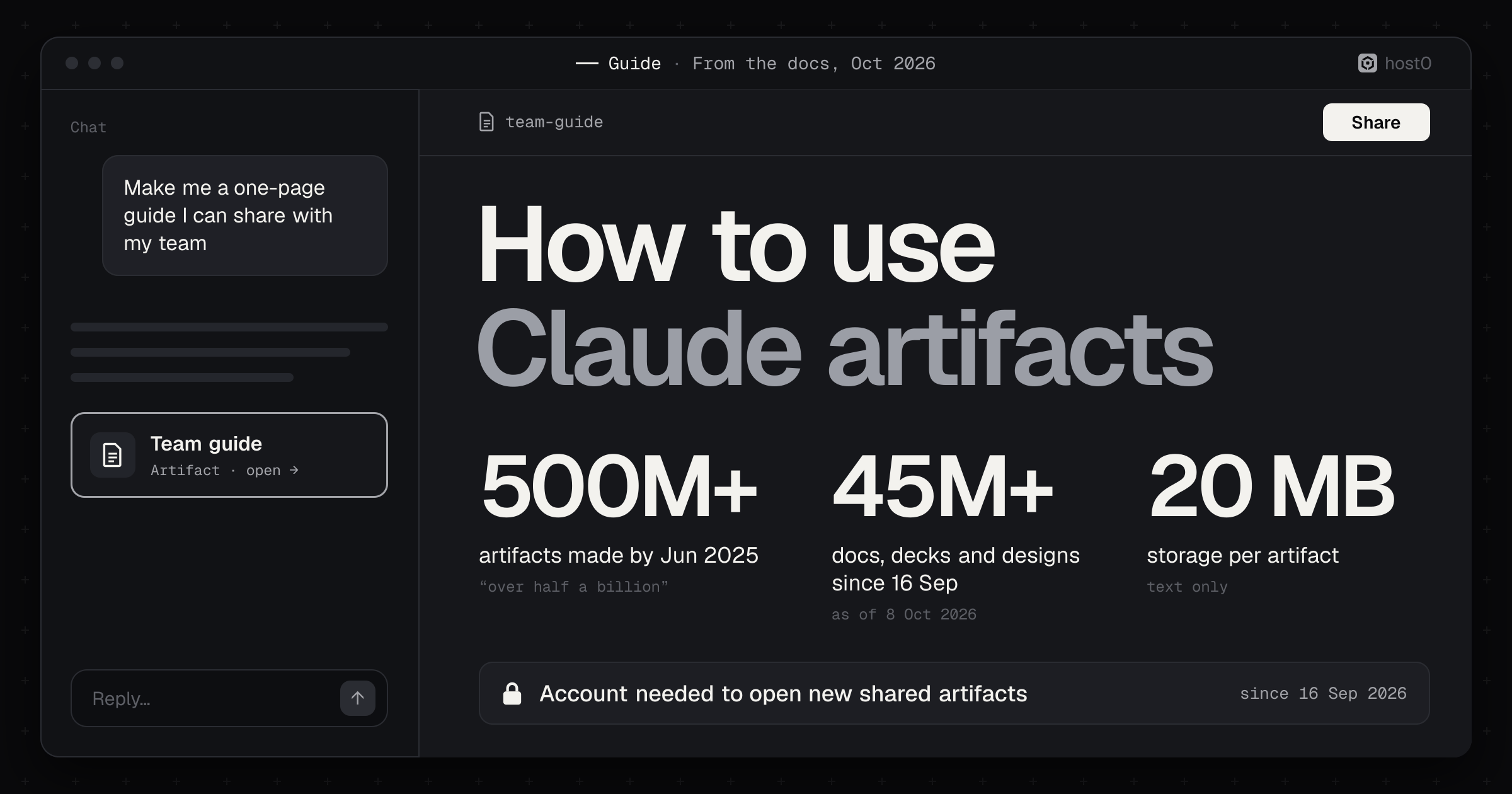
To use Claude artifacts, turn on Cloud code execution and file creation in Settings → Capabilities, ask Claude for something you'd put in front of someone (a tool, a page, a doc, a deck), refine it by asking or by editing it directly, then click Share and choose who has access. The artifact opens beside the chat, is saved to the Artifacts tab in your sidebar, and stays private to you until you share it. Since 16 September 2026, the people you share it with need a Claude account to open it.
That last point is the one most guides get wrong. On 16 September Anthropic changed how artifacts work: its help center now calls artifacts made in a chat before that date "legacy", and only those still have the old Publish button that made a page anyone could open. Most tutorials online, including Anthropic's own Academy tutorial, still describe that legacy flow. This guide follows Anthropic's current help pages and Claude Code docs, step by step, then works through four example artifacts. The prompts are examples to try, not runs we recorded; where we cite real runs, they're from our earlier guides to building a website in Claude and building a presentation in Claude.
The short version
- 1Every plan gets artifacts, Free included, per Anthropic. The Docs, Slides and Design templates came out of beta on 8 October 2026, on every plan.
- 2They need one setting: Cloud code execution and file creation in Settings → Capabilities. On Team and Enterprise, an Owner controls it.
- 3New artifacts are private, and opening a shared one needs a Claude account. "People without one can't open a shared artifact, even with the link," Anthropic's sharing guide says; only legacy artifacts published from a chat are exempt. Claude Code's docs say its public links open without sign-in, which the sharing guide contradicts.
- 4Anthropic's pages disagree on whether Free can share by link. The sharing guide's table leaves Free out; the artifacts feature page and the Docs guide say Free can.
- 5An artifact can call Claude, and the viewer pays. People using it sign in and their usage "counts against each person's own plan limits rather than yours". But artifacts that use Claude or your connected apps can't be shared by link.
- 6Artifacts can save data on paid plans: personal or shared storage, 20 MB per artifact, text only.
- 7There's no backend, and Anthropic's docs describe no custom domain or viewer analytics. For a link that opens without a Claude account, you publish the page somewhere else.
Claude artifacts at a glance
What Claude artifacts are#
Anthropic's current definition: an artifact is "anything Claude makes for you that you'd put in front of someone: a design, a deck, a document, a dashboard, or a small interactive tool." Its help center lists what Claude can make one from: documents, code snippets, single-page websites, images, diagrams and flowcharts, dashboards and small interactive tools.
Claude decides on its own when an answer should be an artifact. The help center's test: the content is significant and self-contained, "typically over 15 lines"; you're likely to edit or reuse it; it stands on its own; and you'll come back to it. If you want one and Claude answers inline, ask for it as an artifact.
There are also templates, which open on a canvas or page you work in directly:
- Docs: living documents you write with Claude and your team.
- Slides: decks you edit slide by slide, present from Claude, and export.
- Design: visuals, mockups, prototypes, one-pagers and landing pages, built with your design system.
- Dashboards (beta): charts built from a data platform or a connected app like Salesforce, each showing its query. Pro, Max, Team and Enterprise.
- Motion (beta): animated explainers you export as MP4. Team and Enterprise.
Artifacts have changed a lot in two years:
How Claude artifacts got here
From Anthropic's announcements, release notes and help center
20 Jun 2024
20 Jun 2024
Launch as a preview
Introduced with Claude 3.5 Sonnet: content appears in a window beside the conversation.Source: Anthropic
27 Aug 2024
27 Aug 2024
Generally available
On Free, Pro and Team, and in the iOS and Android apps. Anthropic said users had made “tens of millions” since June.Source: Anthropic (Wayback)
25 Jun 2025
25 Jun 2025
AI-powered artifacts
Artifacts that call Claude: people using one sign in, and their usage counts against their own subscription, not yours.Source: Anthropic
21 Aug 2025
21 Oct 2025
21 Oct 2025
Connected apps and storage
“Artifacts now support MCP and persistent storage.”Source: Anthropic
16 Sep 2026
16 Sep 2026
The new artifacts
Docs, Slides and Design in any conversation. Chat artifacts made before this date become legacy: they keep working and can still be published.Source: Claude Help
8 Oct 2026
8 Oct 2026
Out of beta, on every plan
Docs, Slides and Design leave beta on every plan, including Free; Dashboards and Motion enter beta.Source: Anthropic
One wrinkle on the 16 September launch: the release notes said Design, Slides and Docs were on every plan including Free that day, while Anthropic's launch post said "All three are in beta on paid plans". From 8 October both sources agree they're on every plan.
Plans, settings and where artifacts work#
Creating an artifact in a chat works on every plan. The extras are where plans differ:
What each Claude plan can do with artifacts
Anthropic's help center, checked 12 Oct 2026
Sources: Claude Help: What are artifacts; Claude Help: Share artifacts; Claude features page
The setting. Anthropic says artifacts require Cloud code execution and file creation to be on in Settings → Capabilities (Free, Pro, Max). On Team and Enterprise it's in Organization settings → Capabilities, and the admin guide says an Owner then turns on Artifacts under Organization settings → Artifacts.
Usage. Making and editing artifacts draws on your normal limits: they "count toward each user's existing usage limits, shared with the rest of Claude, including Claude Code," per the admin guide.
Where they work, per the help center:
- Claude on the web and Claude Desktop: everything: create, edit, share, start from a template.
- iOS and Android apps: ask for a design, deck or doc, view it in the Artifacts tab and edit it. You can't change sharing settings on mobile.
- Claude Code: publishes session output as a page at a private
claude.ai/code/artifact/…URL; more below. - Not available through third-party cloud platforms, per the admin guide; Claude Code's docs name Amazon Bedrock, Google Cloud's Agent Platform and Microsoft Foundry.
How to create and edit an artifact, step by step#
This is the flow as Anthropic documents it. Button and menu names are in bold as Anthropic writes them.
From a prompt to a shared artifact
Turn on the setting
Settings → Capabilities → Cloud code execution and file creation.
Ask, or pick a template
Describe what you want in any chat, or choose Output → Docs, Slides or Design.
Edit it
Ask Claude, edit directly, or highlight text and click Edit with Claude.
Fix errors
Click Try fixing with Claude next to the error.
Find it again
Everything is saved to the Artifacts tab in the sidebar.
Share or export
Share → Who has access; or Export to Word, PDF, PowerPoint, HTML and more.
Step 1: Turn on the setting#
Open Settings → Capabilities and check that Cloud code execution and file creation is on. It's on for most accounts already. If you're on a Team or Enterprise plan and don't see artifacts, ask an Owner.
Step 2: Ask for it, or start from a template#
There are three ways in, per the help center: "Ask for one in any chat, select "Output" in the message box and choose a template, or pick one in the Artifacts tab." Anthropic's own example asks are short: "Turn these notes into a deck for Monday" or "Build a dashboard of this quarter's revenue by region". For a tool or a page, say who it's for, what it should do, and what it should look like.
Step 3: Edit it#
You change an artifact in three ways:
- Ask Claude. "Make the header smaller and add a dark mode." It "updates live as you work."
- Edit directly in a template artifact: type in a doc, change a slide, or move things on a design canvas.
- Highlight and ask. In a doc or Markdown document, highlight text, click "Edit with Claude" and type your request. Claude changes only what you marked.
To try a different direction without losing what you have, edit an earlier message. The help center says that creates "a different version of the chat, with its own artifacts". For history: Docs have version history, but the Claude Design guide says "Claude Design doesn't have version history yet".
Step 4: Fix errors#
When an interactive artifact breaks, look for "Try fixing with Claude" near the error. It copies the error into a new message for Claude to diagnose. Anthropic adds that "success isn't guaranteed", so if it loops, describe what you expected to happen in your own words.
Step 5: Find it again#
"Everything you make is saved to the Artifacts tab in your Claude sidebar, so you can find it again from any conversation." That's new: before 16 September, a chat artifact only appeared there after you published it.
Step 6: Export, download or copy#
Template artifacts have an Export button. Docs go to Word, PDF, Markdown or Google Docs; decks to PowerPoint, PDF or Google Slides; designs to a .zip, PDF, PowerPoint or standalone HTML, or straight to another tool; Motion to MP4. Legacy artifacts have controls at the top of the panel to view the code, copy it or download it. For a new artifact that isn't a template, the help center doesn't describe a download button; ask Claude to give you the page as an HTML file you can download.
Artifacts in Claude Code#
Claude Code's docs describe a separate flavour: ask something like "Make an artifact that walks through this PR with the diff annotated inline," and Claude writes a page, publishes it to a private claude.ai/code/artifact/… URL and opens your browser. Ctrl+] reopens the latest one, /artifacts lists yours, and /slides or /design start from a template. Asking for a change republishes to the same URL, and "Each publish becomes a version": from the Share control in the page header you choose which version viewers see. The docs list Pro, Max, Team and Enterprise.
How to share a Claude artifact#
Artifacts "start private to you. Nothing is shared until you share it," Anthropic's sharing guide says. To share one:
- Open the artifact and click "Share". (On the web or in Claude Desktop; not in the mobile apps.)
- On Team and Enterprise, add people from your organization and pick each one's access level.
- Under Who has access, choose an audience: "Only you" or "Anyone with the link" on Pro and Max; "Only people invited", "Anyone at [your organization's name]" or "Anyone with the link" on Team and Enterprise.
- Copy the link and send it.
To invite named people (beta, Pro and up), type an email in Invite people by email (Pro, Max) or Add people (Team, Enterprise), select the Invite option, choose Their access ("Can view", "Commenter" or "Can edit") and click "Invite". The invitee opens Claude's email, clicks "View invitation", signs in with that address and clicks "Accept and open." You can invite up to 50 people from outside your organization per artifact, and pending invitations expire after 30 days.
That last row is a real contradiction. The sharing guide says it covers "every place you make artifacts", Claude Code included, and that "Everyone needs a Claude account." Claude Code's docs say a public link "anyone on the internet can open, with no claude.ai sign-in required", and that such viewers see the label "Content is user-generated and unverified." instead of your name. We haven't tested which one holds; if it matters, open your link in a signed-out browser before sending it.
Some artifacts can't go to every audience, per the sharing guide:
- No link for AI or connected apps. "Artifacts that connect to your apps or use Claude can't use "Anyone with the link."" On Team and Enterprise, docs can't use it yet either.
- No invitations for documents made with Claude Docs, for artifacts "that connect to other websites", or for artifacts with an upload that's still being checked.
- Invited outsiders lose the smart parts. For people invited from outside your organization, "Parts of the artifact that use Claude or your connectors don't work for them."
- A link overrides invite levels. If an artifact is also shared by link, invited people get the same access as anyone with the link.
To stop sharing, click Share and set Who has access to "Only you" (Pro, Max) or "Only people invited" (Team, Enterprise); remove a person by opening their access level and selecting "Remove." One catch on Pro and Max: switching to "Only you" doesn't remove the people you invited. Remove them one by one. Deleting the artifact removes everyone's access.
Legacy artifacts: Publish, embed and unpublish#
Artifacts made in a chat before 16 September keep the old controls, per the sharing guide:
- "Publish" (Free, Pro, Max) gives a public link that anyone can view and use "without a Claude account". Team and Enterprise use "Share & copy link" instead.
- "Get embed code" gives code to paste into another site; list the sites allowed to embed it under Allowed domains.
- "Unpublish" takes it down for good: "You can't publish an artifact again after you unpublish it," and it "permanently deletes any personal and shared storage data the artifact used."
- The Remix button is gone (since early September). To build on someone's published legacy artifact, the help center says to open it, click "Copy", paste the code into a new chat and describe your changes. Its example: "Here's the code for a quiz game. Change the questions to be about movies and add a timer."
On Team and Enterprise, check the chat before you share a legacy chat artifact: the guide warns that "viewers also get access to the attachments and files in that chat."
AI-powered artifacts, connected apps and storage#
Three capabilities turn an artifact from a page into a small app. Each is something you ask for in plain words.
What makes an artifact an app
Anthropic's help center, checked 12 Oct 2026
Sources: Claude Help: What are artifacts; Claude Help: Share artifacts
Artifacts that call Claude. Anthropic says you "can build artifacts that call Claude directly, turning them into small apps." The app runs on Anthropic's infrastructure, people using it "sign in with their Claude account and interact with their own instance", no API keys are needed, and "usage counts against each person's own plan limits rather than yours." OpenAI documents no equivalent for ChatGPT Sites: on Hacker News, one commenter wondered whether Sites would let visitors' usage go on their own ChatGPT subscription, "like Claude Artifacts already lets you do" (our ChatGPT Sites guide covers how Sites bills it today). On Team and Enterprise, people in your organization can use what you share at no cost to you.
Connected apps. An artifact can use the apps you've connected to Claude, including custom connectors. Everyone uses their own connections: "An artifact that pulls from connected apps uses the viewer's connections, not yours." Connector tools that need approval for each action aren't available to artifacts, and admins can't limit which apps artifacts reach, only turn the feature off.
Storage. Artifacts can keep data in personal storage (each person sees only their own, like journal entries) or shared storage ("Everyone sees and works with the same data. In a game leaderboard, everyone sees the same scores."). The limit is 20 MB per artifact, text only: no images, files or binary data. New artifacts store data without being published; legacy ones only after Publish. Whoever builds the artifact decides what's shared, so Anthropic's advice is: "Before entering anything sensitive, check whether the artifact uses shared storage."
Worked examples#
Four artifacts, from a plain tool to one that needs to leave Claude. Each has an example prompt, what Anthropic's docs say should happen, and a follow-up prompt. We didn't record these runs; treat the prompts as starting points.
Which example uses what
The four worked examples below
Sources: Claude Help: What are artifacts; Claude Help: Share artifacts
Example 1: A freelance rate calculator#
The simplest useful artifact is a calculator: no data, no AI, just a page that does math better than a spreadsheet you'd have to send.
Build an interactive day-rate calculator for freelancers as an artifact. Inputs: target yearly income, weeks of holiday, sick days, billable hours per day, share of time that's billable, and yearly business costs. Show the day rate and hourly rate needed, update them live as I type, and add a small chart of where the money goes (costs, tax set-aside at a rate I choose, take-home). Clean, minimal, works on a phone.What to expect. A single interactive page in the panel beside the chat. Change the numbers to check the math before you trust it. If it shows an error instead, click Try fixing with Claude.
Refine it.
Add a currency switch (GBP, EUR, USD), a "Copy summary" button that copies the inputs and results as plain text, and make the defaults a UK designer: £60,000 target, 6 weeks off, 7 billable hours a day.To share it, click Share and choose Anyone with the link (Pro, Max; on Free, check whether your Share menu offers it, since Anthropic's pages disagree). Everyone who opens it will need a Claude account.
Example 2: An AI flashcard trainer that calls Claude#
This is Anthropic's own example of an AI-powered artifact: instead of asking for one set of flashcards, "ask Claude to build a flashcard app that lets users pick their own topic and generate their own cards."
Build a flashcard app as an artifact that uses Claude inside it. The user types any topic and a level (beginner, intermediate, expert), and the app asks Claude to generate 10 question-and-answer cards. Show one card at a time; tap to flip; buttons for "Got it" and "Again". Cards marked "Again" come back at the end. When the deck is done, ask Claude for three short tips on what to review, based on the cards they missed.What to expect. The first time the app wants to call Claude, a new artifact asks for your permission. Each card set it generates uses the plan limits of whoever is using it.
Refine it. On a paid plan, keep each learner's progress between sessions:
Save each person's decks and their "Again" cards in personal storage, so they can come back tomorrow and pick up where they left off. Add a "My decks" list on the start screen.Sharing it is the hard part. Because it calls Claude, it can't use "Anyone with the link", and people you invite from outside your organization get the page without the parts that use Claude. On Team and Enterprise, share it with your organization: colleagues can use it at no cost to you. On Pro or Max, the help center says sharing an AI app is free "whether your artifact helps 10 people or 10,000", but the sharing guide rules out the link and invited outsiders lose the Claude parts. As we read the two, on Pro or Max it's for your own use.
Example 3: A team request tracker with shared storage#
Shared storage is what makes an artifact a team tool. Anthropic's examples include "trackers and collaborative tools".
Build a request tracker for my team as an artifact, using shared storage so everyone sees the same list. Anyone can add a request with a title, their name, a priority (low, normal, urgent) and a short description. Show requests as cards in three columns: New, In progress, Done, and let people move a card with one click. Add a filter by name and a count at the top of each column. Keep it simple and readable on a laptop.What to expect. A board backed by shared storage. The first time someone uses it, Claude shows a confirmation that their data will be visible to others. Storage holds text only, up to 20 MB, so plan on short descriptions and no attachments.
Refine it.
Add a "Done this week" view, show how long each request has been open, and let anyone archive Done cards older than 30 days so the board stays fast.The tracker doesn't call Claude or connected apps, so a Pro or Max owner can share it by link; on Team and Enterprise, share it with your organization. Either way, everyone needs a Claude account, and anyone who can open it can see what's in shared storage. Don't put anything confidential in it.
Example 4: A one-page brief for people without Claude#
Sometimes the person who needs the page is a client, a landlord or a parent, not a Claude user. Claude's Design template covers one-pagers and landing pages, so start there.
Using the Design template, make a one-page proposal for a client: a kitchen renovation for the Patel family. Sections: the brief in two sentences, three design options with a price range and a timeline each, what's included, and next steps with my contact details (Sam Rivera, sam@example.com). Calm and professional, readable on a phone.What to expect. A design on a canvas you can edit directly or by asking. To get it out of Claude, use Export → standalone HTML (or PDF).
Refine it.
Add a short FAQ (payment schedule, what happens if we find damp, how long the kitchen is unusable) and a comparison table of the three options.Here's the snag: share it from Claude and the Patels need a Claude account to open it. That's the case the next two sections are about.
Limits and known problems#
Beyond the sharing rules above, Anthropic's own pages list a few more: you can't change sharing from the mobile apps; Claude Design has no version history yet; unpublishing a legacy artifact is permanent and deletes its data; and public links to projects on the standalone claude.ai/design site stop working on 14 December 2026. In HIPAA-ready organizations the templates aren't covered by the Business Associate Agreement, so the admin guide says to keep protected health information out of them. None of the pages we read describe a custom domain or a way to see who viewed an artifact.
Anthropic is plainest about what an artifact is not in its Claude Code docs: "one self-contained page with no backend, so it can't serve multiple routes. For a hosted internal tool with a backend, deploy it on your own infrastructure instead." Those docs also publish the page's technical limits. Anthropic doesn't publish an equivalent list for chat artifacts, so treat these as Claude Code rules only:
What a Claude Code artifact page can and can't do
Claude Code docs, checked 12 Oct 2026
Source: Claude Code docs: Artifacts
Builders have also reported problems, mostly with Claude Code artifacts, on Anthropic's public anthropics/claude-code issue tracker. Each row is one user's report, not something Anthropic has confirmed:
Problems users reported with Claude artifacts
GitHub issues on anthropics/claude-code and Hacker News, Aug to Sep 2026
Sources: Issue #89326; Issue #91701; Issue #89962; Issue #94552; Issue #91126; Issue #95230; Hacker News
Claude artifacts vs host0#
host0 is the product this blog belongs to, so weigh this section with that in mind. Artifacts are the fastest way to make something in Claude, and the simplest way to give viewers Claude-powered features at no cost to you. Where they're weakest is the last step: a link that opens for people without a Claude account, on any plan, with visitor numbers and more than one page. That's what host0 does.
Claude artifacts vs host0
New artifacts (since 16 Sep 2026) vs host0; checked 12 Oct 2026
Sources: Claude Help: Share artifacts; Claude Help: What are artifacts; Claude Code docs: Artifacts; host0 docs
When host0 fits better#
- The people opening it don't use Claude. Set a host0 page to "anyone with the link" and it opens like any website, with no account or sign-in. It stays unlisted and out of search results unless you choose "public on the web".
- Only a few named people should see it. New host0 pages are private to you; invite people by email and they sign in with Google or an email code instead of needing Claude.
- It's more than one page. Multi-file sites, PDFs, images and Markdown each get a link.
- The data should work for people outside Claude. Instead of artifact storage, records live in collections the agent declares in an
h0.jsonfile, with rules for who can read and add (shared data). You can export them as JSON. - You want undo and numbers. Each publish becomes a numbered version you can bring back (versions), and an Analytics tab counts visitors, pages and countries.
host0 is free during the beta, and every HTML page carries a small "Hosted on host0" badge in the corner. What it can't do: call Claude for your visitors, use their connected apps, run server code, hold secrets or serve a custom domain. If your artifact is an AI app for colleagues who all use Claude, keep it in Claude.
How to publish a Claude artifact to host0#
From claude.ai: turn on Allow network egress in Settings → Capabilities (allow host0.ai and host0.app), then end your prompt with one line:
Make this proposal a single responsive web page, then publish it with host0 and make the link open for anyone who has it: follow https://host0.ai/skill.mdClaude shows a sign-in link once; you approve it in your own browser, and Claude replies with the URL. In our real run for the website guide, that took about six minutes from prompt to live link, sign-in included; the presentation guide published a 10-slide deck the same way.
Without network access: export the artifact as standalone HTML, or ask Claude for it as an HTML file, download it and drop it on share an HTML file. The link lands in your host0 dashboard.
From Claude Code: ask it to publish with host0 and point it at https://host0.ai/skill.md; the skill runs directly on your machine.
FAQ#
Do viewers need a Claude account to open my artifact?#
For anything made since 16 September 2026, yes. Anthropic's sharing guide says "People without one can't open a shared artifact, even with the link." Legacy artifacts published from a chat before that date are the exception. Claude Code's docs say its public links open with no sign-in, which contradicts the sharing guide; test a signed-out open before you rely on it.
Can Free users share artifacts?#
Anthropic's pages disagree. The sharing guide's table (updated 23 September) doesn't include Free for "Share with anyone who has the link"; the feature page and the Docs guide (8 October) say Free can share with anyone who has the link. Email invites are Pro and up. Check your own Share menu.
Can I embed an artifact on my website?#
Only a legacy artifact published from a chat: click "Get embed code" after publishing and list the sites allowed to embed it under Allowed domains. Anthropic's pages describe no embed option for new artifacts.
Do artifacts get indexed by search engines?#
Anthropic doesn't say. Claude's robots.txt doesn't block artifact pages for general crawlers (we checked on 12 October), but a new shared artifact needs a Claude sign-in to open.
Can an artifact save data?#
Yes, on Pro, Max, Team and Enterprise: personal storage (each person's own) or shared storage (everyone sees the same data), up to 20 MB of text per artifact. The person who builds it decides which, so check before entering anything sensitive.
Can I use my own domain?#
No. None of Anthropic's artifact pages describe a custom domain; new chat artifacts live at claude.ai/artifact/…. host0 doesn't offer custom domains yet either, but you can rename the link to something readable like patel-kitchen.host0.app.
How do I unshare or delete an artifact?#
Click Share and set Who has access to "Only you" (Pro, Max) or "Only people invited" (Team, Enterprise), then remove individual people with "Remove." On Pro and Max, invited people keep access until you remove them. Deleting the artifact removes everyone's access. For a legacy artifact, "Unpublish" is final and deletes its stored data.
What happened to the Publish button?#
It's only on legacy artifacts, made in a chat before 16 September 2026. New artifacts have Share instead. Guides that tell you to click Publish, including Anthropic's own Academy tutorial, describe the old flow.
Methodology#
This is a docs-based guide: we didn't record the four examples, and the prompts are ours, written around use cases Anthropic gives. The facts come from Anthropic's help center articles on artifacts, sharing, admin settings, Docs and Design; the Claude Code artifacts docs; the release notes; and Anthropic's announcements, all read on 12 October 2026, with earlier versions from the Wayback Machine. Where Anthropic's pages disagree (Free link sharing, Claude Code public links, plans on 16 September), we give both sides rather than pick one. User reports come from GitHub issues and Hacker News, each attributed. The real runs we mention are from our website and presentation guides. host0's details come from its own docs.