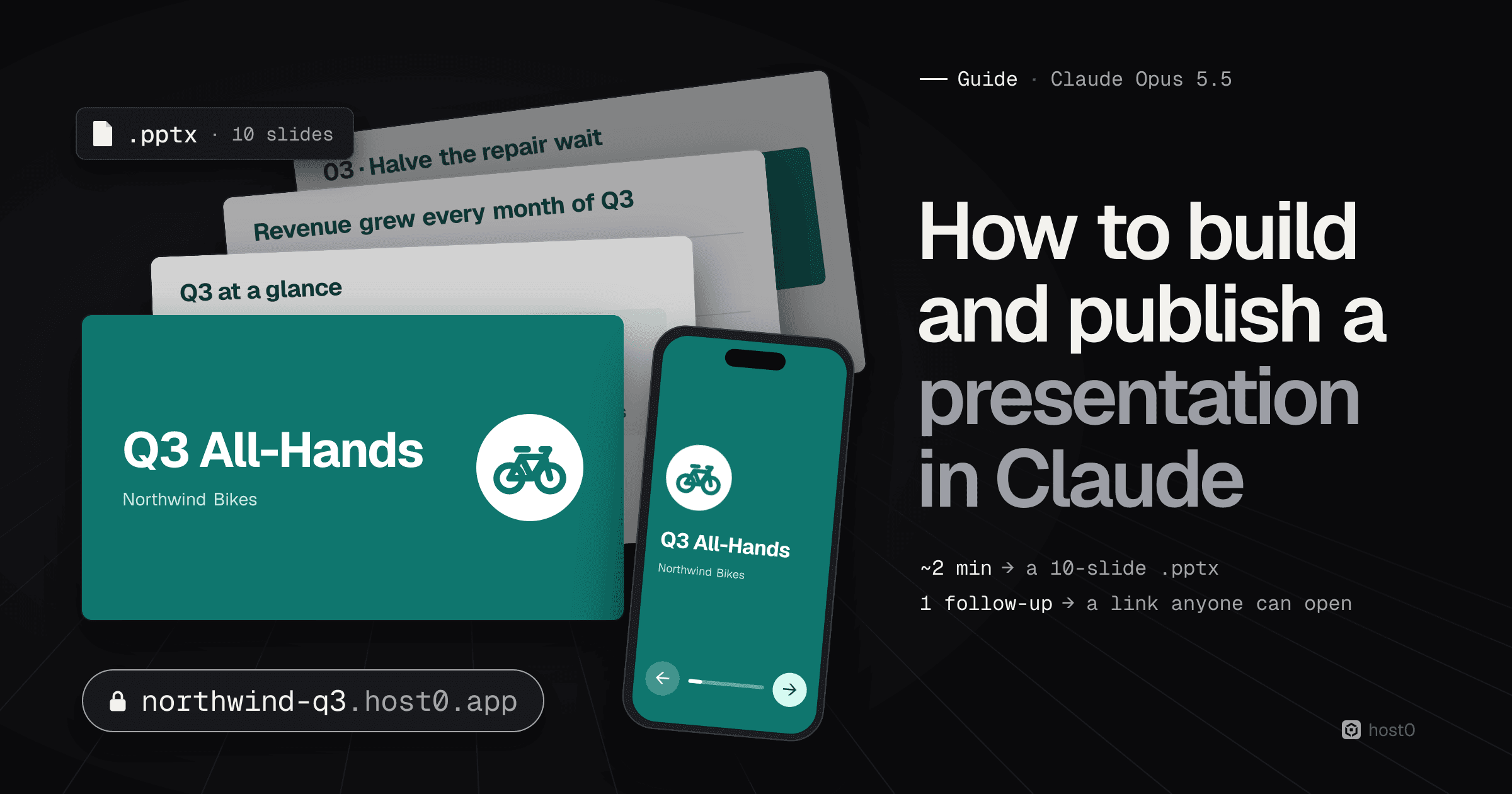
To build a presentation in Claude, describe the deck in one message and ask for a PowerPoint file. To publish it, ask Claude to turn it into a web presentation and publish it with host0, then approve one sign-in. Claude writes the slides, shows them in the chat, and hands you a .pptx; the follow-up turns the same deck into a page at a link like northwind-q3.host0.app that anyone can open on a laptop or a phone, without a Claude account. In our test the PowerPoint took about two minutes, and the published link about nine more, including the sign-in.
A slide deck usually has two audiences: the person presenting, who wants an editable file, and everyone else, who just wants to flip through it on Monday morning. Claude can serve both from the same chat. This guide walks through a real run in claude.ai, from the prompt to a live link, with a screenshot of every step and what we found inside the file.
The short version
- 1One prompt makes the deck. Describe the slides, give Claude your numbers and brand colour, and ask for "a PowerPoint file I can download". Ours came back in about two minutes: 10 slides, our teal, a native chart and speaker notes.
- 2You can check it before downloading. Claude opens the deck in a panel next to the chat, slide by slide, with download and Google Drive buttons.
- 3The chart is a real PowerPoint chart. Its numbers live in an embedded spreadsheet, so you update them in PowerPoint instead of redrawing bars. Apple's Keynote showed it blank for us; PowerPoint and Google Slides are the safe bets.
- 4A second prompt publishes it. "Turn this deck into a web presentation and publish it with host0: follow https://host0.ai/skill.md." You approve one sign-in in your own browser; nothing private goes into the chat.
- 5The link works for anyone. No Claude account needed, arrow keys and swipe to change slides, and every slide has its own address (
#3opens the chart). - 6You change it by asking. A rename took under a minute and a layout fix about 90 seconds. Every publish is a numbered version you can roll back, and it's free during the beta.
How to build and publish a presentation in Claude, step by step#
We used claude.ai on the web with Claude Opus 5.5 on 12 October 2026, in a fresh chat, and made an all-hands deck for an imaginary 40-person e-bike shop in Bristol called Northwind Bikes.
From a prompt in Claude to a deck anyone can open
Turn on network access
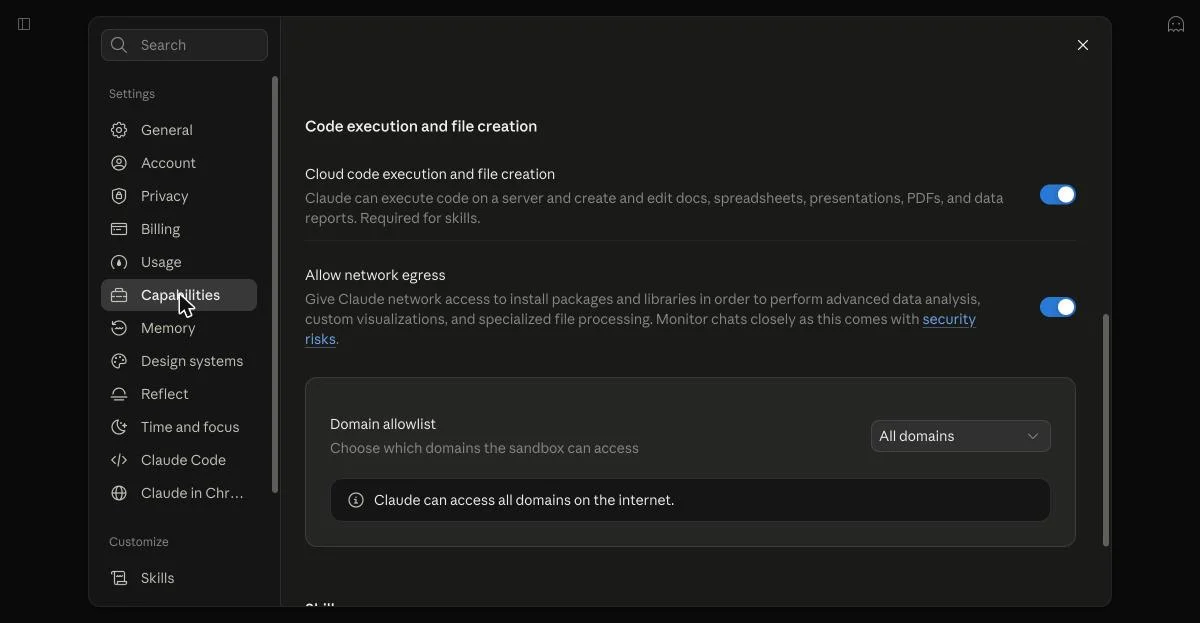
Settings → Capabilities: code execution and network egress on.
Ask for the deck
Your slides, numbers and colour, and “a PowerPoint file I can download”.
Check it, download it
Page through the preview, then take the .pptx.
Ask Claude to publish it
“Turn this into a web presentation and publish it with host0.”
Approve once, share the link
Sign in, check the code, approve. Then rename or edit by asking.
Source: host0 test run in claude.ai, 12 Oct 2026
Step 1: Turn on code execution and network access#
Claude builds PowerPoint files by running code, and it needs internet access from that code to publish. Both switches live in Settings → Capabilities on claude.ai.
- Cloud code execution and file creation must be on. Anthropic says it's available "to all Claude users (Free, Pro, Max, Team, and Enterprise)", and it's what lets Claude make a .pptx at all.
- Allow network egress must be on, with host0.ai and host0.app allowed (or "All domains"). You only need this for publishing; without it, Claude can still make the deck.
On Team and Enterprise plans, an owner controls these in Organization settings → Capabilities, so you may need to ask your admin.
Settings → Capabilities in claude.ai
Source: claude.ai, 11 Oct 2026
Step 2: Ask Claude for the deck#
Start a new chat and describe the presentation. This is the exact prompt we sent:
Make a 10-slide presentation for a Monday all-hands at Northwind Bikes, a 40-person e-bike shop in Bristol. Cover: Q3 results (revenue £1.2M, up 18% on Q2; 2,140 bikes serviced; customer NPS 61), what went well, what didn't (battery supply delays), Q4 priorities (launch cargo bike rentals, open a second workshop, cut repair wait from 6 days to 3), and a thank-you slide. Include one chart of monthly Q3 revenue (Jul £370k, Aug £410k, Sep £420k). Clean, modern design; our brand colour is #0F766E. Give me a PowerPoint file I can download.To write your own, keep the same shape:
- What it's for and who's in the room: "a Monday all-hands for a 40-person team", "a pitch to two investors", "a 15-minute class on photosynthesis".
- How many slides and what's on them: list the sections in order. Claude will invent filler if you leave gaps.
- Your real numbers: paste them in. Anything you don't give, Claude has to make up.
- Charts you want, with their data: "one chart of monthly revenue (Jul £370k, Aug £410k, Sep £420k)".
- The look: a brand colour in hex is enough to make it feel like yours; add a font if you have one.
- The format: "Give me a PowerPoint file I can download." Claude also has a built-in slide editor, Claude Slides, covered further down.
Step 3: Check the deck and download it#
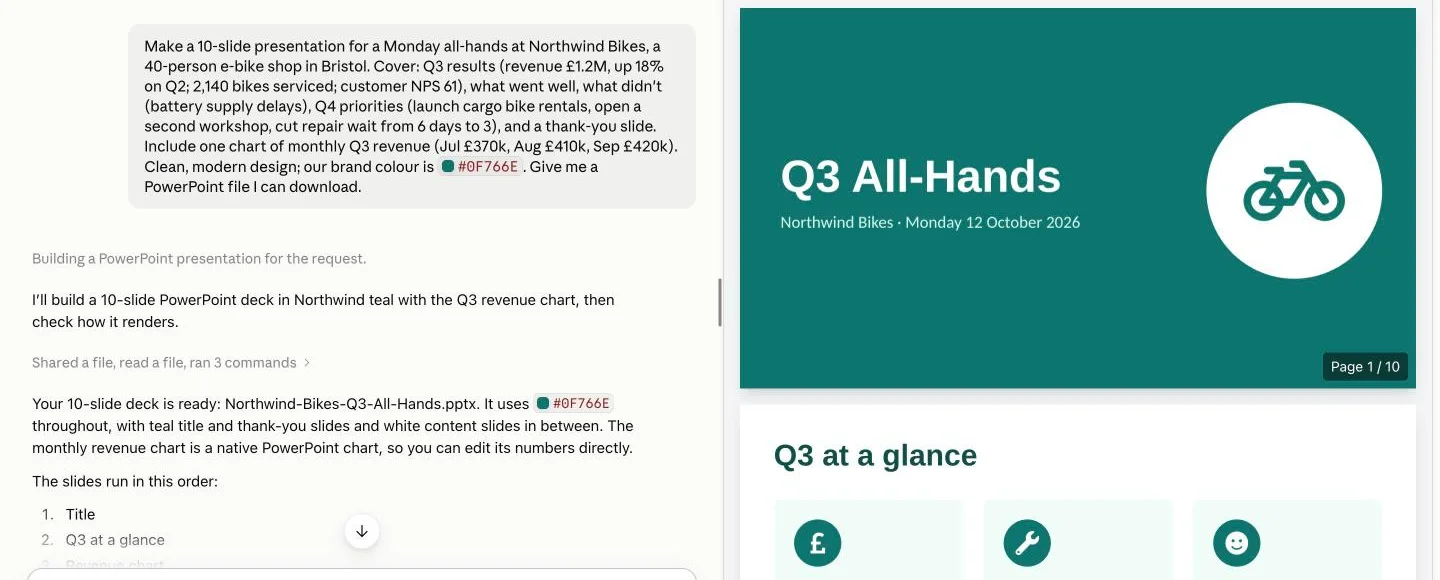
About two minutes later, Claude replied with the file and opened it in a panel beside the chat. You can scroll through every slide there before downloading, and the buttons at the top download the .pptx or save it to Google Drive.
Claude's reply, with the deck open beside it
Source: claude.ai, 12 Oct 2026
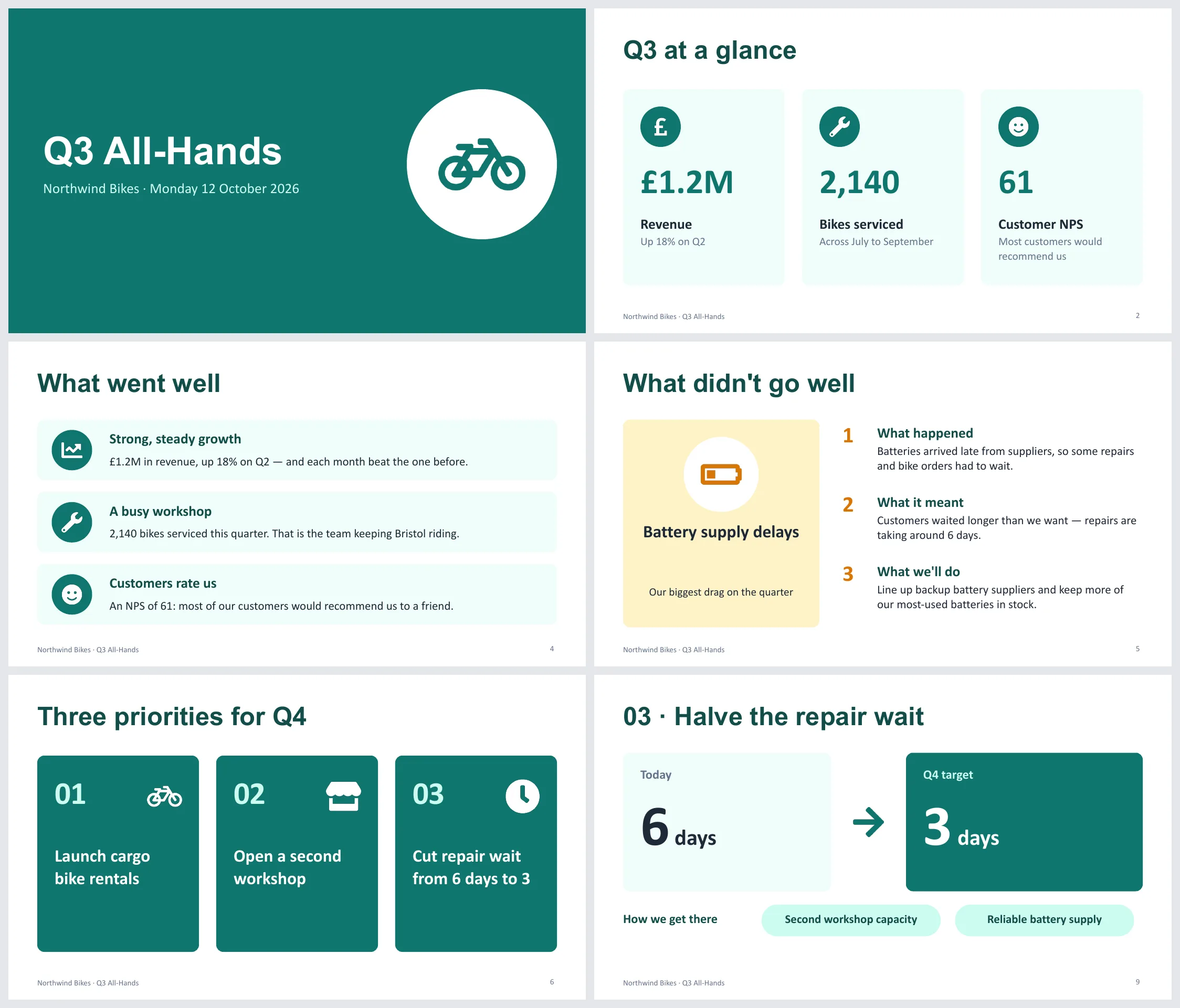
The deck followed the brief closely: a teal title and thank-you slide, white content slides with icons in teal circles, a yellow card for the one slide about a problem, one slide per Q4 priority, and a "6 days → 3 days" slide you could read from the back of the room.
Six of the ten slides
Source: Claude .pptx, rendered in Keynote, 12 Oct 2026
We downloaded the file and unzipped it to see how it was built. Three things are worth knowing:
- The chart is editable. Slide 3 holds a native PowerPoint chart with its own spreadsheet (370, 410 and 420), so when September's number changes you edit the data, not the bars. Apple's Keynote and the macOS Quick Look preview drew that chart area blank for us, so open the file in PowerPoint or Google Slides, or check the chart slide before presenting from a Mac.
- Every slide has speaker notes, written to be said out loud: "July £370k, August £410k, September £420k — £1.2M for the quarter. Each month beat the one before."
- Claude says what it made up. We didn't give it a plan for the battery problem, so it wrote one (backup suppliers, more stock), flagged it in the reply, and left a note on the slide: "Confirm the actions on point 3 before presenting." Read every slide for placeholders like this before Monday.
Step 4: Ask Claude to publish it as a web presentation#
A .pptx is right for the presenter. For everyone else, a link is easier: it opens on any phone, and nobody needs PowerPoint or a copy of the file. In the same chat, we asked:
Nice. Now turn this deck into a web presentation: one HTML file with the same slides, design and revenue chart, arrow keys and swipe to move between slides, good on a phone. Then publish it with host0 so I can send the team a link: follow https://host0.ai/skill.md. Make the link open for anyone who has it.You don't need to install anything first: Claude opens the link in your prompt and follows the instructions there. Leave out "open for anyone who has it" and the link starts private, so only you and the people you invite can open it.
Claude rebuilt the slides as a web page, then took screenshots of its own work at desktop and phone sizes. It decided "the text is too small for the cards and the content sits at the top", enlarged the type, re-centred the slides and checked again. Then it read host0's instructions and started the publish.
Step 5: Approve the sign-in once#
Publishing needs a host0 account, and Claude can't sign in for you. So about seven minutes in, it stopped and showed a link and a code:
Claude asks you to approve once

Source: claude.ai, 12 Oct 2026
Click the link. It opens host0 in your own browser, where you sign in with Google or a 6-digit code sent to your email (if you're new, that creates your account; there's no password). Check the page shows the same code, and click Approve. You never paste a key or your email into the chat, and Claude picks up the approval by itself.
Step 6: Open the link#
Right after the approval, the deck was live, about nine minutes after we sent the follow-up. Claude opened the link itself to check it loaded without signing in:
The deck is live
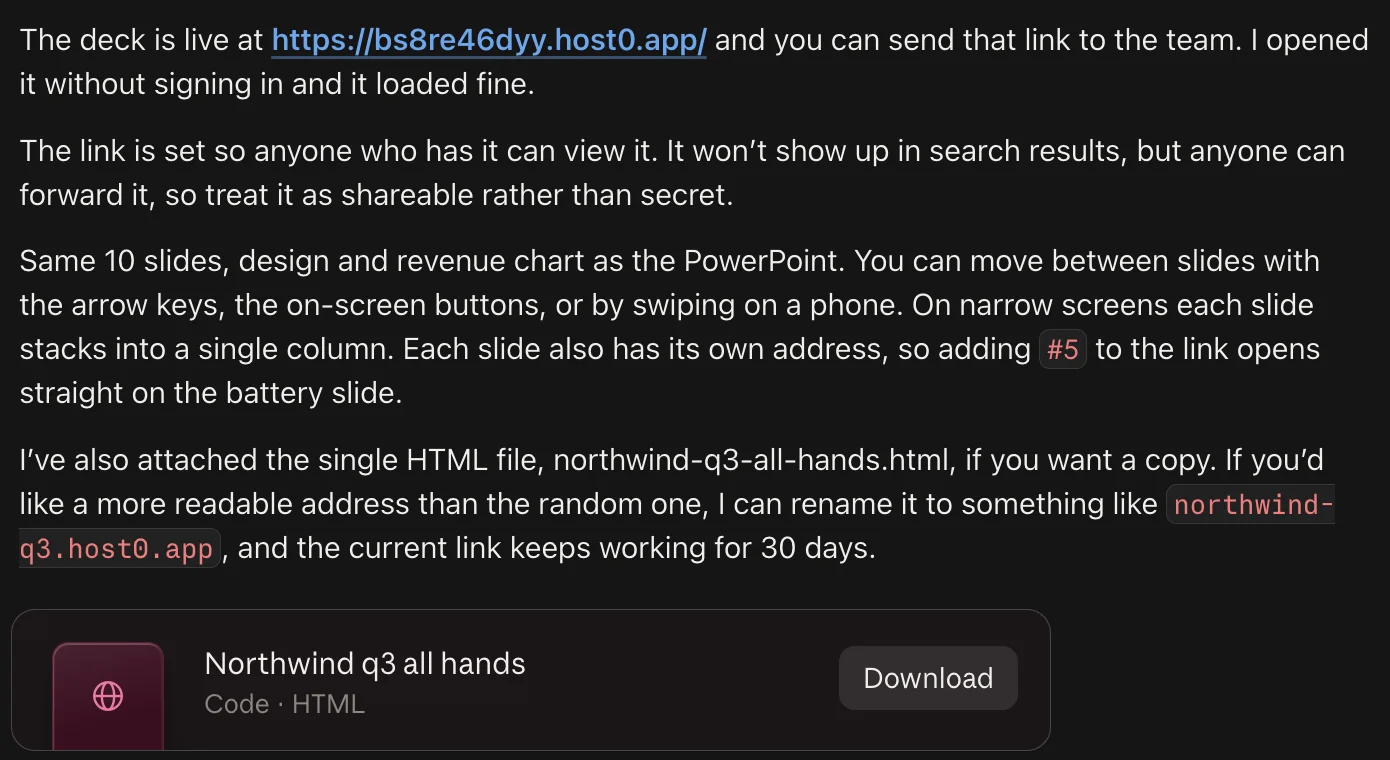
Source: claude.ai, 12 Oct 2026
It's a real web page, not pictures of slides: the text can be selected and searched, the chart is drawn in the page, and the whole deck is 27 KB of HTML. On a laptop it plays like a slideshow.
The web deck on a laptop
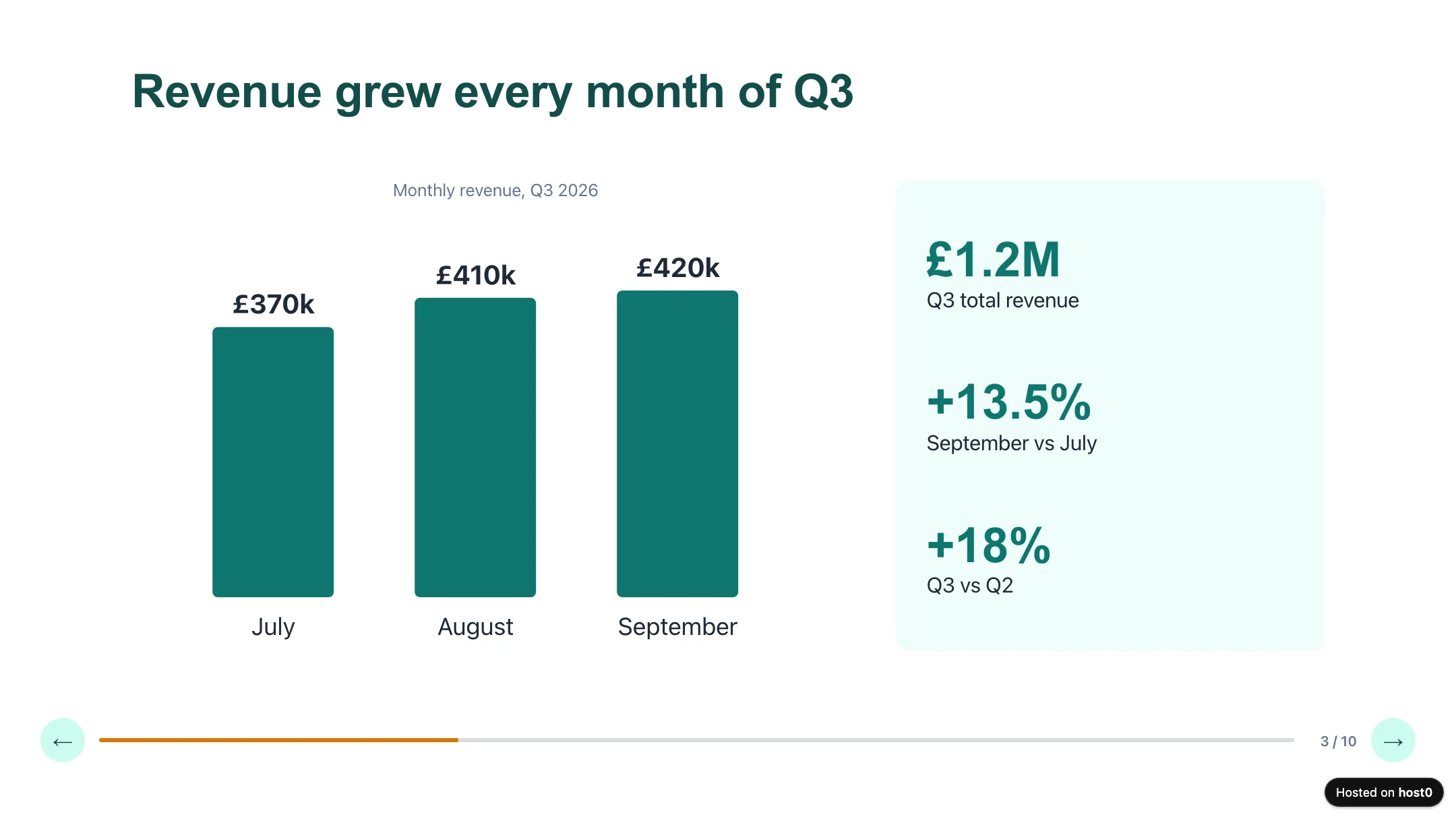
Source: northwind-q3.host0.app, 12 Oct 2026
On a phone, each slide reflows into a single column instead of shrinking a widescreen slide to postage-stamp size.
And on a phone
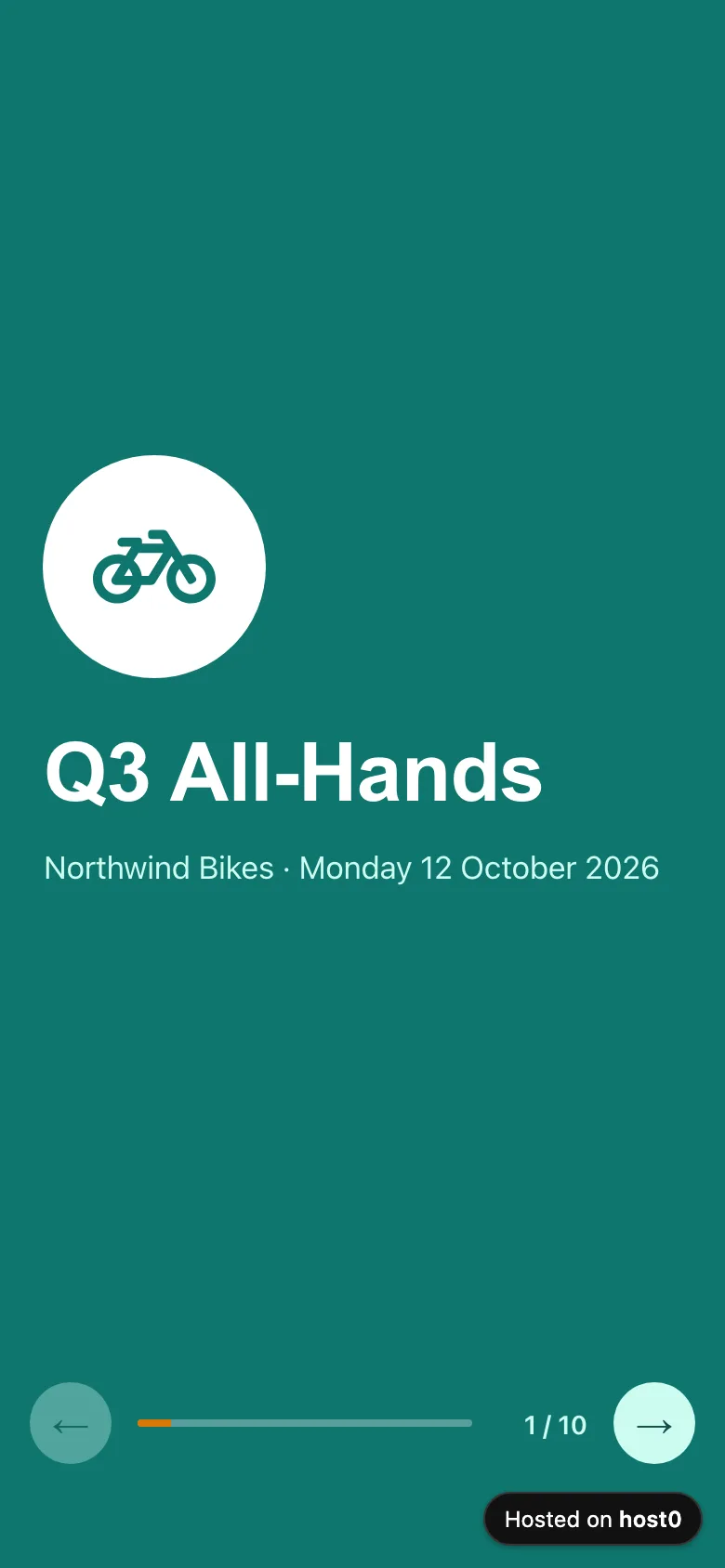
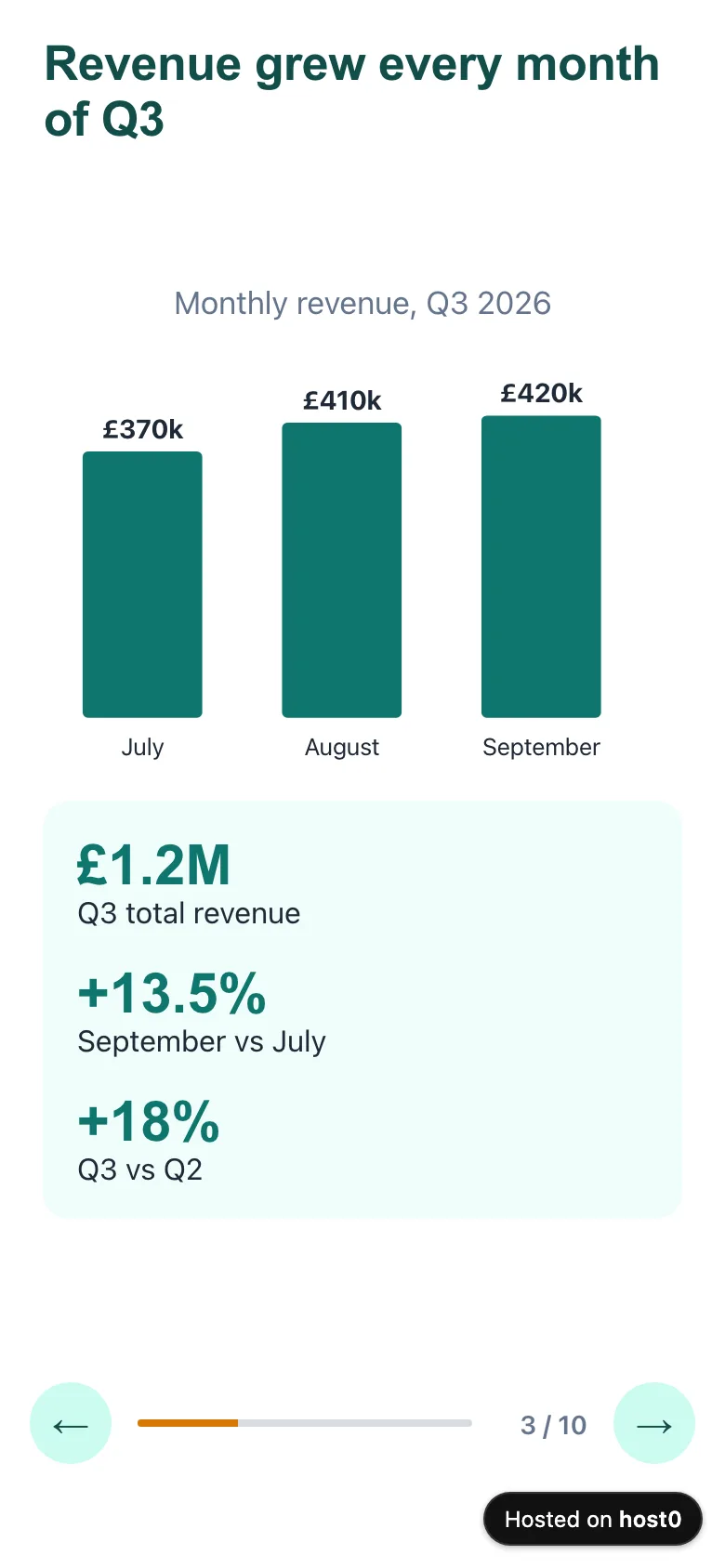
Source: northwind-q3.host0.app, 12 Oct 2026
Step 7: Rename it, edit it, roll it back#
A random address is fine for a test, but not for an email to the whole company. So we asked for a better one:
Rename the link in one message
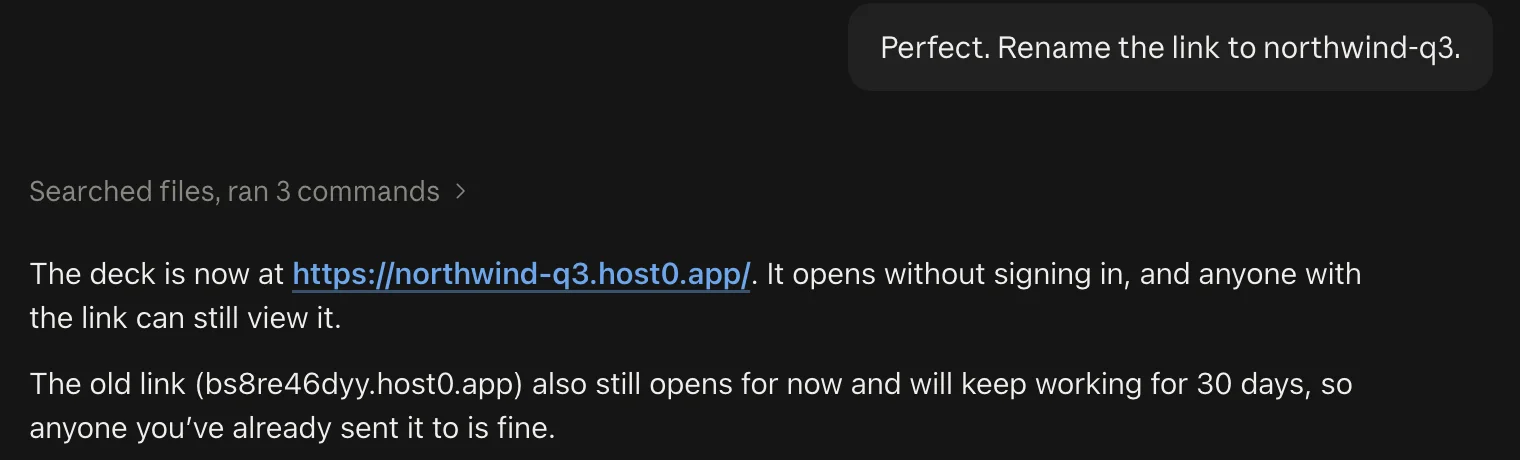
Source: claude.ai, 12 Oct 2026
Then we opened it on a phone and found a problem: the small "Hosted on host0" badge in the bottom-right corner sat on top of the next-slide button. We described it, and Claude measured the badge, moved the controls up and republished to the same link in about 90 seconds:
Fix it by describing it
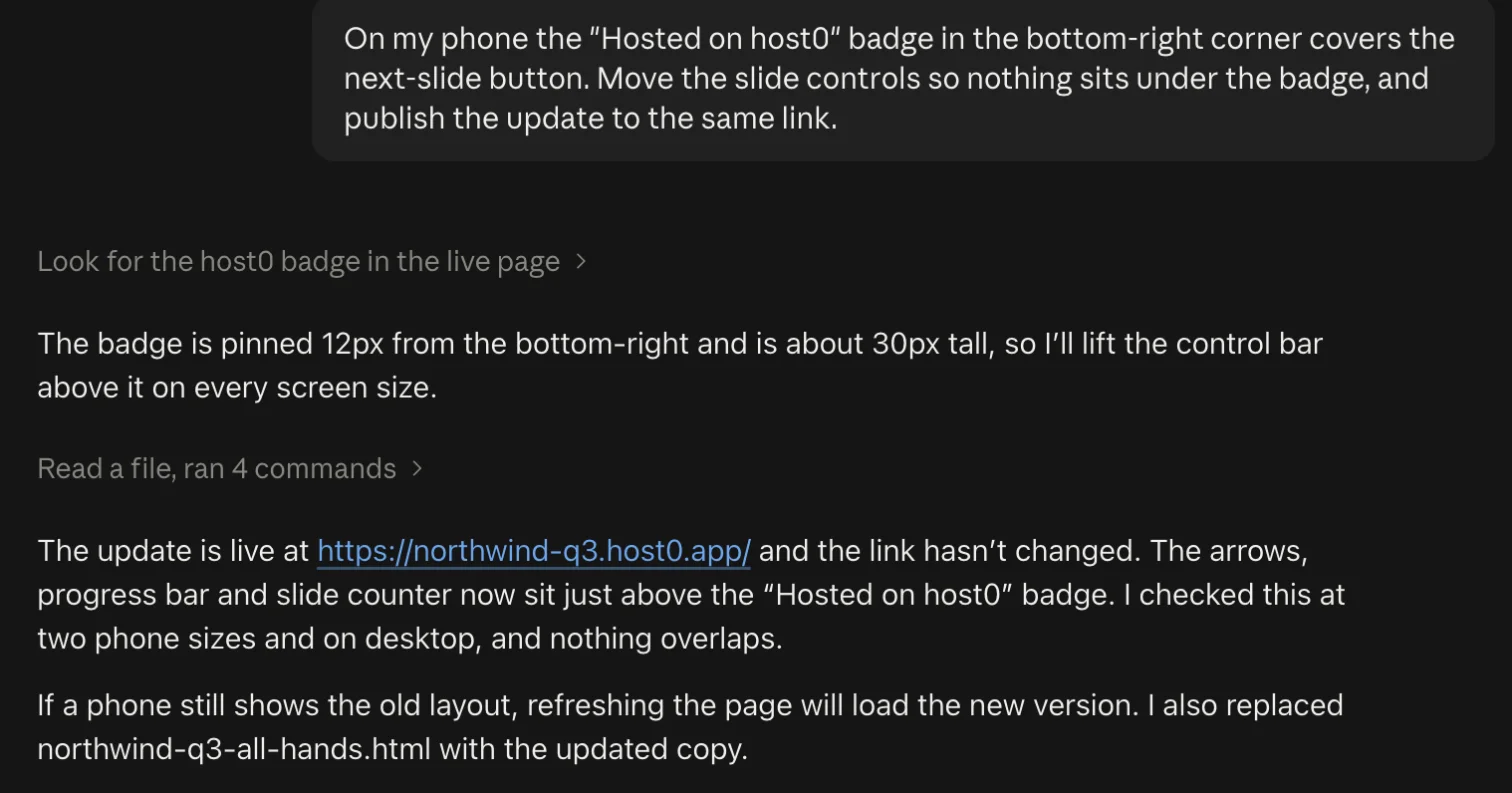
Source: claude.ai, 12 Oct 2026
Every publish is saved as a numbered version, with the note Claude wrote for it. Open the deck in your host0 dashboard and the Versions tab lists them, each with a Restore option, or just tell Claude "roll back to version 1". host0 keeps the last 20 (how versions work).
The Versions tab
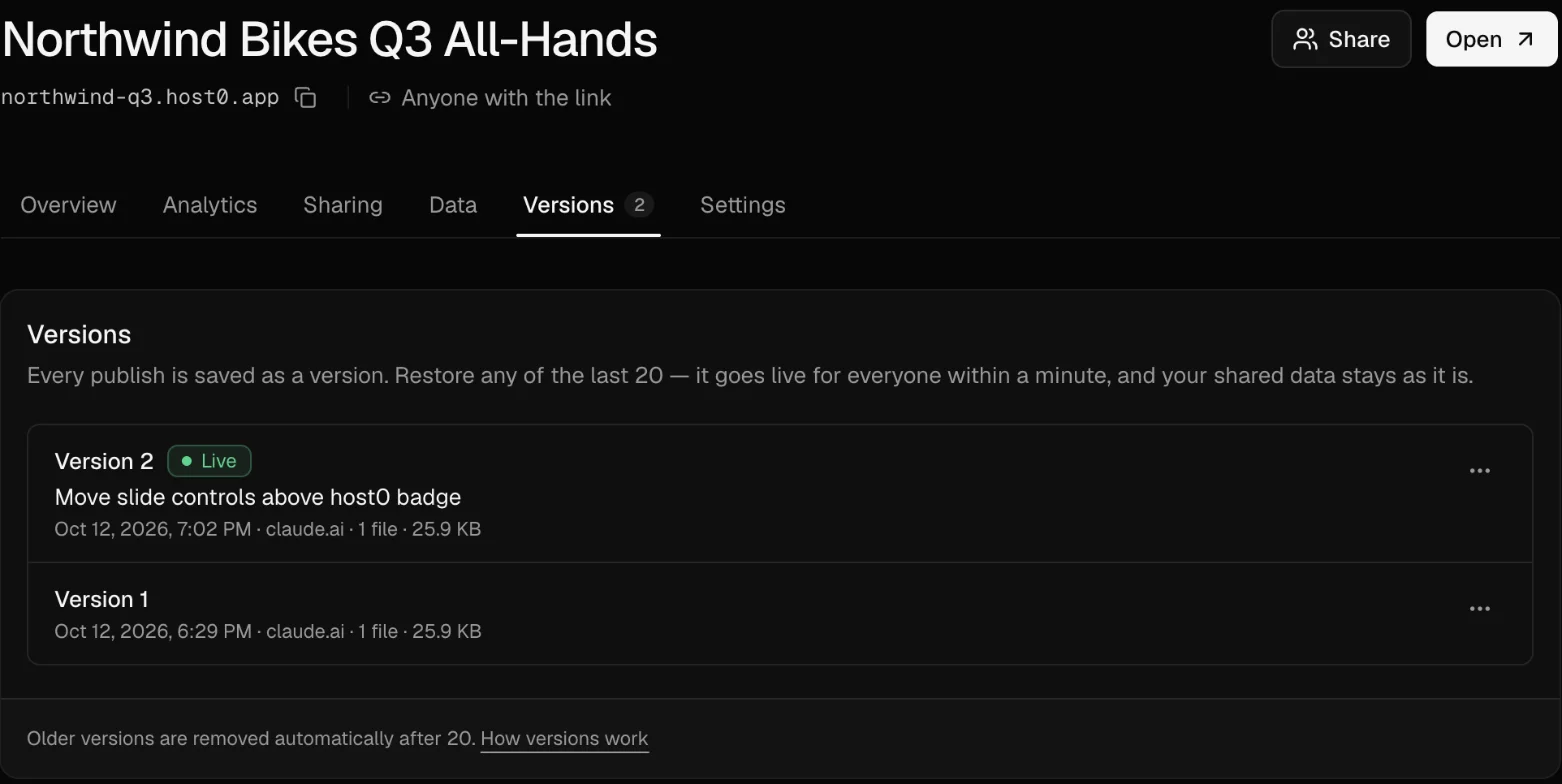
Source: host0 dashboard, 12 Oct 2026
The dashboard also has an Analytics tab that counts who opened the deck, from which countries and devices, without cookies, and a Sharing tab to make it private again or invite specific people by email.
Other ways to make slides in Claude#
We asked for a PowerPoint file because that's what most people present from. Claude has two other routes, and which one fits depends on where you'll work on the deck. This is what Anthropic's own pages say, checked on 12 October 2026.
- Claude Slides. A slide editor inside Claude, launched on 16 September: "You can edit directly, present straight from Claude, or download as PowerPoint or PDF." On 8 October Anthropic said Docs, Slides and Design are "out of beta and available on every plan, including Free", and that decks can go "straight to Google Slides as editable files". Good when you want to keep editing with Claude and present from the browser.
- Claude for PowerPoint. An add-in that works inside PowerPoint itself. Anthropic says it "reads the slide master, layouts, fonts, and color scheme in your deck" and makes charts "you can edit directly, not static images". It's on Pro, Max, Team and Enterprise, not Free. Good when your company has a template you must use.
- A file from the chat (what we did). Works on every plan, and the result is an ordinary .pptx you own.
Sharing a Claude deck: Claude's link vs a host0 link#
A deck made in Claude Slides has its own share link. Since 16 September 2026, Anthropic's help center says that for anything made in Slides, Docs or Design, "Everyone needs a Claude account. People without one can't open a shared artifact, even with the link." That's fine for a team that all uses Claude. For anyone else, publish it.
Troubleshooting#
Claude says it can't reach host0.ai or host0.app. Network egress is off or the domain isn't allowed. Go to Settings → Capabilities, turn on Allow network egress, and pick All domains or add host0.ai and host0.app. On a Team or Enterprise plan, ask an owner. Then say "try again"; Claude still has the files.
The chart slide is empty. You're probably viewing the .pptx in Keynote or Quick Look on a Mac, which drew Claude's native chart blank in our test. Open the file in PowerPoint or Google Slides, or ask Claude to "also put the chart in as an image on that slide".
Claude made a deck but no file to download. Check that Cloud code execution and file creation is on, and say "give me a PowerPoint file I can download".
The slides use made-up content. Claude fills gaps in the brief. Give it your real numbers and decisions in the prompt, and look for anything it flagged as a placeholder in its reply and the speaker notes.
The sign-in link expired. It lasts 10 minutes. Tell Claude "the link expired, start again" for a new link and code. If the code on the page doesn't match Claude's, don't approve it.
People are asked to sign in when they open the link. The deck is private, the default when you don't say otherwise. Tell Claude "make the link open for anyone who has it", or change it on the Sharing tab in the dashboard.
Something on the page covers your buttons. Every page on host0's free plan has a small badge in the bottom-right corner. Ask Claude to keep fixed buttons clear of that corner, as we did in step 7.
FAQ#
Can Claude make a PowerPoint presentation?#
Yes. Ask for "a PowerPoint file I can download" and Claude builds a .pptx, shows the slides in the chat, and gives you a download button. Ours had 10 slides, a native chart and speaker notes, in about two minutes. Anthropic says file creation works on every plan, Free included.
Can Claude make slides with charts?#
Yes. Give it the data in the prompt. Claude made our revenue chart as a native PowerPoint chart whose numbers you can edit, and drew it again in the web version. Keynote and macOS Quick Look showed the .pptx chart blank for us; PowerPoint and Google Slides are safer.
How do I share a presentation made in Claude?#
Download the .pptx and send it or upload it to Google Drive, share a Claude Slides deck with people who have Claude accounts, or ask Claude to publish it as a web presentation with host0, which gives you a link anyone can open without an account.
Do people need a Claude account to open my deck?#
For a deck shared from Claude Slides, yes, since 16 September 2026. For a host0 link set to "anyone with the link", no: it's an ordinary web page. You can also keep it private and invite people by email; they sign in to host0 with that address.
Can I present from the web link?#
Yes. Open it in a browser, go full screen, and use the arrow keys or a presentation clicker that sends arrow keys. Each slide also has its own address (#5 opens slide 5), handy for jumping to a slide during questions.
Can I edit the deck after publishing?#
Yes. In the same chat, ask for the change and Claude publishes a new version to the same link. Every version is kept (the last 20), and you can restore one from the dashboard's Versions tab or by asking Claude to roll back.
What does it cost?#
Claude's file creation and Claude Slides are on every plan, Free included, per Anthropic. host0 is free during the beta; paid plans may come later, with notice. Pages on host0 carry a small "Hosted on host0" badge in the corner.
How we tested this#
We ran everything above on 12 October 2026 in claude.ai on the web, in a fresh chat with Claude Opus 5.5, signed in to our own host0 account, and took every screenshot from that run. Northwind Bikes and all its numbers are made up, and so are the battery fixes Claude added (it said so). Times are from the chat and the host0 dashboard: about two minutes for the PowerPoint, about seven minutes of building and checking before Claude asked for the sign-in, about nine minutes from the follow-up to the live link including our approval, under a minute for the rename and about 90 seconds for the layout fix. We unzipped the .pptx to check the chart, notes and images; the slide images above are Keynote exports, which is how we found the blank-chart issue. Anthropic's product details come from its help center and announcements, re-read the same day and linked inline. One run: the same prompt can give a different deck next time.
host0 hosts whatever your agent makes, from a slide deck to a team app with a shared database, at a link anyone can open. See how it works with any agent, or read the companion guide on building and publishing a website in Claude.