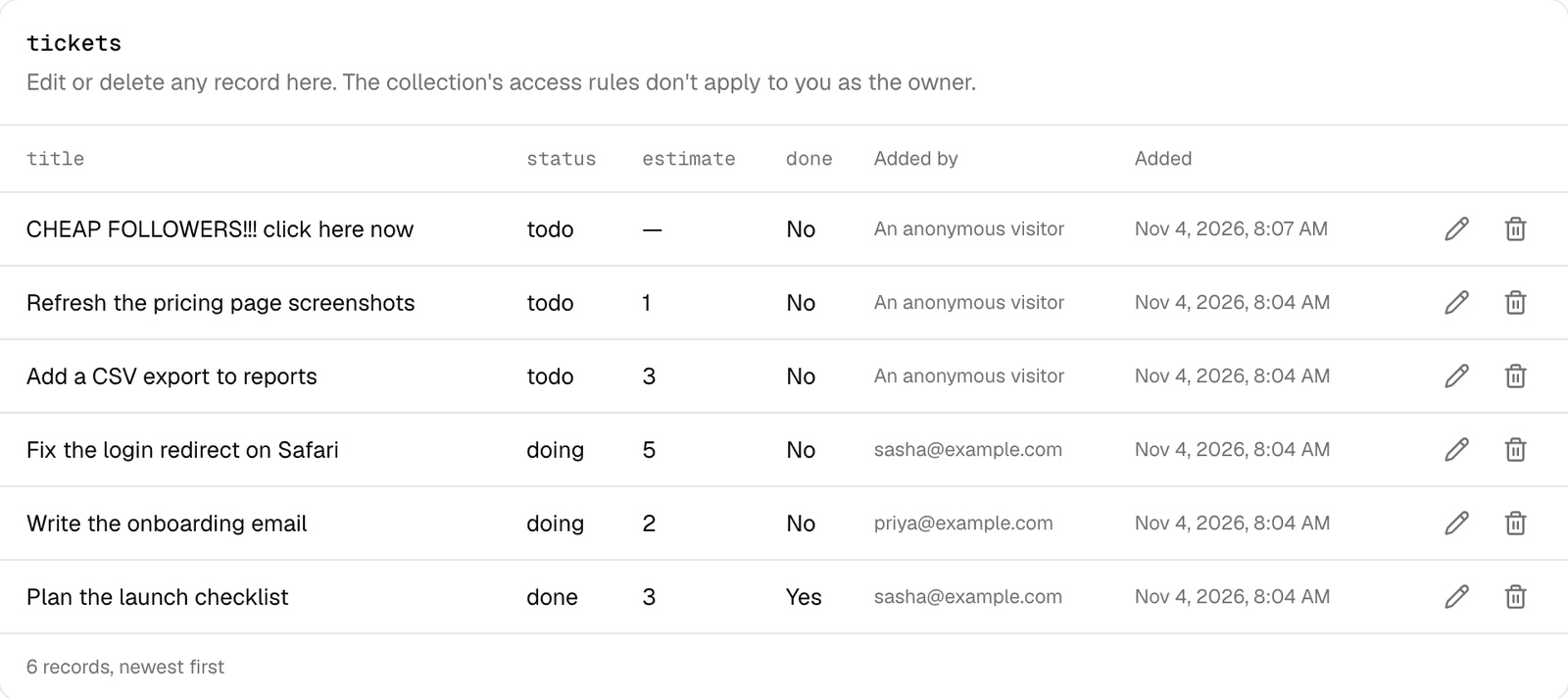
Cleaning up an app's shared data used to mean opening the app and clicking through it as yourself, if the app even had a delete button. Now the owner can do it directly.
Open an app, go to Data, and each collection lists its records with an edit and a delete button. Pick another collection from the table above it.
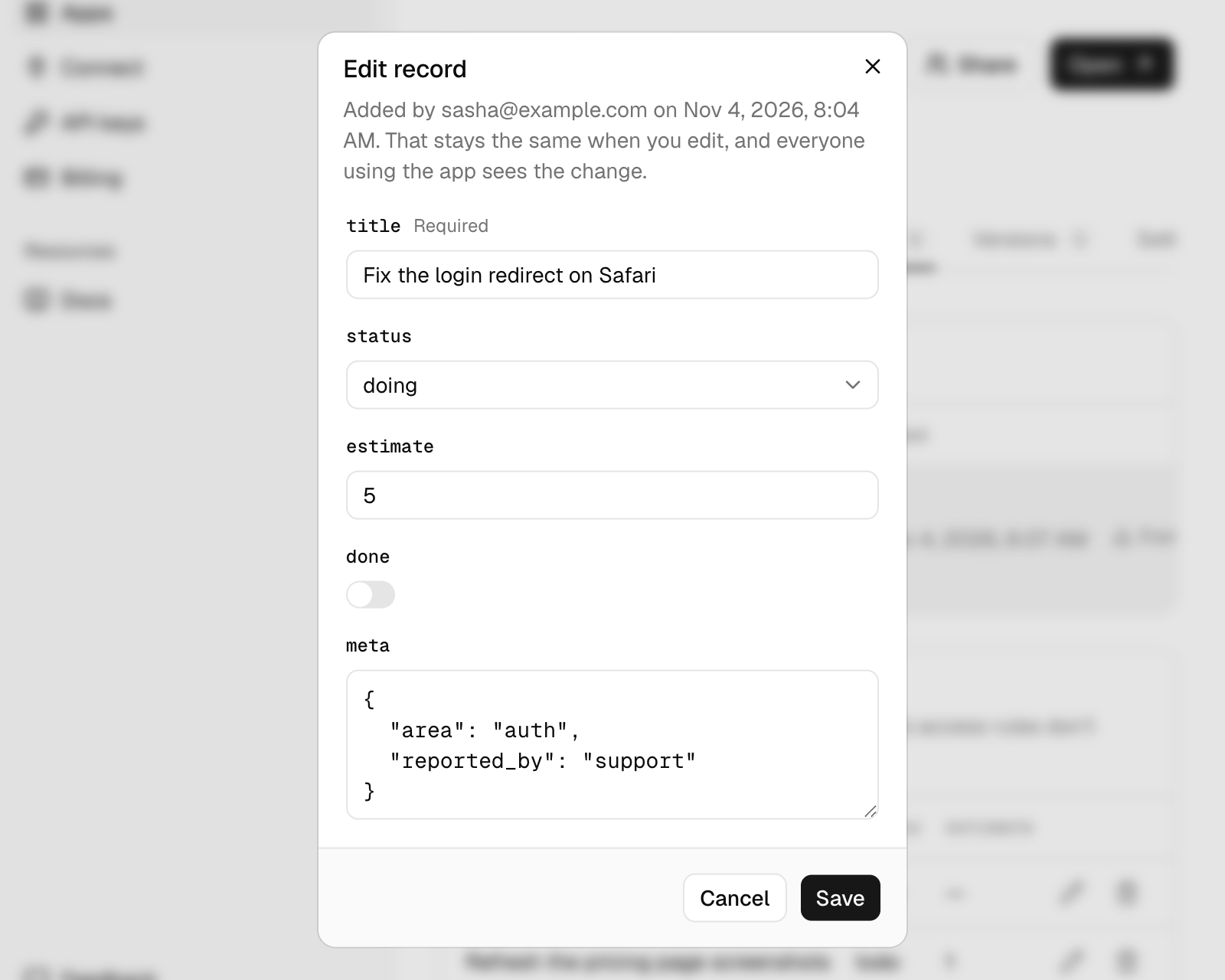
The editor follows your h0.json: dropdowns for a field with fixed options, a switch for true or false, and a check on every value before it saves. Who added the record doesn't change when you edit it. Delete asks first, because it can't be undone.
From an agent#
Tell your agent to clean it up. It can use the API:
curl -X PATCH https://host0.ai/api/v1/apps/<app>/records/tickets/<id> \
  -H "authorization: bearer $HOST0_API_KEY" \
  -H "content-type: application/json" \
  -d '{"done": true}'

curl -X DELETE https://host0.ai/api/v1/apps/<app>/records/tickets/<id> \
  -H "authorization: bearer $HOST0_API_KEY"
Or, with the host0 MCP server connected, the list_records, update_record and delete_record tools.
The collection's own access rules don't apply here, since you own the app. A collection your live version no longer declares can't be edited, but you can still export its records or delete them.