Async standup log
Your remote team posts daily updates on one page instead of a meeting.
Built with Claude CodeClaude Opus 5.5verified Nov 2026Internal tools
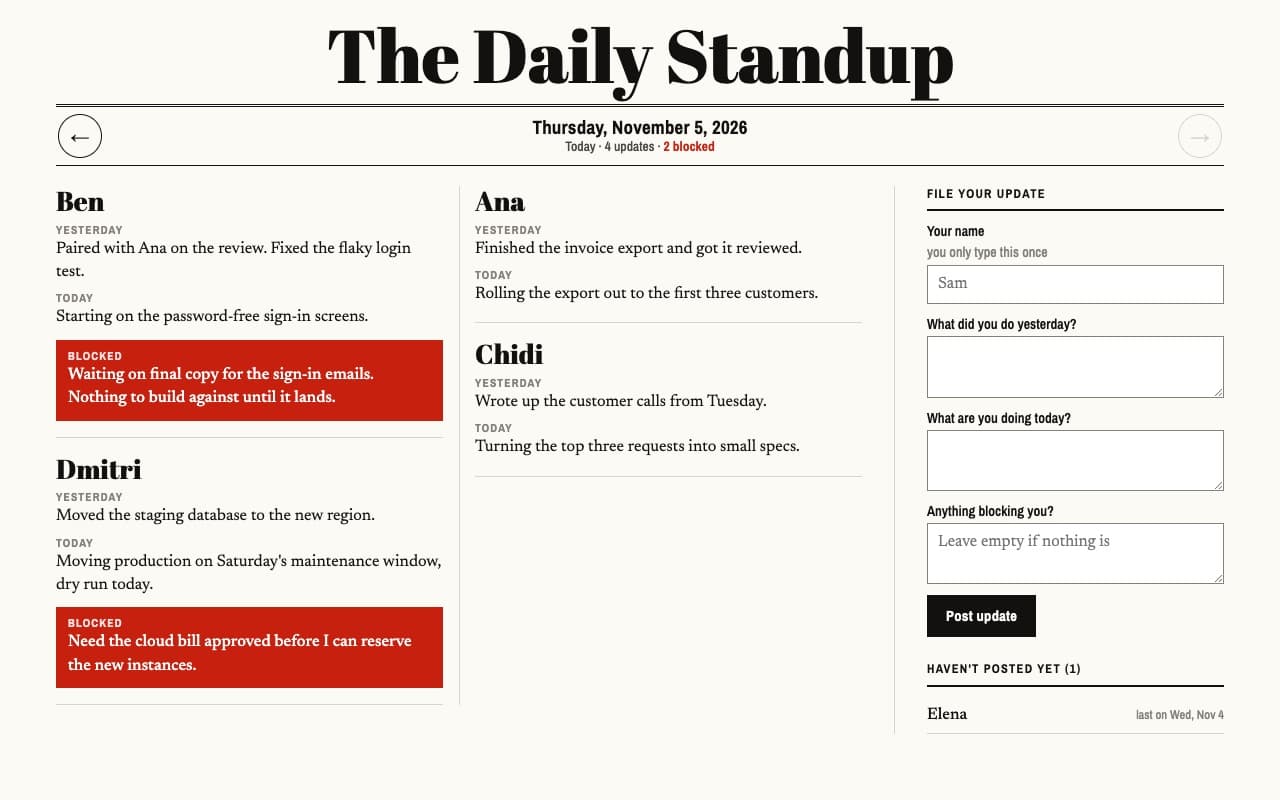
Post an update with a blocker and see it highlighted on today's page.
The prompt
Build an async standup page for a remote team: each person types their name once and posts what they did yesterday, what they're doing today and anything blocking them. Show today's updates as cards, highlight blockers, list who hasn't posted yet (anyone who posted in the last two weeks), and use arrows to go back through previous days. Everyone with the link shares the same data — save it in host0 shared data, not localStorage (localStorage only to remember my name). Plain HTML, CSS and JS, no build step. Publish it with host0 as a link anyone can open — follow https://host0.ai/skill.md.
claude 'Build an async standup page for a remote team: each person types their name once and posts what they did yesterday, what they'\''re doing today and anything blocking them. Show today'\''s updates as cards, highlight blockers, list who hasn'\''t posted yet (anyone who posted in the last two weeks), and use arrows to go back through previous days. Everyone with the link shares the same data — save it in host0 shared data, not localStorage (localStorage only to remember my name). Plain HTML, CSS and JS, no build step. Publish it with host0 as a link anyone can open — follow https://host0.ai/skill.md.'What you get
- A daily page of updates, one card per person
- Blockers that stand out
- Who hasn't posted yet
- Every previous day, one click back
What it shows on host0
Make it yours
Send one of these next, in the same conversation.
- Add a page that lists every open blocker across the team.
- Make it private and invite the team by email.
- Add a weekly summary view per person.
More examples
All examples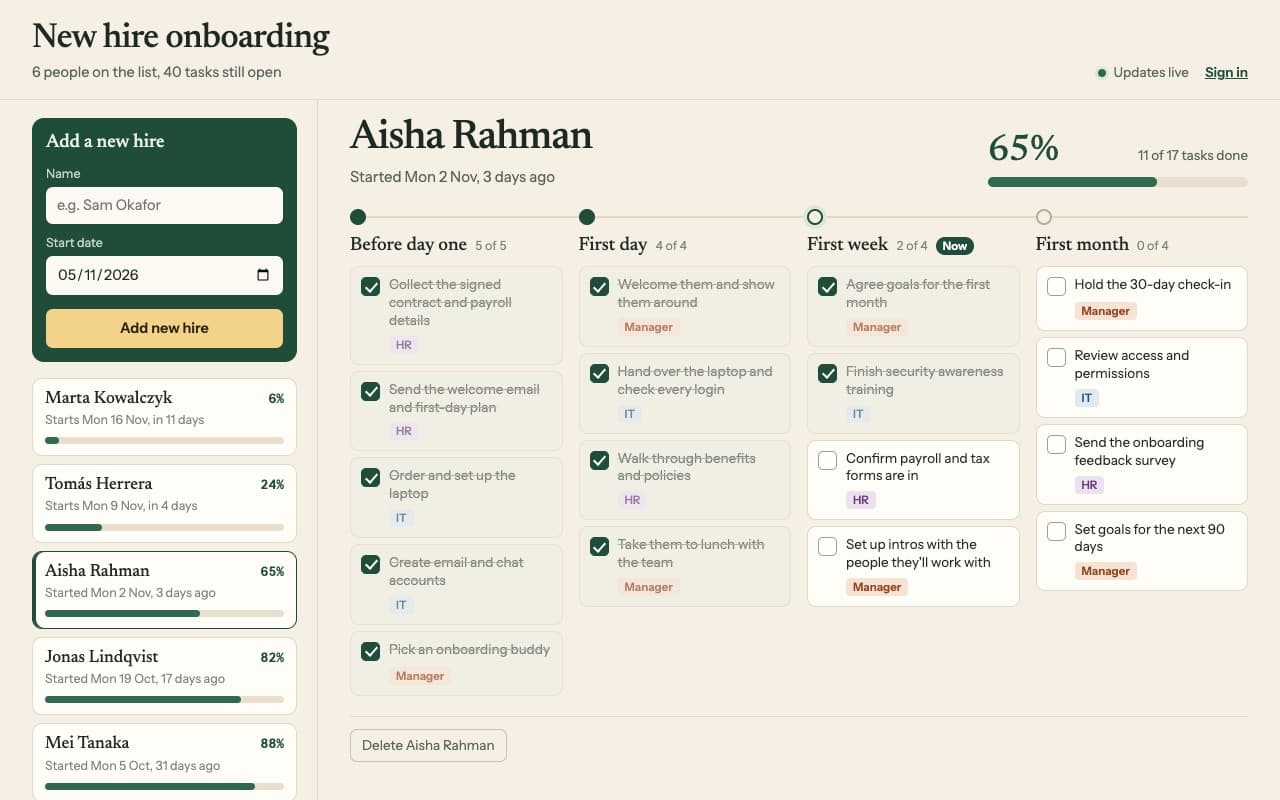
Every new starter gets the same tasks, with progress the whole team can see.
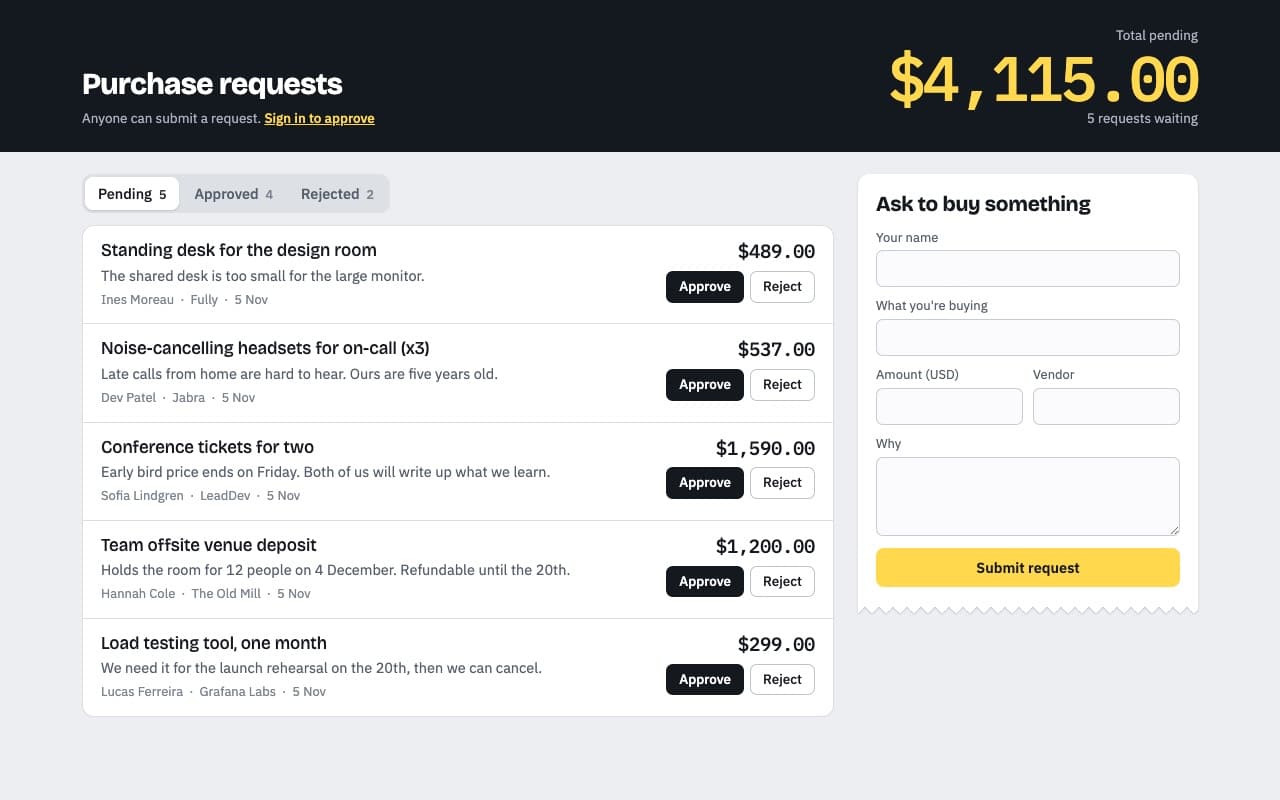
Anyone asks to buy something; only the people you invite can approve it.
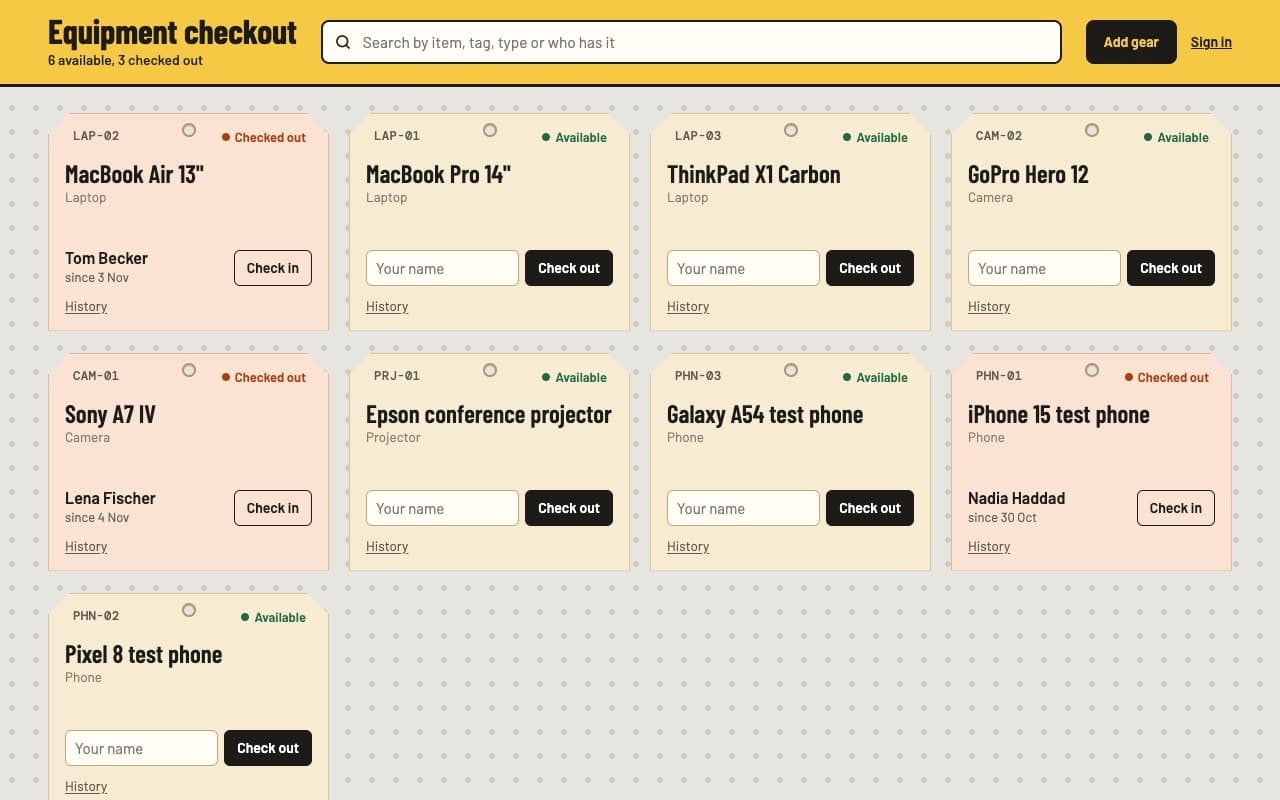
See who has the projector, the test phones and the spare laptops.
Your agent builds it, host0 hosts it
A live link from any agent, in your own account. host0 is free to start.
Get started