Equipment checkout log
See who has the projector, the test phones and the spare laptops.
Built with Claude CodeClaude Opus 5.5verified Nov 2026Internal tools
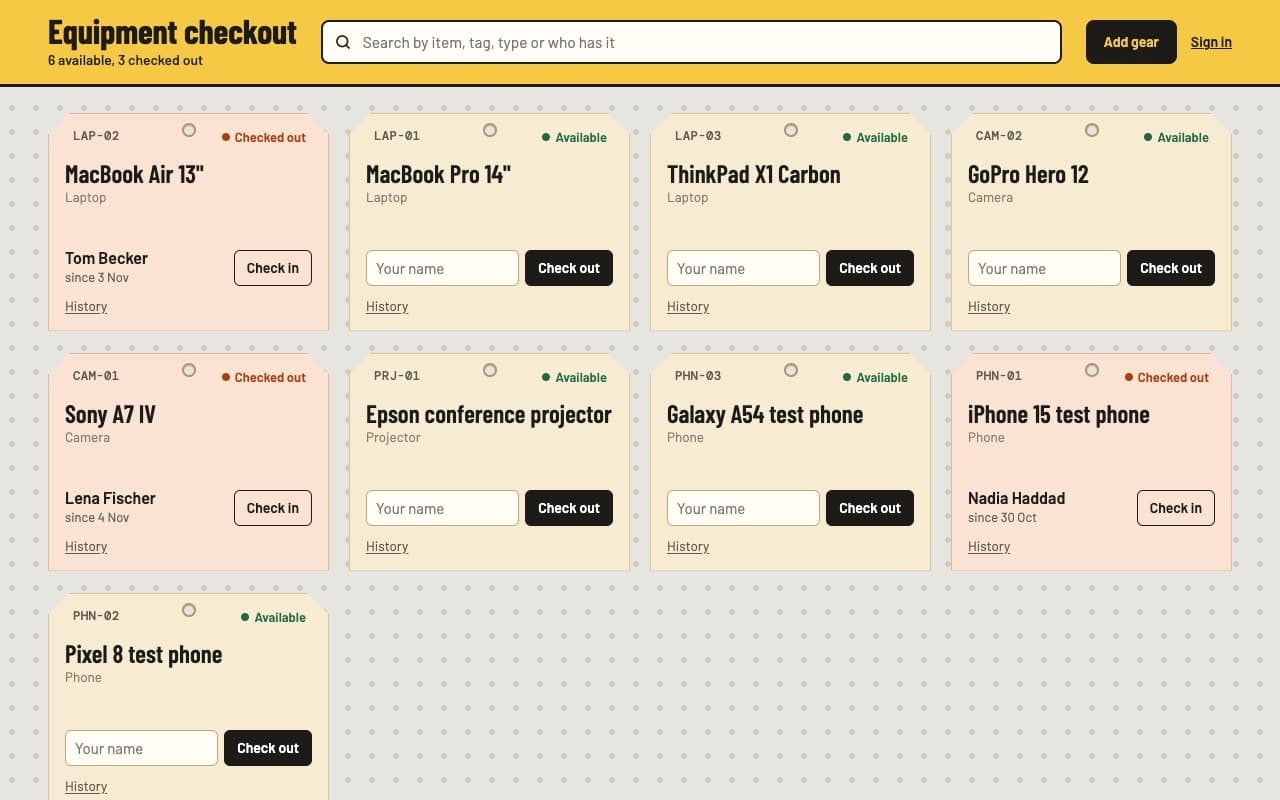
Check out the projector under a made-up name, then open its history.
The prompt
Build an equipment checkout log for our office: a list of gear (laptops, cameras, a projector, test phones) with a status of available or checked out, who has it and since when. Anyone can check an item out by typing their name, check it back in, and add new gear. Keep a history per item of who had it and when, and put a search box at the top. Everyone with the link shares the same data — store it in host0 shared data, not localStorage. Only invited teammates can remove gear, and show the error message if a removal isn't allowed. Plain HTML, CSS and JS, no build step. Publish it with host0 as a link anyone can open — follow https://host0.ai/skill.md.
claude 'Build an equipment checkout log for our office: a list of gear (laptops, cameras, a projector, test phones) with a status of available or checked out, who has it and since when. Anyone can check an item out by typing their name, check it back in, and add new gear. Keep a history per item of who had it and when, and put a search box at the top. Everyone with the link shares the same data — store it in host0 shared data, not localStorage. Only invited teammates can remove gear, and show the error message if a removal isn'\''t allowed. Plain HTML, CSS and JS, no build step. Publish it with host0 as a link anyone can open — follow https://host0.ai/skill.md.'What you get
- Every item with its status and current holder
- Check out with your name, check in with one tap
- A history of who had what, and when
- Search across all your gear
What it shows on host0
Make it yours
Send one of these next, in the same conversation.
- Add a return-by date and flag anything overdue.
- Add a category filter and a count of what's available per category.
- Print a page of QR codes that open each item's checkout.
More examples
All examples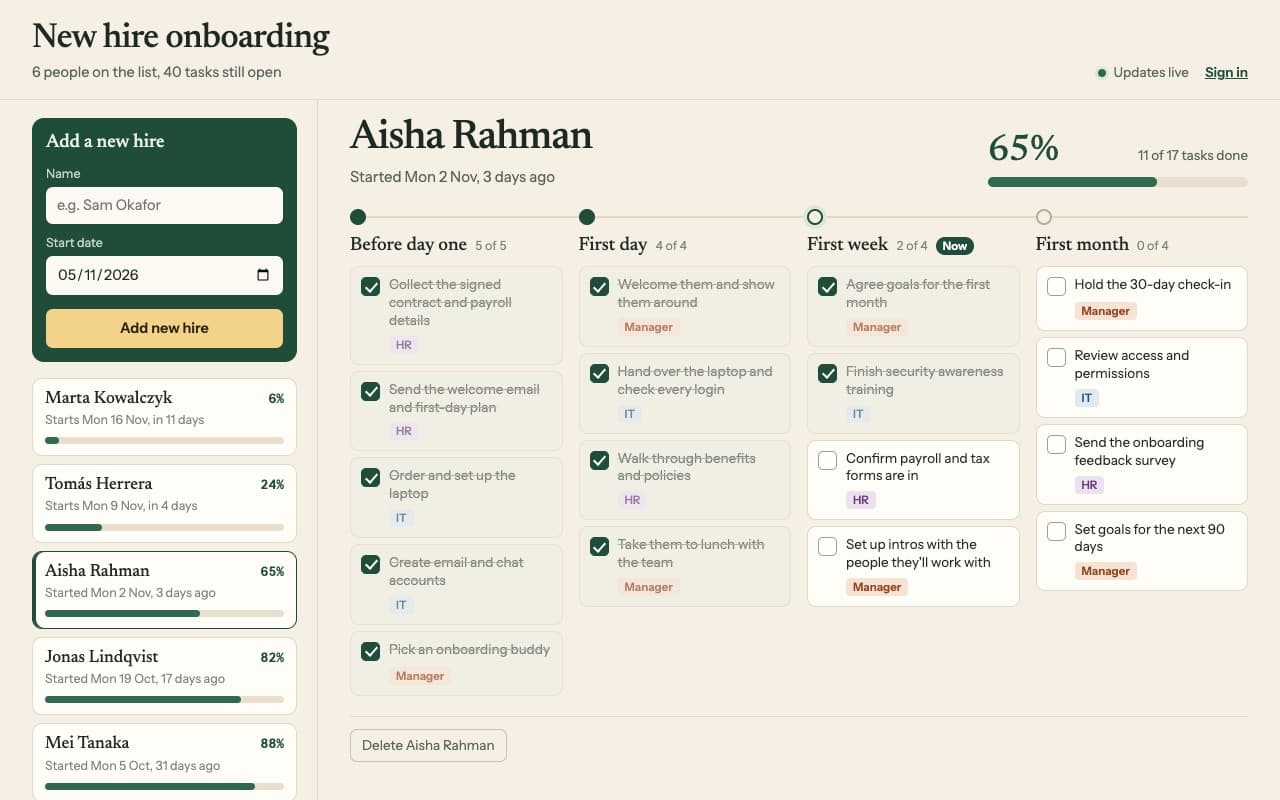
Every new starter gets the same tasks, with progress the whole team can see.
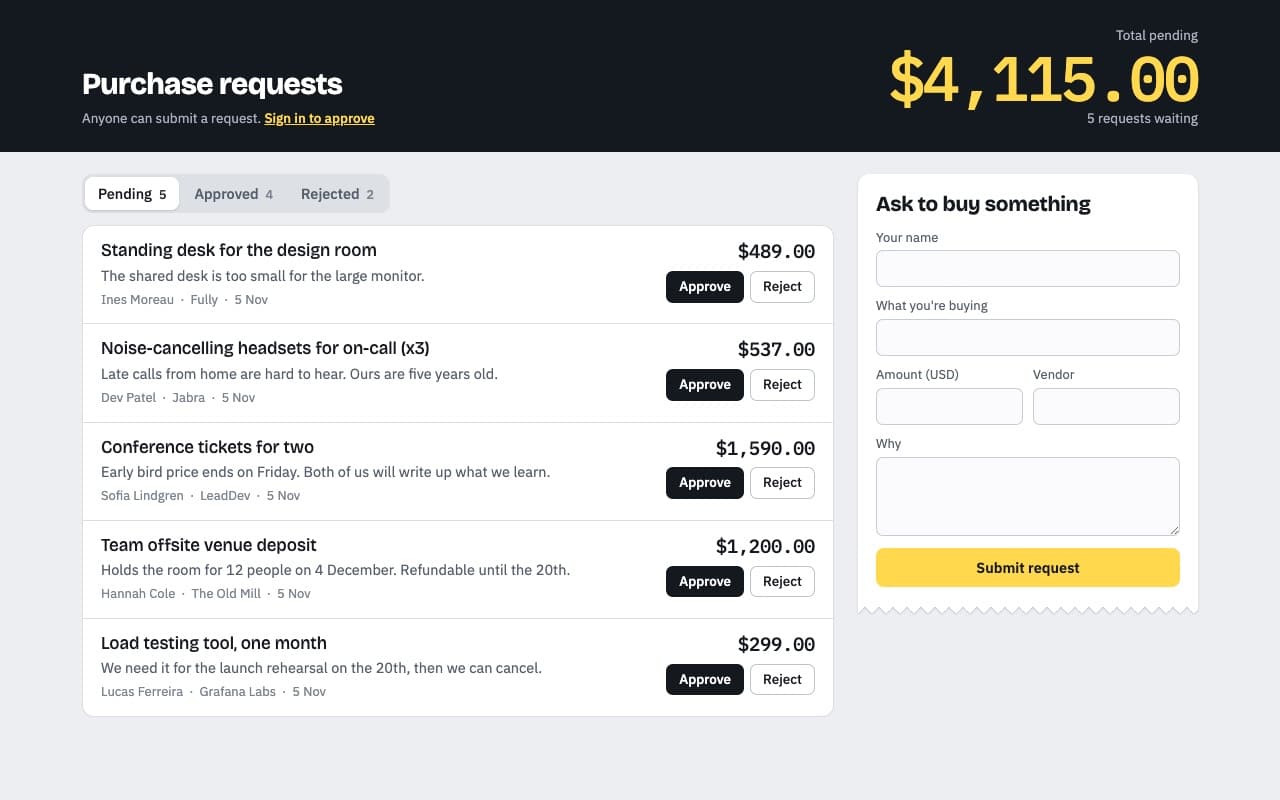
Anyone asks to buy something; only the people you invite can approve it.
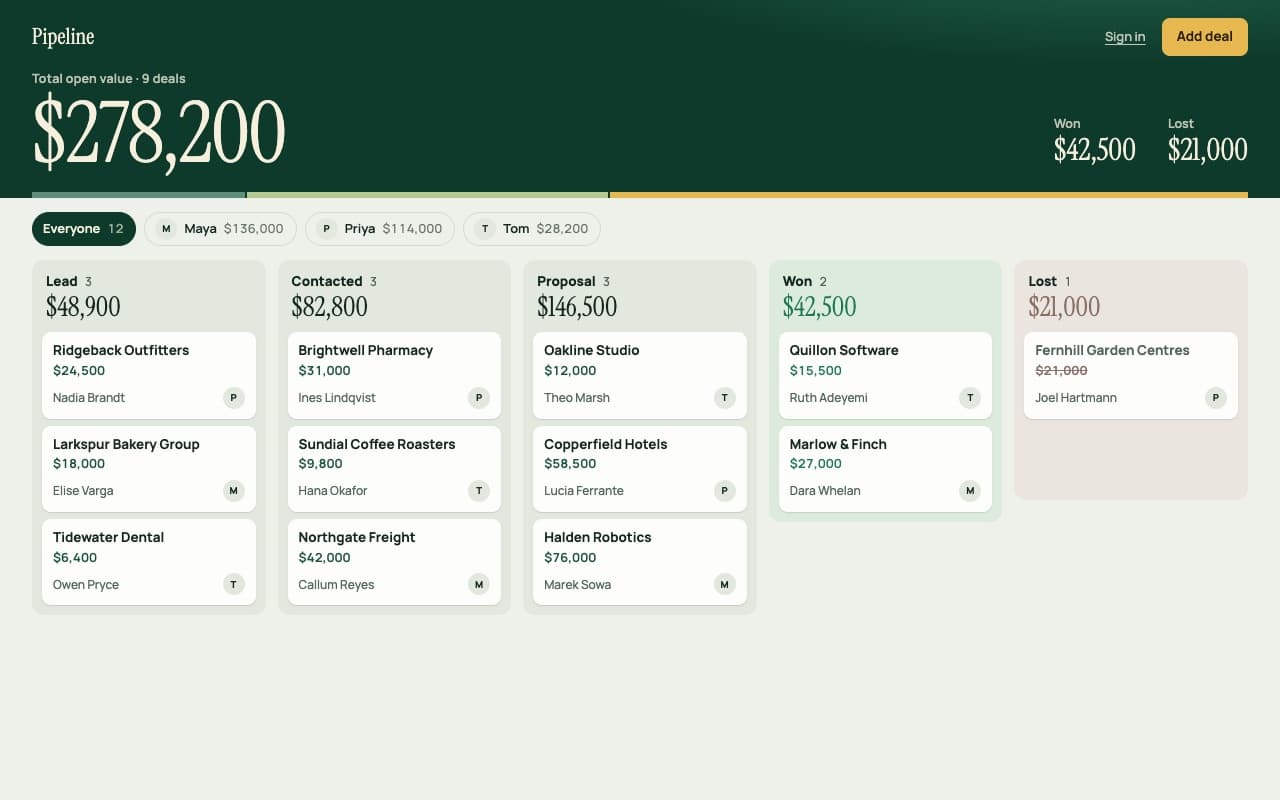
A shared deal board with stage totals for a small sales team.
Your agent builds it, host0 hosts it
A live link from any agent, in your own account. host0 is free to start.
Get started