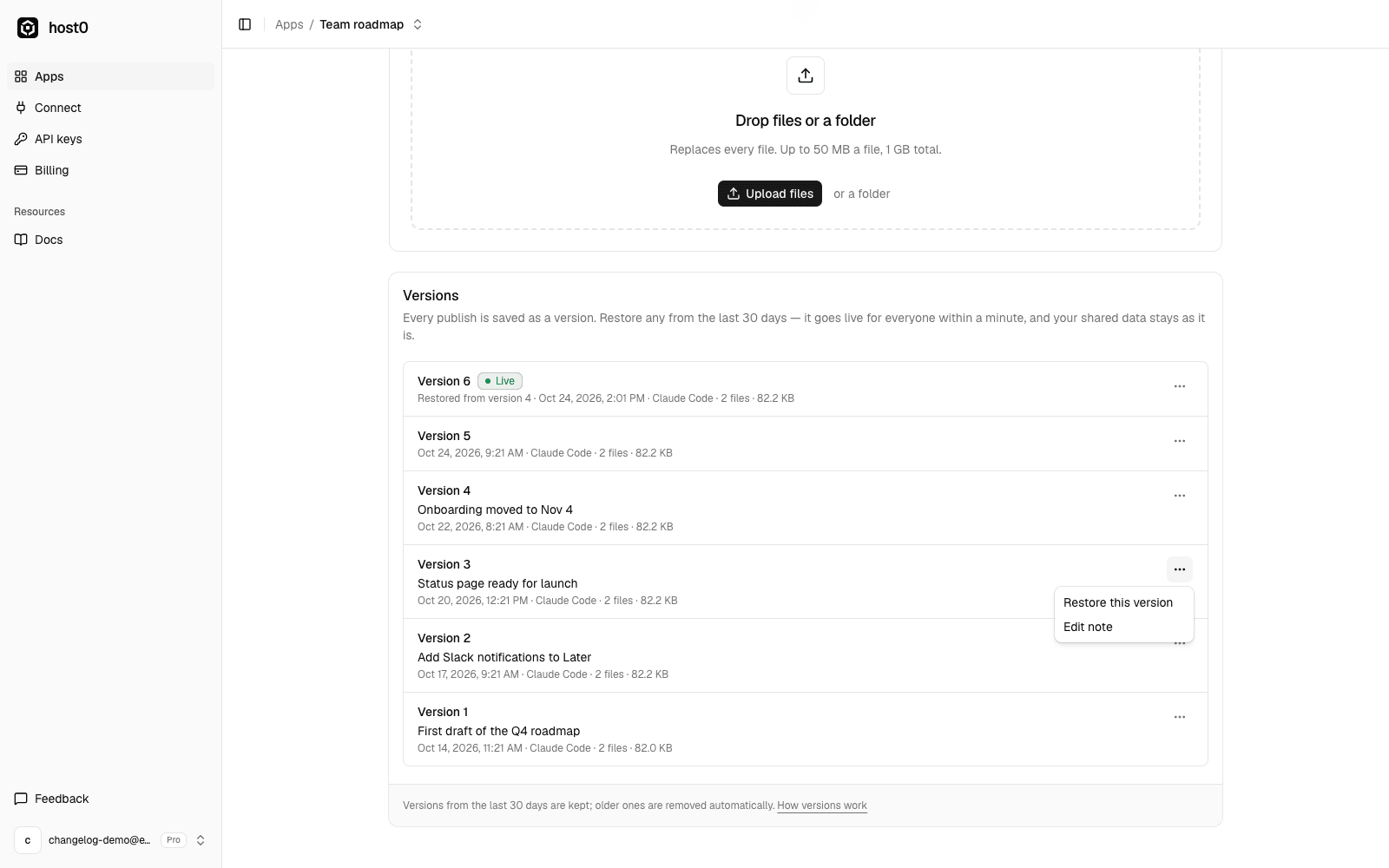
When an agent redeploys your app and something breaks, you can now undo it.
Every publish that goes live gets a number: version 1, 2, 3 and so on. You can attach a short note so you know what changed, from the dashboard or when publishing:
publish.sh ./site --message "Status page ready for launch"To go back, open the app's Versions tab, pick a version from its menu and choose Restore this version. host0 publishes it again as a new version ("version 6, restored from version 4"), so the history stays in order and you can undo the restore too. It goes live for everyone within a minute, at the same URL and with the same access.
Shared data isn't rolled back: records your app's users added stay where they are.
Versions are also available over the API (GET /api/v1/apps/{app}/versions and POST …/versions/{n}/restore) and the MCP server (list_versions, restore_version), so you can ask your agent to roll back for you. How long older versions are kept depends on your plan; see pricing and the docs.